User Manual QT250 and QT800 gen 2.5, ID 2021 2.3 20. April 2021
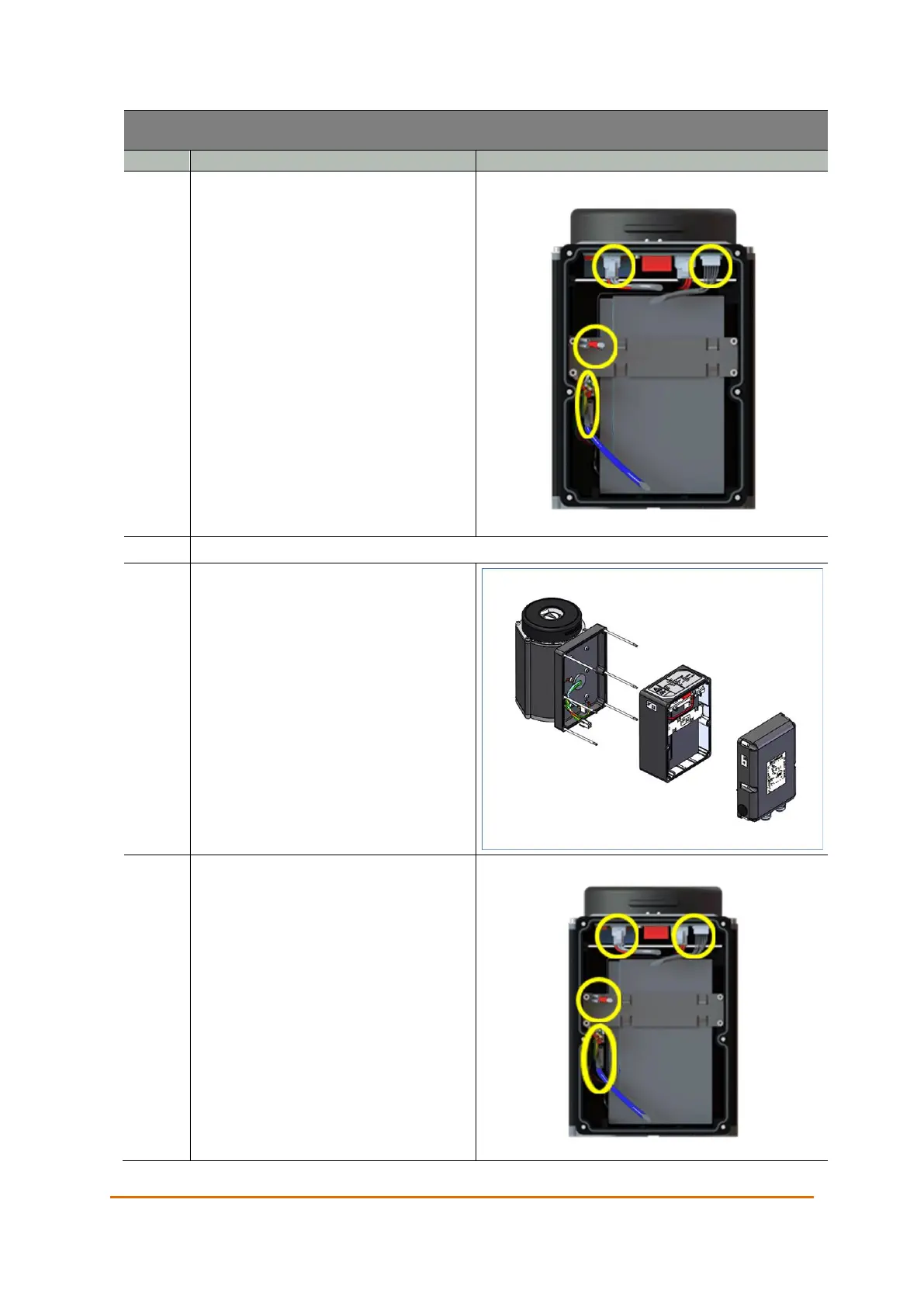
Disconnect the cables between the
failsafe unit and the communication
interface.
Place the interface in a secure location to avoid any damage to it.
Disconnect all cables between the
actuator and the failsafe module.
Remove the failsafe module by sliding it
out.
Slide the new module onto the studs
and reconnect the cables.
Hold the interface close to the actuator
and reconnect the cables. The two equal
connectors are distinguished by the
color on the cable sleeve. The cable
with the blue sleeve connects to the
cable with the blue sleeve, and the cable
with the black sleeve connects to the
PCB.



 To Next Page