User Manual QT250 and QT800 gen 2.5, ID 2021 2.3 20. April 2021
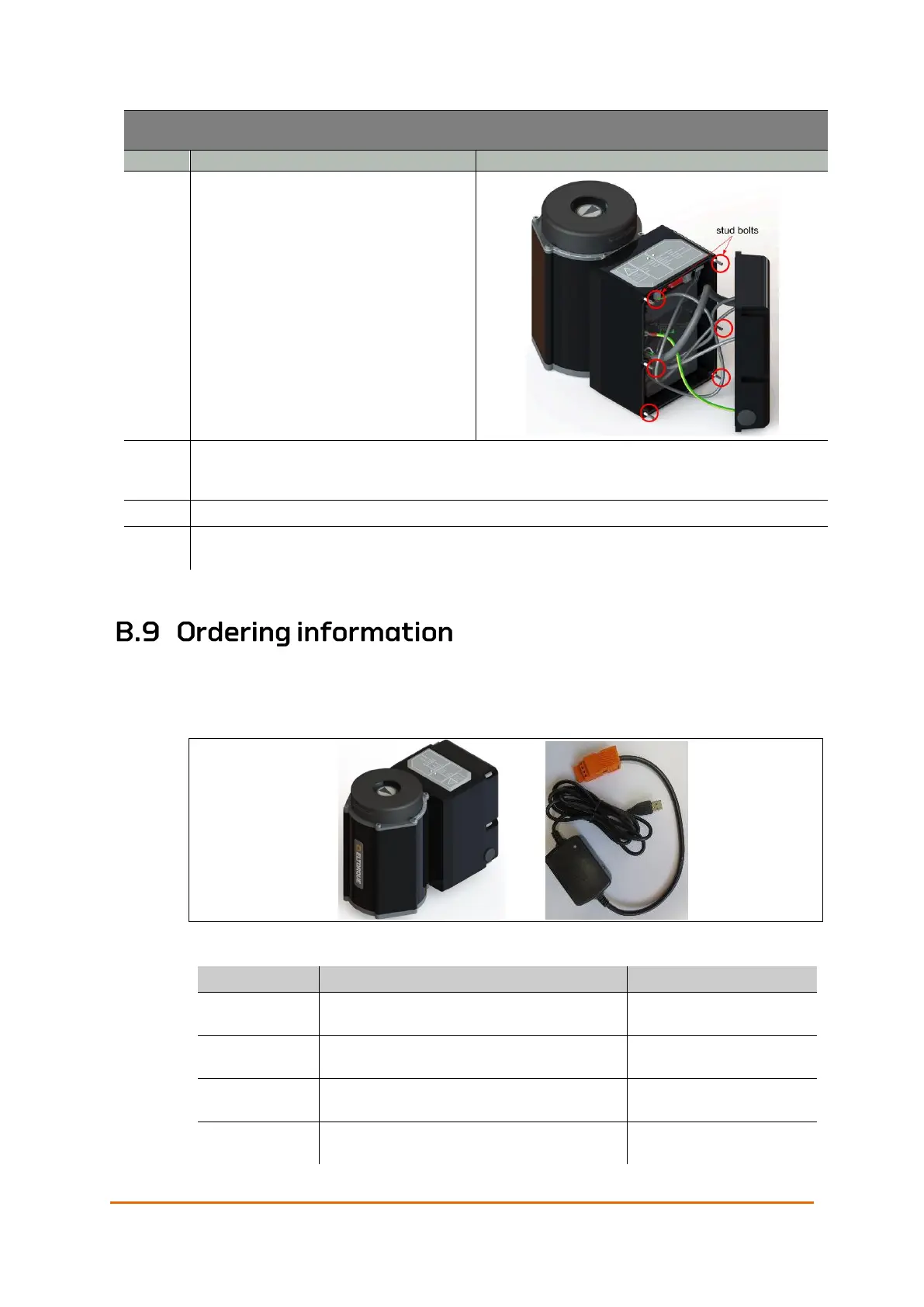
Place the interface back on the actuator.
Make sure no cables get caught on the
sealing surface between the interface
and the actuator. Make sure to not drop
the interface, or to let it hang by the
cables.
Fasten the interface with the six hexagon socket cap nuts by turning them clockwise. Note
the correct sequence for tightening the nuts. See Appendix C Torque and Screw
Recommendations on page 87.
Turn on the power going to the actuators.
Disable service mode from the actuator control system. Make sure that the actuator state
indicator light is green on all actuators that have received a new battery.
For spare parts, not in the list below, please contact your local Eltorque
representative. Eltorque can deliver SDoc, MD and AFD. With reference to IMO
Resolution MEPC 269(68), SOLAS Reg. II-/3-5 and IACS SC 249or latest valid
revision.
Figure 50: Actuator with embedded Failsafe UPS unit.
QT250 2.5 CANopen Actuator with
Failsafe (Battery)
1
QT250 2.5 FSB Actuator
CAN
QT250 2.5 CANopen Actuator with
Failsafe (Battery) for Hybrid Marine Cable
2
QT250 2.5 FSB Actuator
CAN H
QT250 2.5 Dual CANopen Actuator with
Failsafe (Battery)
1
QT250 2.5 FSB Actuator
R CAN
QT250 2.5 Dual CANopen Actuator with
Failsafe (Battery) for Hybrid Marine Cable
2
QT250 2.5 FSB Actuator
R CAN H



 To Next Page