
 Need help?
Do you have a question about the Elvox 46241.F08 and is the answer not in the manual?
Overview of the NVR series, its purpose, and applications in security systems.
Highlights key functionalities including compression, live view, recording, backup, and network capabilities.
Guide on installing internal storage devices like HDDs and optional DVD writers.
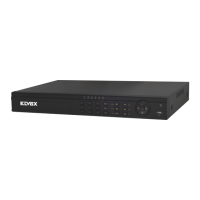
Explains the function of buttons, indicators, and ports on the NVR's front panel.
Details the various input/output ports located on the back of the NVR unit.
Explains the functions of buttons on the remote control for NVR operation.
Describes using a USB mouse for navigation and interaction with the NVR interface.
Correct procedures for powering the NVR on and off to ensure system longevity.
How to access the NVR system using user credentials for secure operation.
Demonstrates viewing live video feeds from connected cameras on the monitor.
Guides users on reviewing recorded video footage for event analysis.
System settings, date/time, and daylight saving time adjustments.
Settings for camera names, display modes, and color adjustments for live views.
Setting up recording parameters like bitrate, resolution, and schedules.
Defining recording schedules for normal, motion, and sensor-based events.
Setting up sensor, motion, and other alarm triggers and responses.
IP settings, email alerts, server connections, and NAT.
Managing user accounts, permissions, and access rights.
System reset, import/export settings, and IP address blocking/allowing.
Searching recorded footage based on date and time.
Locating recordings triggered by events like motion or sensor alarms.
Operations for locking, unlocking, and deleting recorded files.
Finding recorded footage using image-based search criteria.
Procedures for backing up recorded data to external storage.
Accessing NVR's hardware, software, and network status details.
Manually triggering an alarm event within the system.
Formatting and managing the NVR's hard disk drives.
Steps for updating the NVR's firmware via USB.
Process for securely exiting the NVR system interface.
Setting up remote viewing via Internet Explorer using NAT.
Accessing NVR remotely over LAN/WAN using IE.
Guidelines for accessing NVR remotely using an Apple computer.
Viewing live camera feeds remotely.
Reviewing recorded footage and performing backups remotely.
Managing NVR settings remotely via web interface.
Accessing utility tools for disk management remotely.
Viewing NVR system and network information remotely.

 To Next Page
 General