Meter Monitor (Summary) viewFigure 2-4:
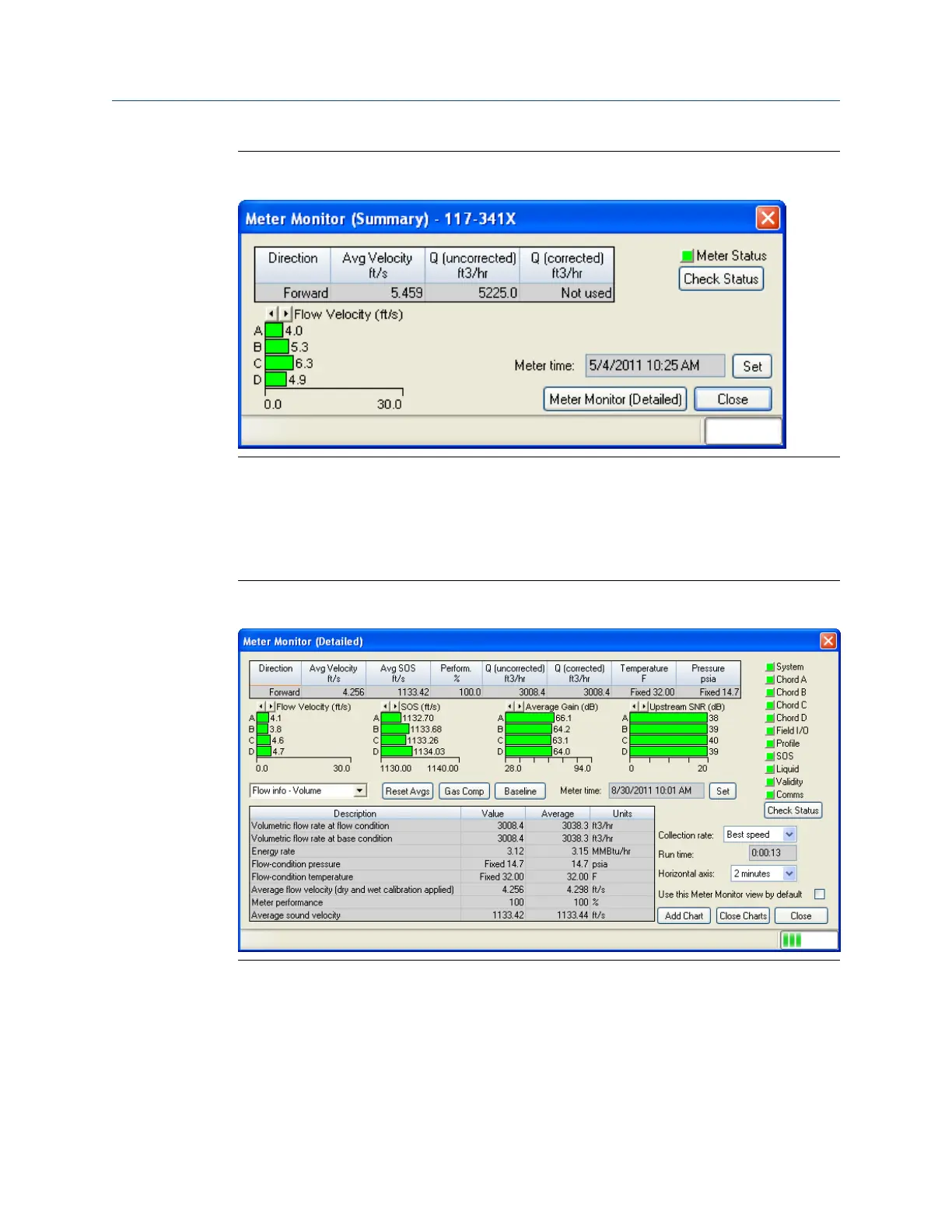
Run Daniel MeterLink and open the Meter Monitor (Detailed) view to perform a
diagnostics health check and or adjust parameters for your site requirements. If you wish
to use the Monitor (Detailed) dialog as the default view, click the checkbox in the lower
portion of the dialog box.
Meter Monitor (Detailed) viewFigure 2-5:
The following details the information displayed in this dialog box.
• Flow Properties Table - the table at the top of the Meter Monitor dialog box shows
basic information about the condition of the flow in the meter.
• Flow Velocity/Flow Ratios Bar Graph - provides a visual comparison between the
velocities for each chord.
Troubleshooting
Maintenance and Troubleshooting manual 27



 To Next Page
 Loading...