3.5 Rotate the transmitter on the sensor (optional)
In integral installations, you can rotate the transmitter on the sensor up to 360° in 45°
increments.
Procedure
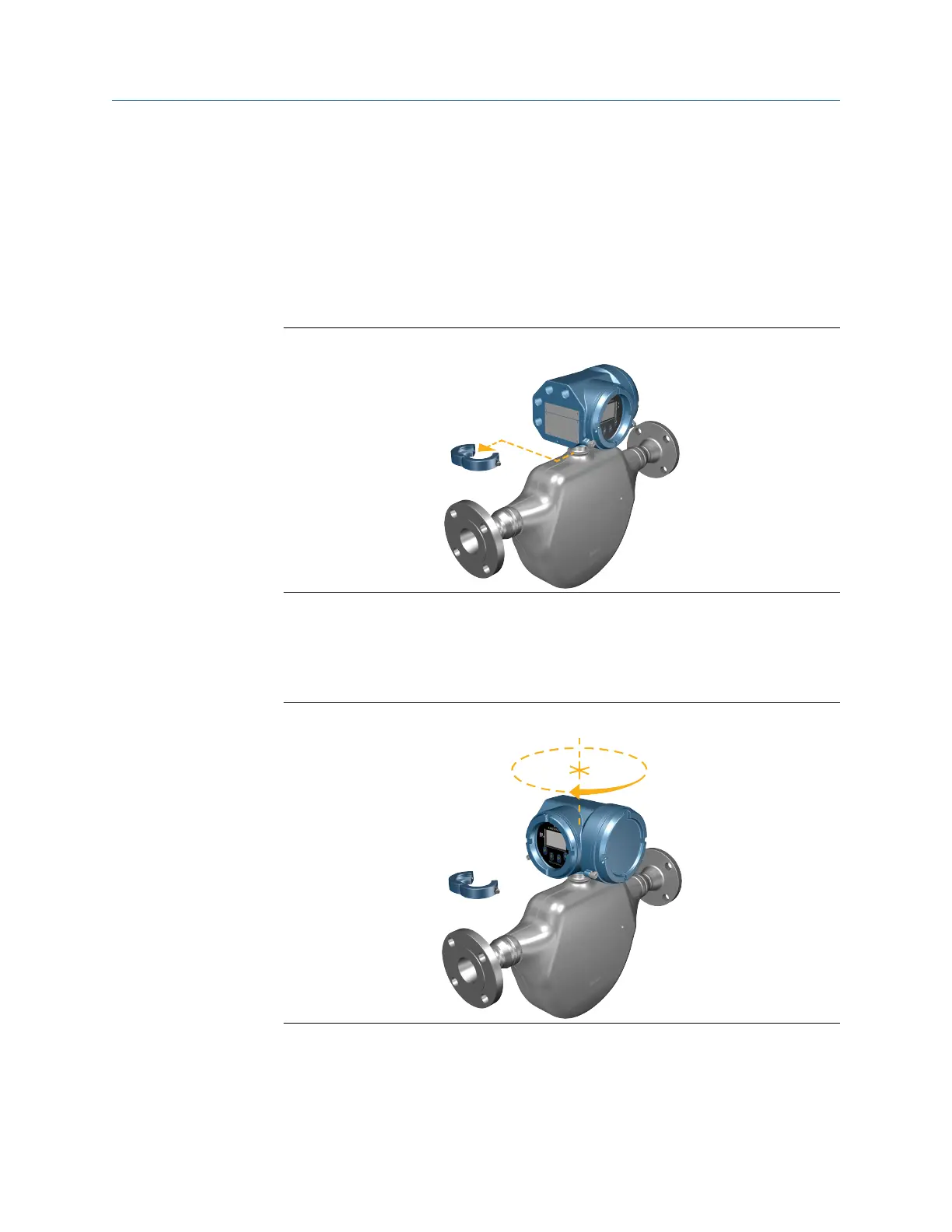
1. Using a 4 mm hex key, loosen and remove the clamp securing the transmitter head
in place.
Figure 3-12: Removal of the sensor clamp
2. Gently lift the transmitter straight up, and rotate the transmitter to the desired
position.
You can rotate the transmitter to any of the eight positions, but a stop exists that
will not allow a full 360° rotation.
Figure 3-13: Rotate transmitter head
3. Gently lower the transmitter onto the base, confirming that the transmitter is in a
locked position.
Mounting and sensor wiring Installation Manual
April 2022 MMI-20027478
20 Micro Motion 5700 Transmitters with Configurable Inputs and Outputs














 To Next Page