4.2 Access the wiring channels
Procedure
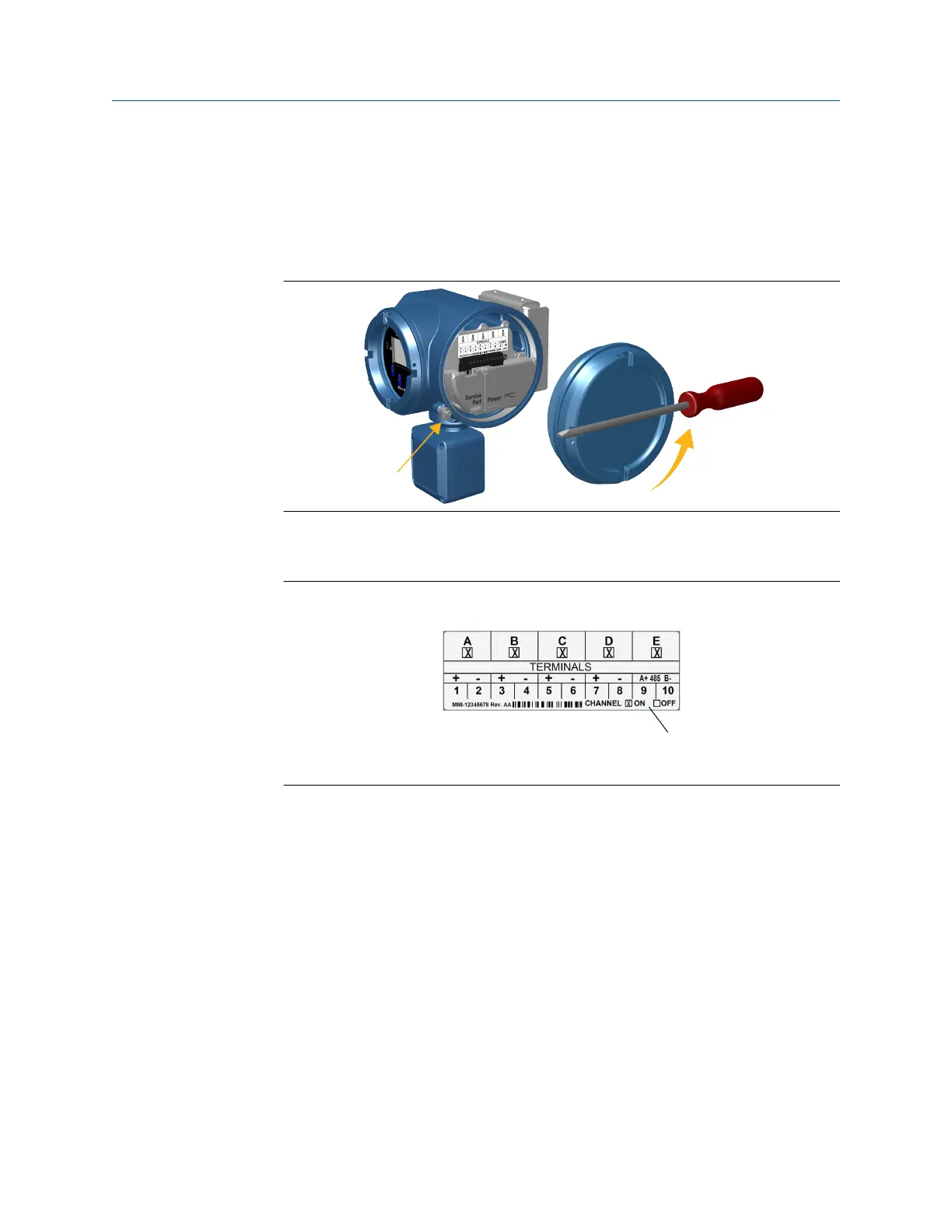
1. Remove the wiring access cover to reveal the inputs and outputs wiring terminal
block connectors.
2. Confirm which transmitter channels are activated, or ON, and identify the type of
configuration you will be wiring to based on the options available.
Figure 4-1: Activated channel identification
A. Key to identify the activated input/outputs
3. Record the channel and wiring configuration on the label provided inside the
transmitter housing cover.
Wiring the channels Installation Manual
April 2022 MMI-20027478
26 Micro Motion 5700 Transmitters with Configurable Inputs and Outputs














 To Next Page