Some controls require you to select an item from a list. Others, like Dampening,
require you to enter a number.
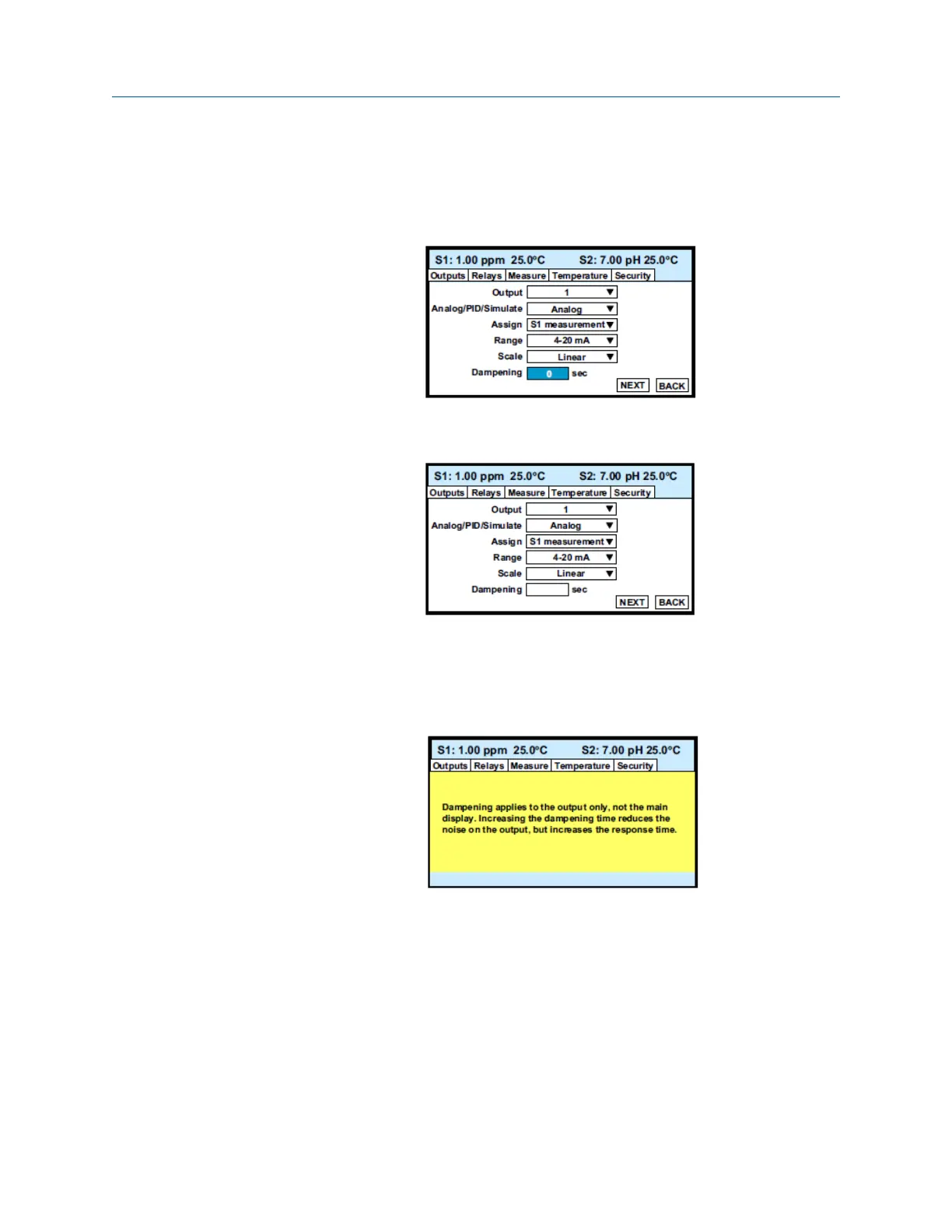
8. Move the cursor to Dampening at the bottom of the screen.
The default Dampening value is 0 seconds.
9. To change the value, press ENTER/MENU.
The dark blue back-lighting disappears, indicating that a number can be entered.
10. Use the numeric keypad to enter the desired number. If you make an error, press
Left to erase the digit last entered. To store the number, press ENTER/MENU.
Every control box has an information or help screen associated with it.
11. To view the information screen for the control box the cursor is on, press INFO.
The information screen for Dampening is shown below.
12. To close the information screen, press any key.
A NEXT and BACK button are at the bottom of the screen. NEXT means that
additional control boxes are available on at least one or more screen.
Display and operation Reference Manual
January2023 00809-0200-3415
30 Emerson.com/Rosemount



 To Next Page
 Loading...










