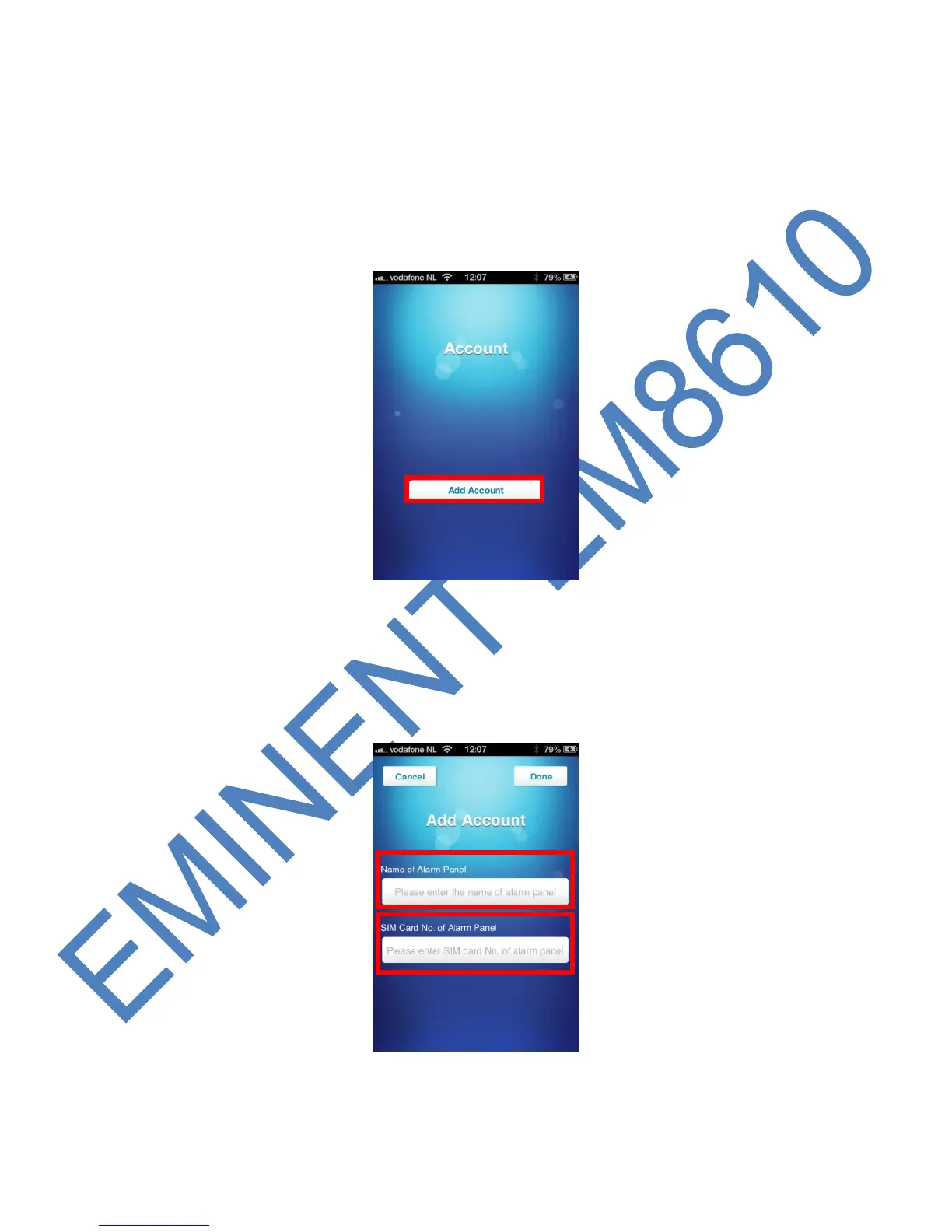
5.1 Add an account
With the APP you can control the alarm system. The Apple APP will create a text
message with the command needed to configure the settings. After this the message
needs to be send manually. Press send to send the message. If used with an Android
device the text message will be send automatically.
1. Start the APP on your phone and select ‘Add Account’
2. Enter a name for the alarm system (example: Eminent e-Alarm) and enter the
mobile number of the SIM card installed in the alarm system. Start with the
country code (example UK 0044). Without the country code the alarm system
cannot be controlled or configured from outside your country.



 To Next Page