8.2.4 Group settings (jumpers)
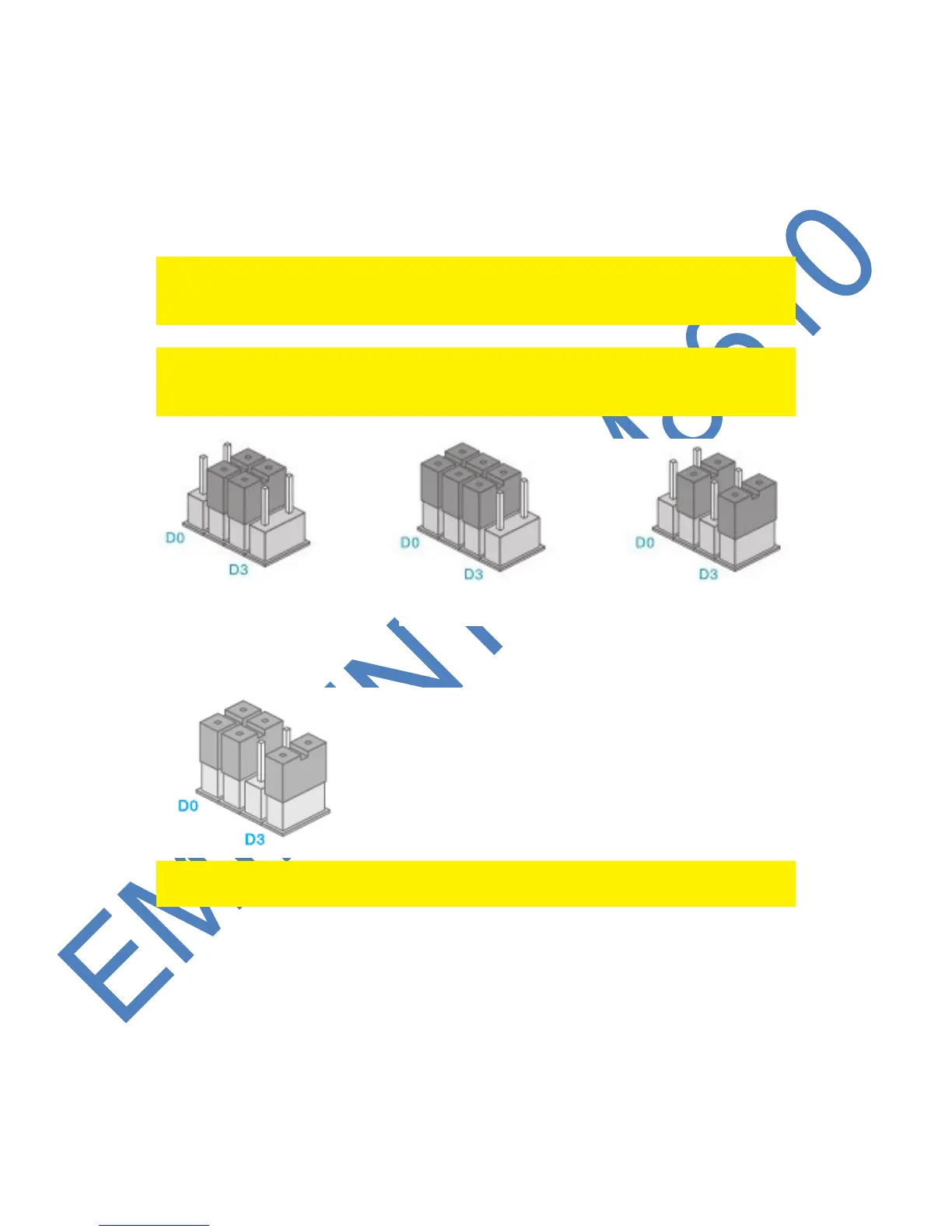
Every sensor can be configured to be added to a dedicated group by setting the
jumper settings; home-group, normal group, single group or 24-hours group.
Bellow you will see an overview of the meaning and how to configure the jumper
settings for that type of zone.
Remark : Determine before pairing with the alarm system in which group the sensor
will be operational. Once the sensor is successfully paired with the system. The group
cannot be changed after pairing!
Remark: If the group of a sensor needs to be changed, all sensors need to be paired
with the alarm system once more. It is not possible to remove one single sensor from
a group ! (See chapter “Delete all wireless sensors by text message”)
Remark : It’s recommended to install detectors that needs to be operational 24-hours,
for example smoke detectors, in the 24-hours-group.



 To Next Page