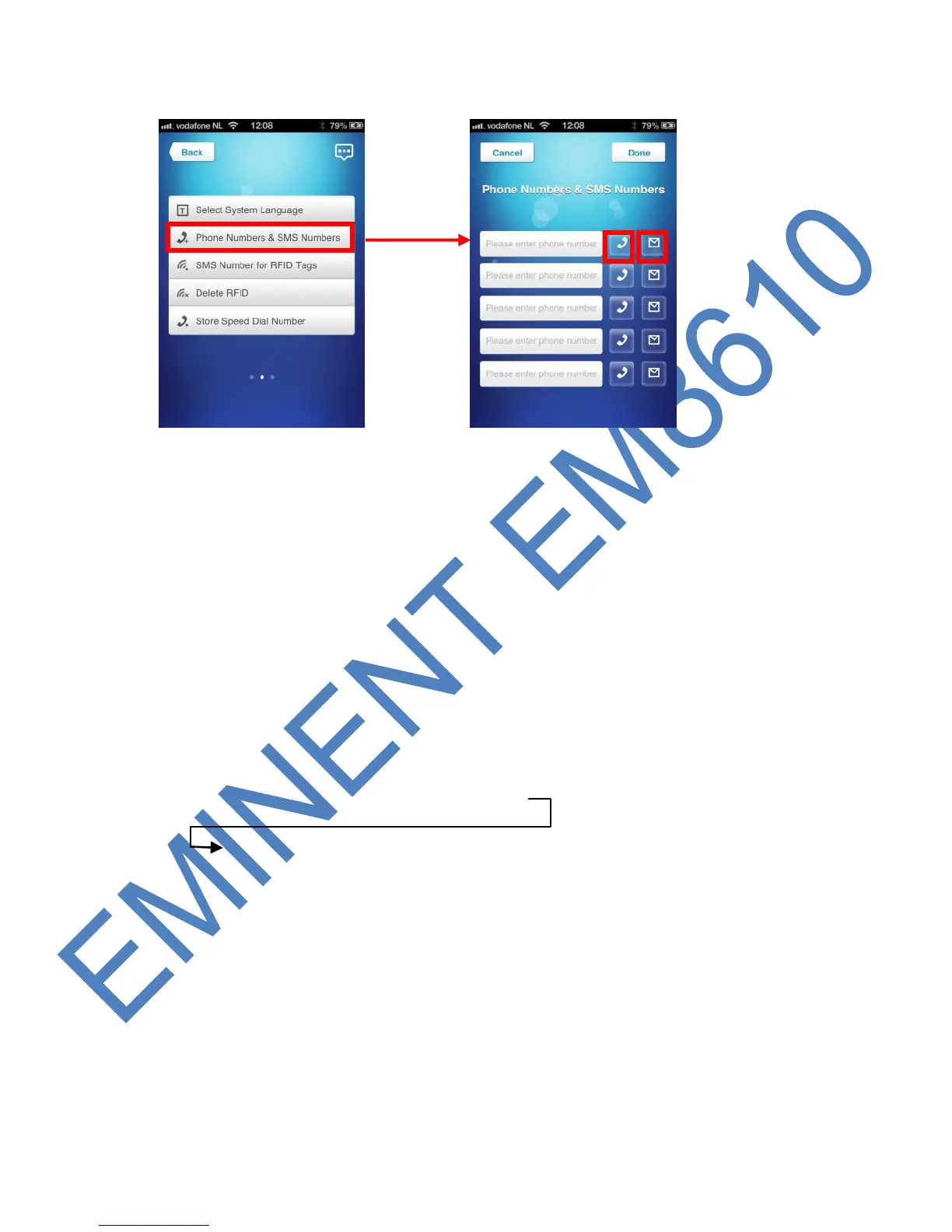
With the Eminent e-Alarm APP :
Select the handset on the right side of the phone number to get a phone call. Select
the envelope to get a text message during an alarm.
When you would like to receive a text message and a telephone call during an alarm
you need to select both handset and envelope.
6.4 Alarm notifications
The alarm system will check the programmed phone numbers one by one. Firstly
every number will get a text message. When this is fulfilled the alarm system will start
calling the programmed numbers. If one of the phone number has the voicemail
enabled the system will continue to call the next phone number.
Between every text message and phone call there will be a time span of
approximately 2 minutes.
SMS 1 => SMS 2 => SMS 3 => SMS 4 => SMS 5
TEL 1 => TEL 2 => TEL 3 => TEL 4 => TEL 5



 To Next Page