100
Emergency Upgrade
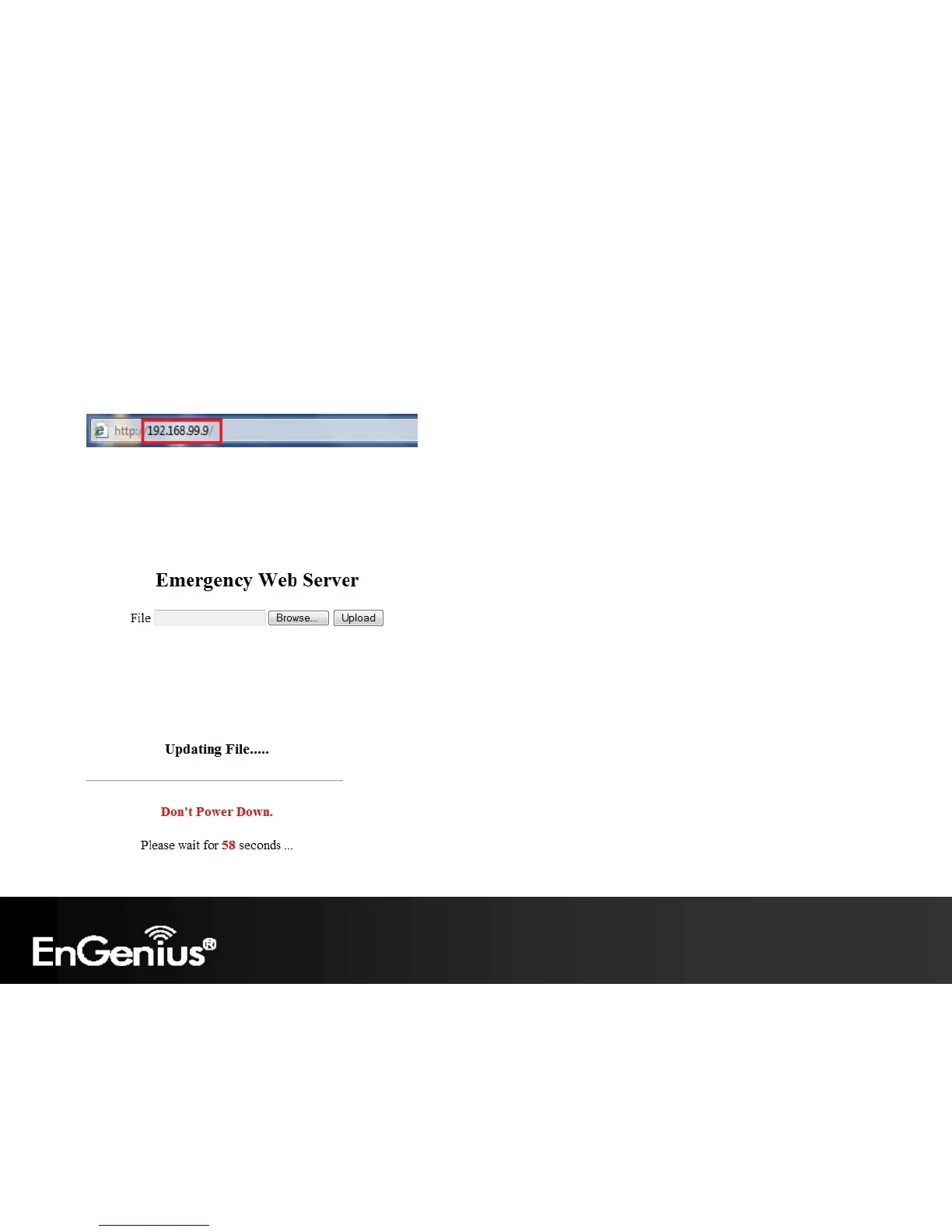
If your firmware upgrade failed, you may enter the Emergency Upgrade WEB page.
1. Enter IP address: 192.168.99.9 and enter Emergency Upgrade WEB page.
Note: Refer to 2.2 to configure PC/Notebook IP address to 192.168.99.8.
2. Click the Browse button and navigate to the location of the upgrade file and then click Upload.
3. Wait for 60 seconds for firmware upgrade and reboot the device.















 To Next Page