7.4 WAN (Router mode)
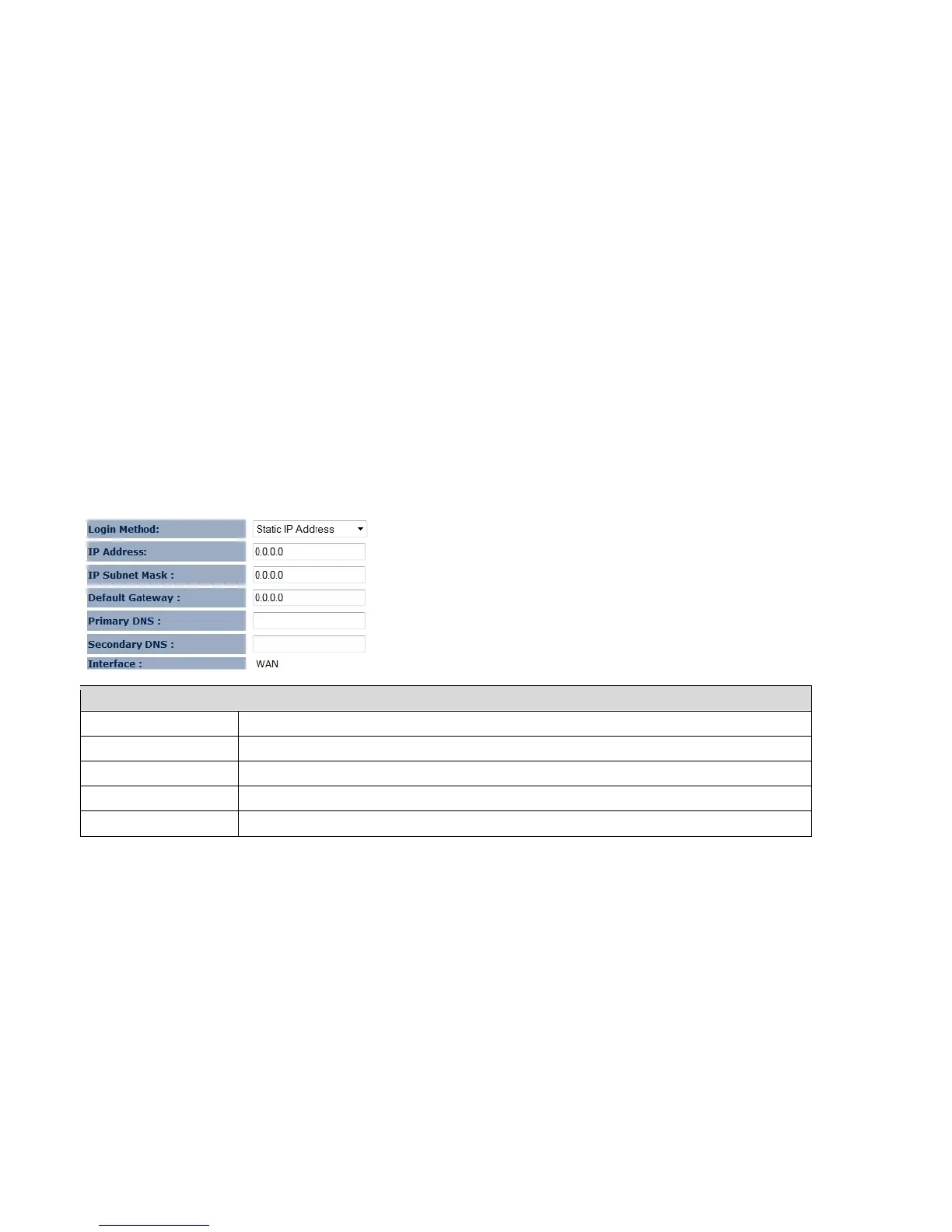
The WAN section allows you to manually set the WAN type connection and its related settings.
Note: Only in Router mode.
7.4.1 Static IP Address
If your ISP Provider has assigned you a fixed IP address, enter the assigned IP address, Subnet mask, Default Gateway IP
address, and Primary DNS and Secondary DNS (if available) of your ISP provider.
Static IP Address
IP Address Assign an IP address Manually.
IP Subnet Mask Specify an IP address’s subnet mask.
Default Gateway Specify the gateway of your network.
Primary DNS Specify the primary DNS server’s IP address.
Secondary DNS Specify the second DNS server’s IP address.















 To Next Page