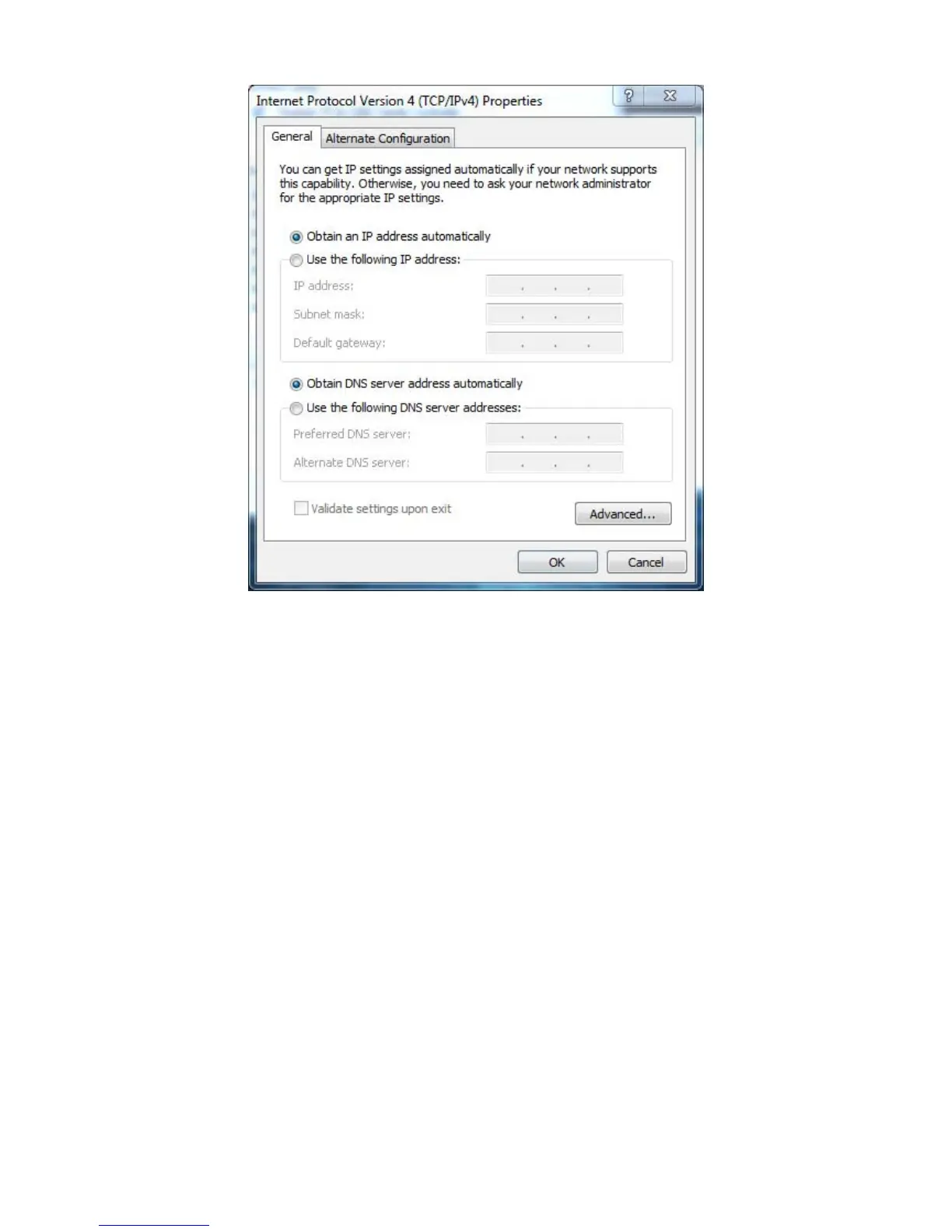
5. ClicktheOKbuttontosaveyourchangesandclosethedialogbox.
6. ClicktheOKbuttonagaintosaveyourchanges.
4.2ConfiguringMicrosoftWindowsVista
UsethefollowingproceduretoconfigureacomputerrunningMicrosoftWindowsVistawiththe
defaultinterface.IfyouusetheClassicinterface,wheretheiconsandmenusresembleprevious
Windowsversions,performtheprocedureinsection4.4.
1. OntheWindowstaskbar,clickStart,clickControlPanel,andthenselecttheNetwork
andInterneticon.
2. ClickViewNetworksStatusandtasksandthenclickManagementNetworks
Connections.
3. Right‐clicktheLocalAreaConnectioniconandclickProperties.
4. ClickContinue.TheLocalAreaConnectionPropertiesdialogboxappears.
5. IntheLocalAreaConnectionPropertiesdialogbox,verifythatInternetProtocol
(TCP/IPv4)ischecked.ThenselectInternetProtocol(TCP/IPv4)andclicktheProperties
button.TheInternetProtocolVersion4Propertiesdialogboxappears.













 To Next Page