Chapter5IntroducingtheWebConfigurator
TheENH200hasabuilt‐inWebConfiguratorthatletsyoumanagetheunitfromanylocationusinga
WebbrowserthatsupportsHTTPandhasJavaScriptinstalled.
5.1LoggingintotheWebConfigurator
AfterconfiguringthecomputerforTCP/IPusingtheprocedureappropriateforyouroperatingsystem,
usethatcomputer’sWebbrowsertologintotheENH200WebConfigurator.
1.LaunchyourWebbrowser.
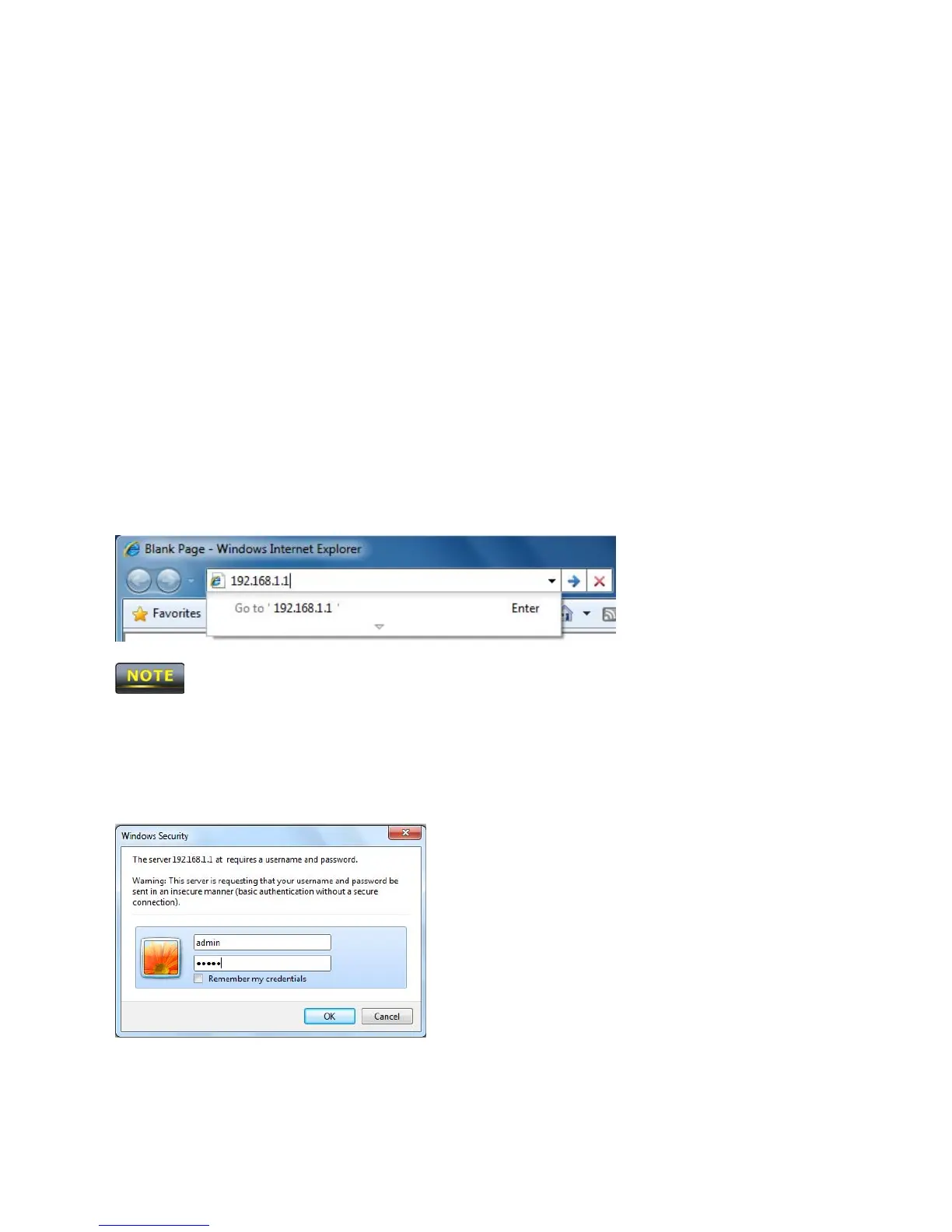
2.Inthebrowseraddressbar,type192.168.1.1andpresstheEnterkey.
IfyouchangedtheENH200LANIPaddress,enterthecorrectIPaddress.
3.WhentheWindowsSecuritywindowappears,typeadminastheusernameinthetopfieldand
typeadminasthepasswordinthebottomfield.
4.ClickOK
YouarenowreadytousetheinstructionsinthefollowingchapterstoconfiguretheENH200.













 To Next Page