4.5ConfiguringanAppleMacintoshComputer
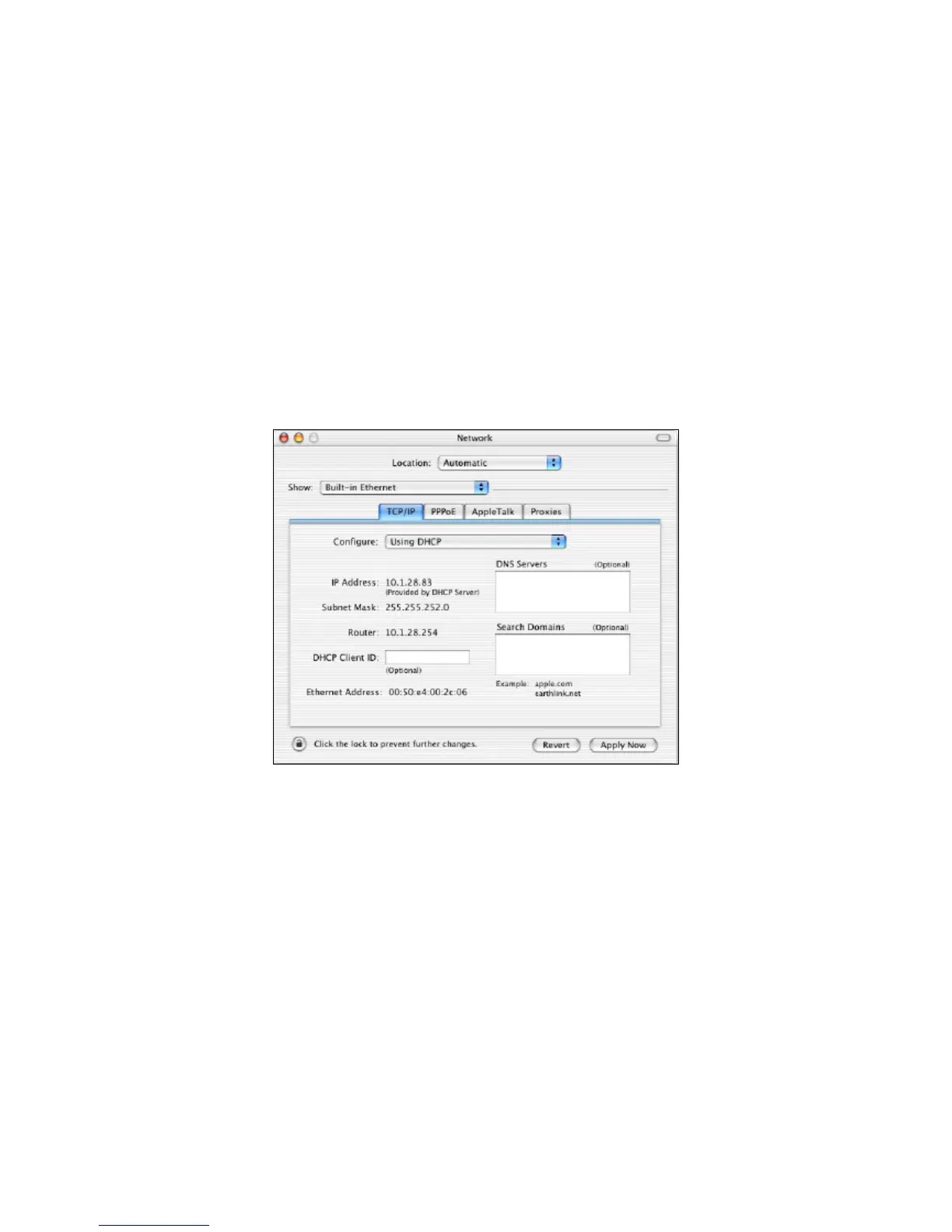
ThefollowingproceduredescribeshowtoconfigureTCP /IPonanAppleMacintoshrunningMacOS
10.2.IfyourAppleMacintoshisrunningMacOS7.xorlater,thestepsyouperformandthescreens
youseemaydifferslightlyfromthefollowing.However,youshouldstillbeabletousethisprocedure
asaguidetoconfiguringyourAppleMacintoshforTCP/IP.
1. PulldowntheAppleMenu,clickSystemPreferences,andselectNetwork.
2. VerifythattheNICconnectedtotheENH200isselectedintheShowfield.
3. IntheConfigurefieldontheTCP/IPtab,selectUsingDHCP.
4. ClickApplyNowtoapplyyoursettingsandclosetheTCP/IPdialogbox.













 To Next Page