24
IP2288EN
EN
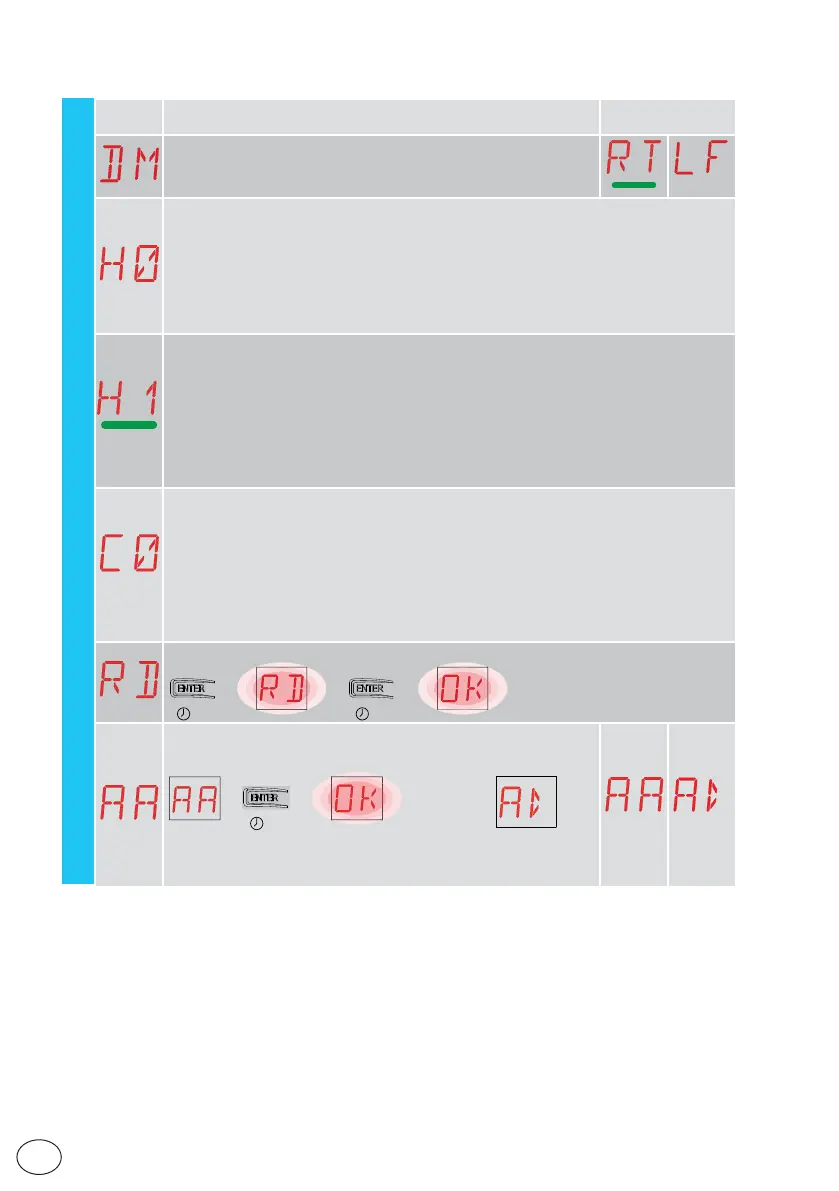
AT - Automatic configurations
15.2 Second level menu - AT (Automatic Configurations)
Display Description
Selections
available
DM - Direction mode
RT-opens to the right
LF-open to the left
H0 - Predefined setting, residential use 0
This selection loads predefined values for certain standard parameters:
AC - enabling of automatic closing : 1-2
C5 - step-by-step/opening command operation : Step-by-step
RM - remote control operation : Step-by-step
AM - AUX plug-in board operation : Step-by-step
SS - Selection of automation status at start-up : open
H1 - Predefined setting, residential use 1
This selection loads predefined values for certain standard parameters:
AC - enabling of automatic closing : enabled
TC - setting of automatic closing time : 1 minute
C5 - step-by-step/opening command operation : Step-by-step
RM - remote control operation : Step-by-step
AM - AUX plug-in board operation : Step-by-step
SS - Selection of automation status at start-up : closed
C0 - Predefined setting, condominium use 0
This selection loads predefined values for certain standard parameters:
AC - Enabling of automatic closure : enabled
TC - setting of automatic closing time : 1 minute
C5 - step-by-step/opening command operation : Opening
RM - remote control operation : Opening
AM - AUX plug-in board operation : Opening
SS - Selection of automation status at start-up : closed
RD - Resetting of general settings (SETTINGS RESET)
→→
→
2” 2”
AA - Activation of additional configurable parameters for each func-
tion of the main menu.
→
2”
After activation you can scroll through the third level menus.
The third level menus are activated for 30 min.



 To Next Page