36
IP2288EN
EN
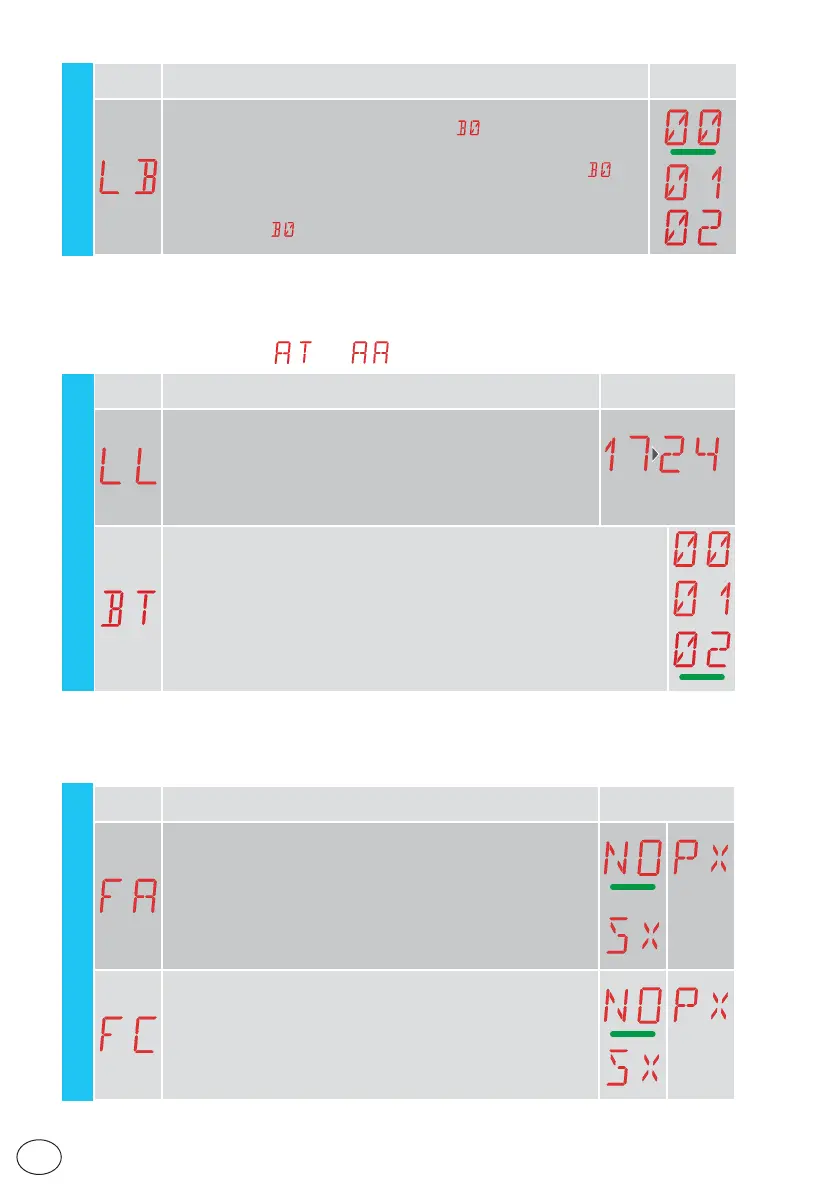
Display Description Selections
available
FA - Selection of opening limit switch mode
NO - None
SX - Stop limit switch (after activation, the gate stops its movement)
PX - Proximity limit switch (after activation, the gate continues as far as
the end stop and any obstacle is considered a stop)
FC - Selection of closing limit switch mode
NO - None
SX - Stop limit switch (after activation, the gate stops its movement)
PX - Proximity limit switch (after activation, the gate continues as far as
the end stop and any obstacle is considered a stop)
15.9 Second level menu - AP (Advanced Parameters)
AP - Advanced Parameters
Display Description Selections
available
LB - Indication that batteries are almost flat
00 - Visualisation on display (alarm message
)
01 - Visualisation on flashing light (with the automation idle, 2 flashes are
made and then repeated every hour) and on display (alarm message
)
02 - Visualisation on "open gate" indicator light (with the automation closed, 2
flashes are made and then repeated every hour) and on display
(alarm message
)
EM
15.8.1 Additional EM level parameters that can be configured
(available with → enabled)
Display Description Selections
available
LL - Voltage threshold for indicating that batteries are almost
flat (V)
17 - Minimum
24 - Maximum
NB: it is set with an interval of sensitivity of 0.5 V shown when the
decimal point on the right lights up.
22
BT - Battery mode
00 - Anti-panic (performs the opening operation following a mains supply fail-
ure. The automation opens but does not accept any other commands until
the mains supply has been restored).
01 - Continuous operation - the last operation performed before control panel
switch-off will be an opening.
02 - Continuous operation - the last operation performed before control panel
switch-off will be an closure.
EM



 To Next Page