40
IP2288EN
EN
Display Description
Selections
available
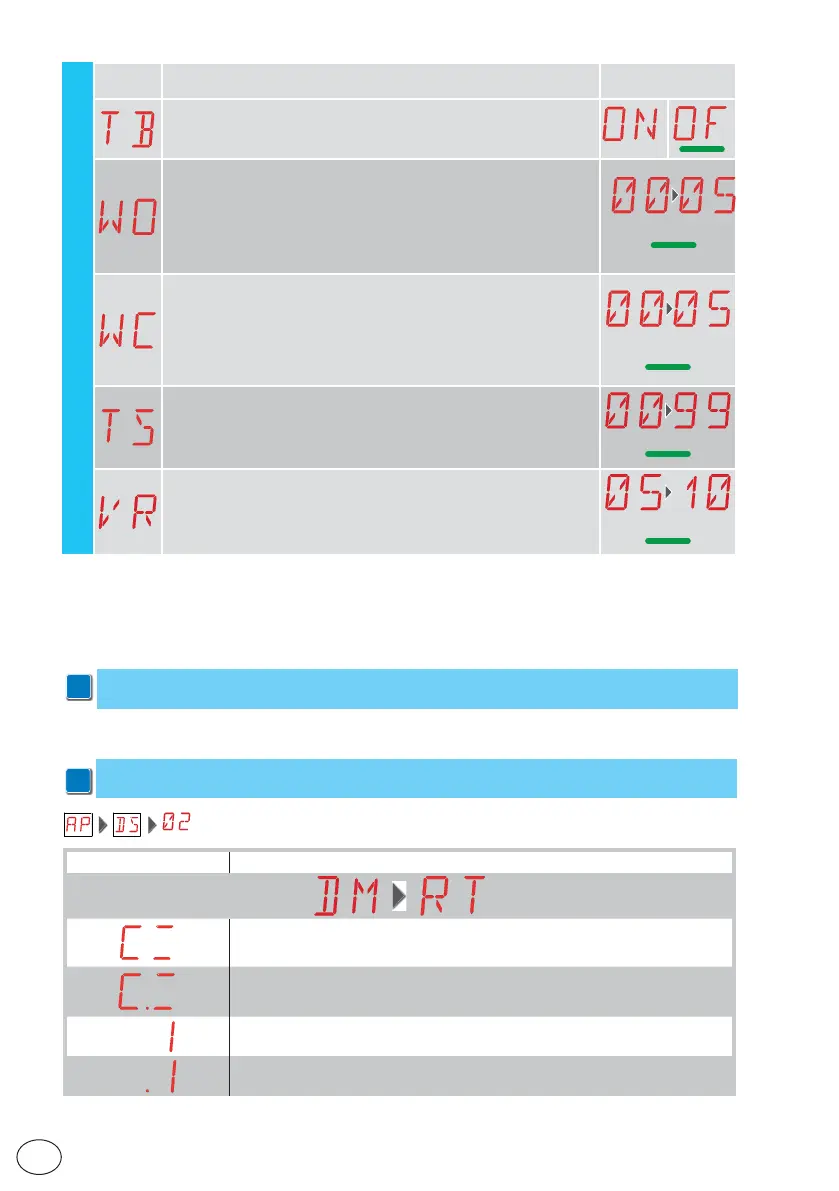
TB - Permanent display of the internal control panel temperature
[°C]
WO - Setting of pre-flashing time on opening [s]
Adjustment of the lead time for the switch-on of the flashing light,
in relation to the start of the opening operation from a voluntary
command.
00 - Minimum
05 - Maximum
00
WC - Setting of pre-flashing time on closing [s]
Adjustment of the lead time for the switch-on of the flashing light, in
relation to the start of the closing operation from a voluntary com-
mand.
00 - Minimum
05 - Maximum
00’’
TS - Setting of renewal of automatic closing time after PH safety
device release [%]
00 - Minimum
99 - Maximum
99
VR - Setting of learning speed [cm/s]
8
AP
16.1 Display of automation status
i
NB: the automation status display mode is only visible with Display visualisation mode set
to 02.
Display Description
Automation closed
Automation closed Release door open
Automation open
Automation open Release door open
16. Signals visualised on the display
i
NB: depending on the type of automation and control panel, certain visualisations may not
be available.



 To Next Page