7 Front panel controls
7 Front panel controls
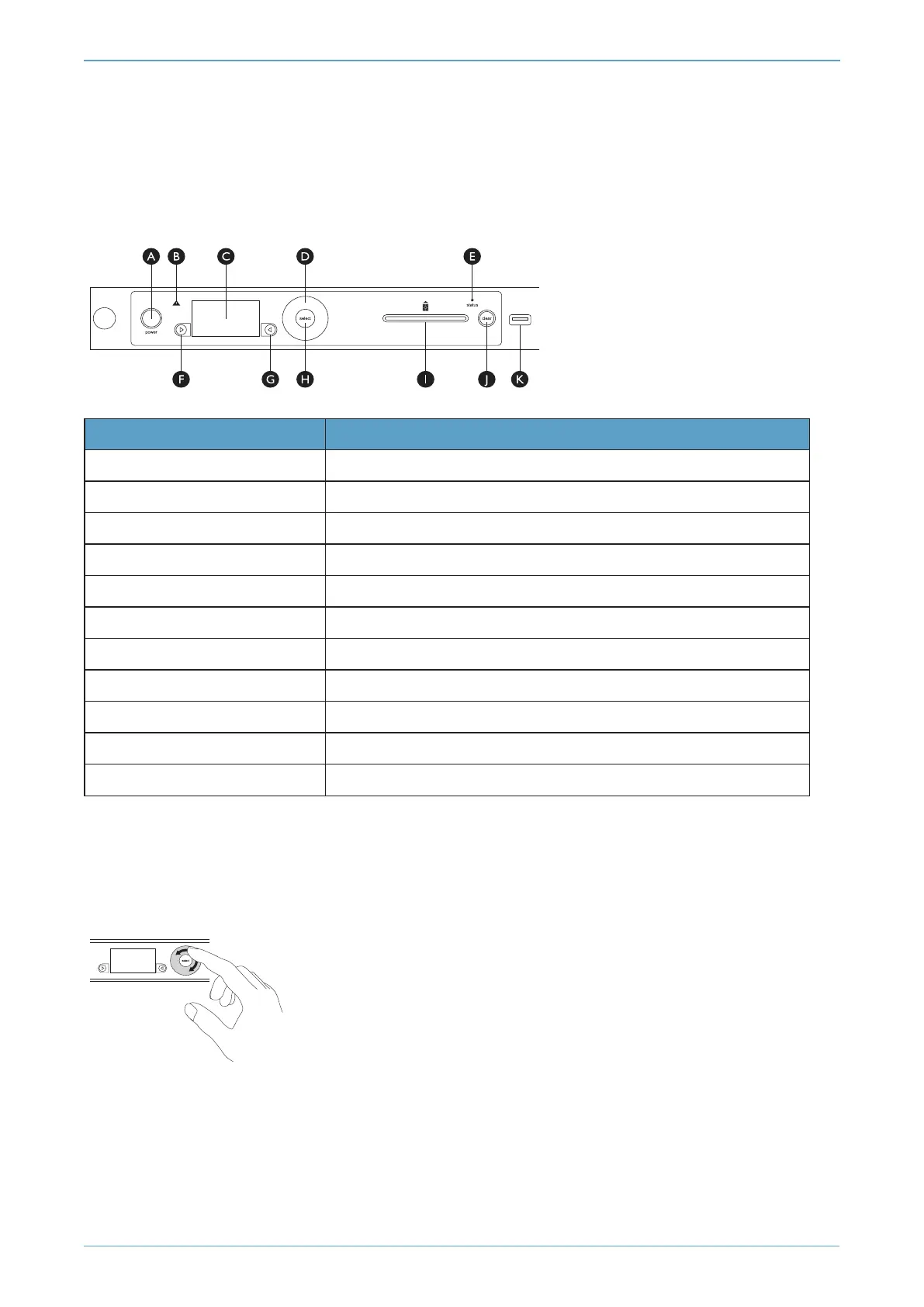
Figure 4. Front panel controls
Key Description
A Power button
B Warning LED (orange)
C Display screen
D Touch wheel
E Status indicator LED (blue)
F Display navigation button (left)
G Display navigation button (right)
H Select button
I Slot for smart cards
J Clear button
K USB connector
For more information about the user interface, including the front panel controls, see the
nShield
Connect User Guide
.
Figure 5. Touch wheel
Use the touch wheel to change values or move the cursor on the display screen. To confirm a value,
press the Select button.
nShield® Connect - Installation Guide
Page 34



 To Next Page