MMS6110Directionforuse
Visualization Page28
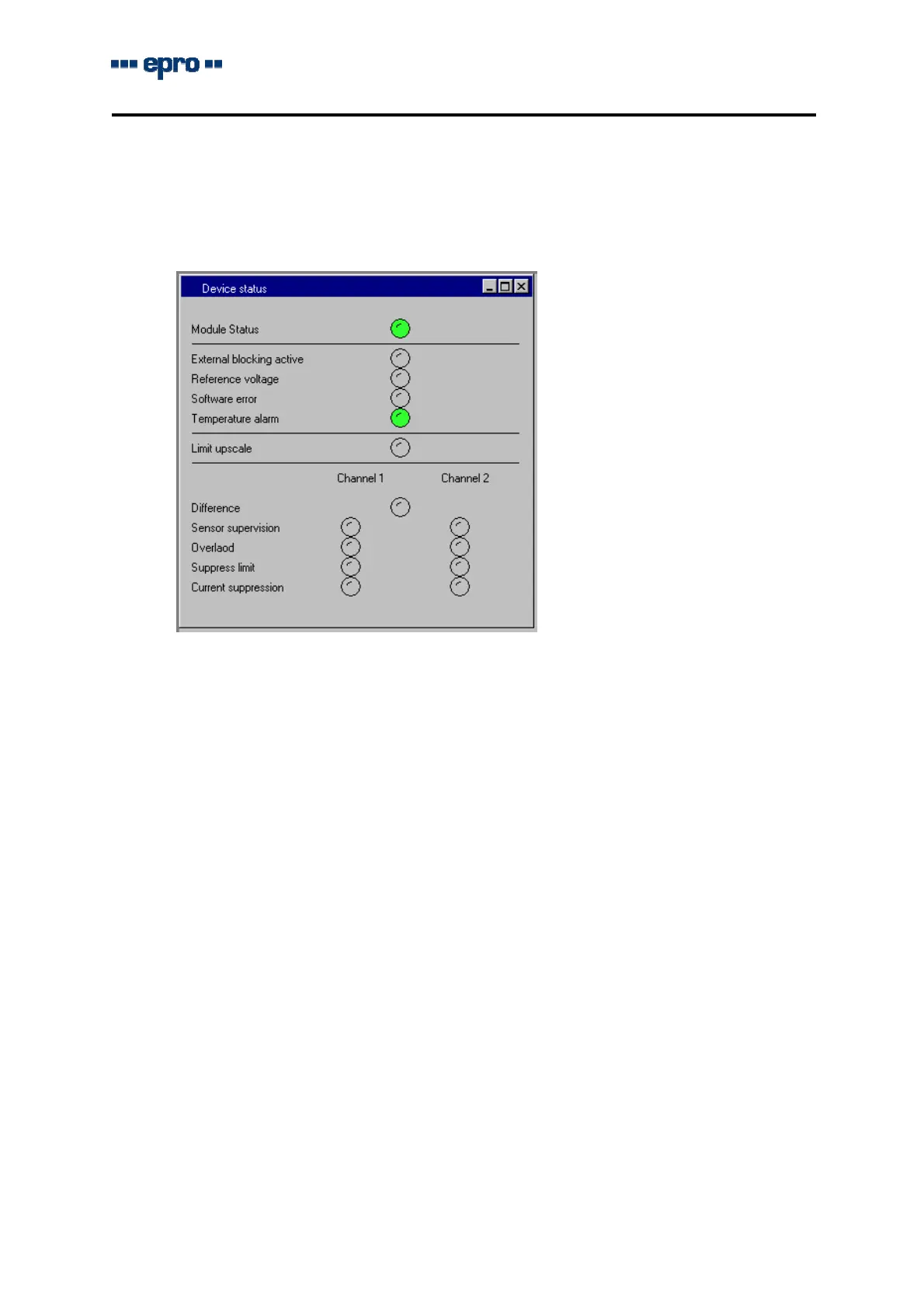
3.7 DeviceStatus
Theindicationofthemodulestatusservesthelocalisationofreasonsfora„Channelnotok“
message(LEDchannelclearswitchedofforflashing)andforincorrectalarmfunctionsresp.
outputcurrents.
Signallingandhandlingisdescribedinsection2.4.7ofthesystemmanualpart1.Thefollo-
wingsignallingconditionsarevalidespeciallyfortheMMS6110monitor.
Sensorsupervision getsredincaseofadetectedfaultofthemeasuringchaini.e.when
thesignalDCvoltageexceedstheupperlimit+0.5Vresp.fallsbelow
thelowerlimit-0.5Vofthesensoroperatingrange.Thisappliesin-
dependentlyoftheabsoluterangevaluesthusfortheoperating
range-2...-18Vaswellasfor-4...-20V.
Overload getsredwhenthedynamicsignal(ACpart)ofthechannelinputvolt-
ageexceedsthemeasuringrange+approx.1%.
Difference NotrelevantfortheMMS6110monitor
3.8 Monitordata
Onactivatingthedialog,themonitordataaredownloadedanddisplayed.Thesedataare
onlyforinformationpurposesandcannotbemodified.Themeaningofthefieldsisdes-
cribedinpart1ofthesystemmanual,section2.4.8.


 To Next Page