24
Buttons Functions
"Power"
1. In power-off state, press and hold the power button to power on
the Evo Remote Control or Evo Tiller.
2. In power-on state, press and hold the power button to power off
the Evo Remote Control or Evo Tiller.
3. In power-on state, press the power button to switch on or off the
backlight of Evo Remote Control or Evo Tiller.
“OK”
1. On setting pages, press " " button to save the current settings
and switch to the next item.
2. On setting pages, press and hold " " button, and the system
will save your settings, the display will exit from setting page and
return to the home page.
3. If home page displays or all characters display on the page, press "
" button and hold 5s to enter the pairing page.
4. On home page, press " " button to switch between voltage V
and battery percentage %.
"Up"
1. On any setting page, press "
" button to view options for current
setting.
2. In power-on state, when home page displays, press "
" button
and hold 10s to enter the throttle calibration page.
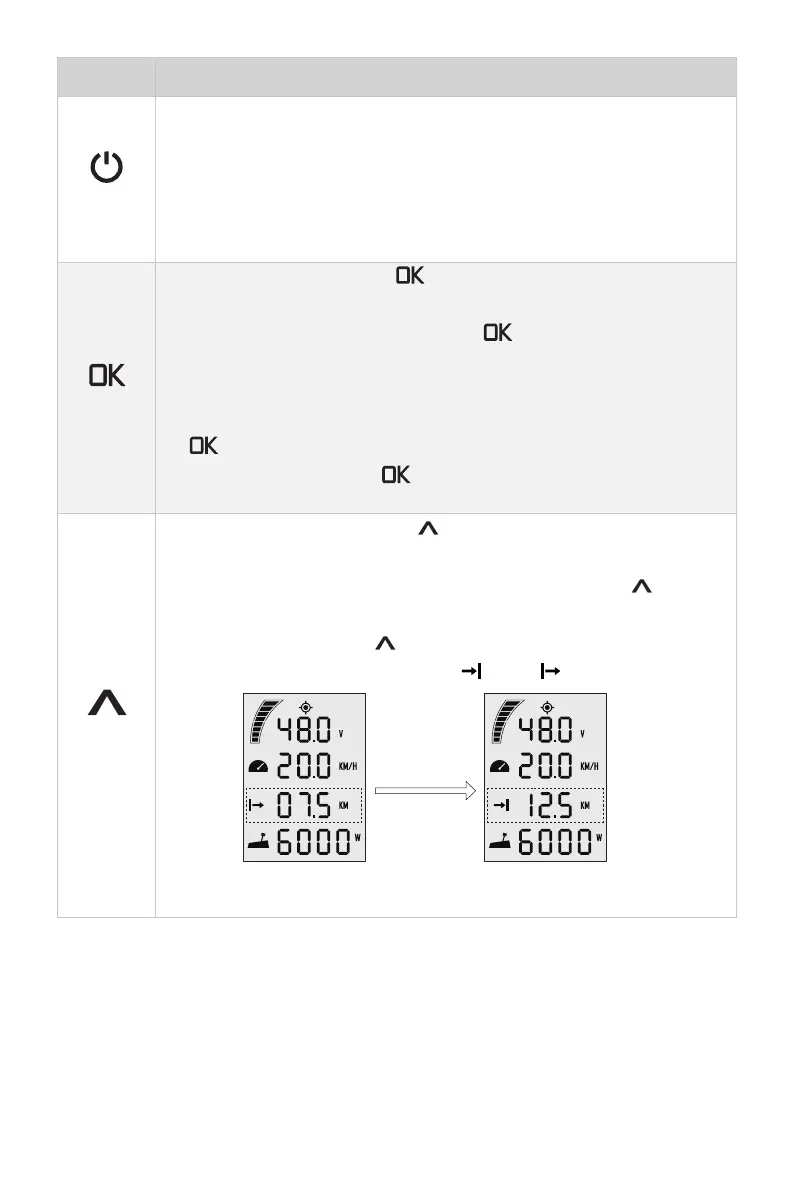
3. On home page, press "
" button to switch the travelling distance
or time displaying icon between " " and " ".
press
“Up”
button
Main page 1 Main page 2


 To Next Page