28
5.2 Charging the Evo Remote Control
The Evo remote control has an in-built lithium battery for power supply. The battery
will be charged automatically under normal use: get charged by solar power or wired
connection.
5.2.1 Charging by Solar Power
When the solar panel receives enough sunshine, it will generate electricity to charge
the in-built lithium battery.
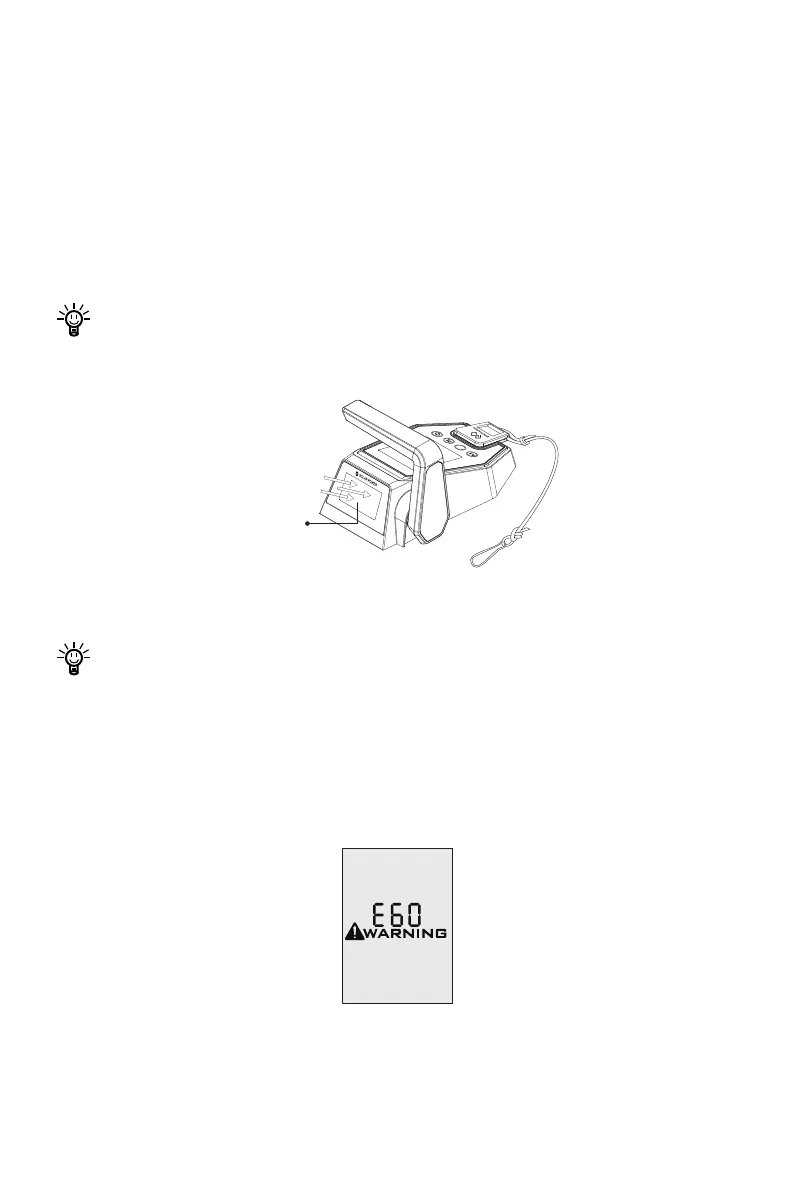
Face the solar panel of the Evo remote control toward sunlight to get better
charging effect.
Figure 5-2
Charging by solar power is recommended.
5.2.2 Charging by Wired Connection
If the Evo remote control can’t get enough solar power for a long time, the battery will
run out. In this case, error code E60 (Figure 6-3) will display to remind you to charge
the Evo remote control.
Figure 5-3
(Face the Sun)
Solar Panel
^


 To Next Page