27
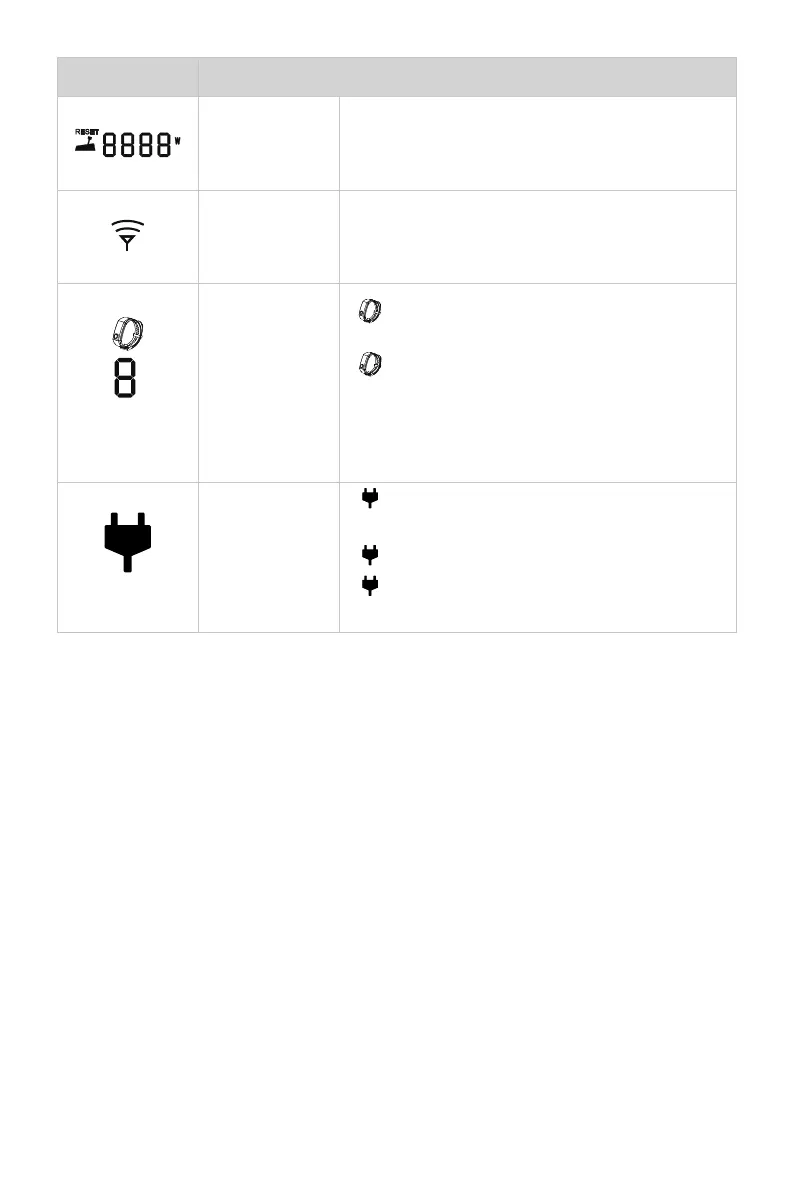
Icons Functions
Throttle Power
Displaying real time input power to the system.
A blinking “RESET” indicating the throttle should
be reset to zero position.
Wireless
connecting
indicator
Displaying the remote control is wireless
connecting with outboard.
Safety wrist-
band connec-
ting display
Shown constantly: the safety is connec-
ting with the remote control successfully.
Blink: there is a safety wristband to dis-
connect.
The number indicates the number of safety
wristbands connected to the remote control.
Hydro generati-
on indicator
Shown constantly: the hydro generation
function is turned on.
Blink: the machine is charging the battery.
Hidden: the hydro generation function is
turned off.


 To Next Page