40
Battery Configuration Process LCD Displaying
Step1: First, turn on the main switch and the Evo
Remote Control / Evo Tiller.
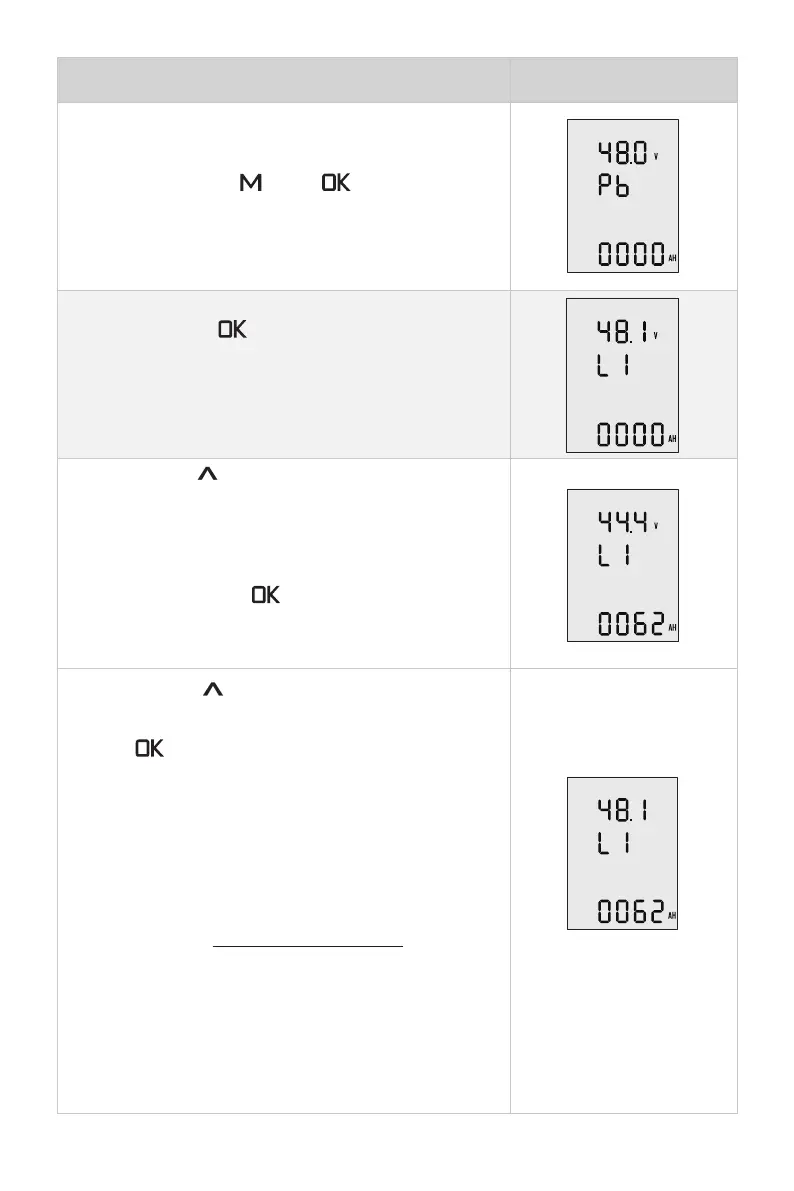
Press and hold the “ ” and “ ” button
simultaneously to enter the battery setting page.
Users can see the attery type blinking and it’s ready
for configuration.
Step2: Pressing “ ” button to switch the battery
type options between Pb, Li and LFE.
Pb: Lead-acid battery Li: Lithium battery
LFE: Lithium-ion ferrous phosphate battery
Step3: Press “
” button to save battery type
setting and return to the top battery nominal voltage
setting item.
The voltage options are varied according to the
battery types. Press “ ” button to view the
options and select the closest nominal voltage
value according to the battery you use.
Step4: Press “
” button to save battery voltage
and skip to the below battery capacity setting item.
Press “ ” button to change the value and set the
battery capacity according to the battery you use.
Note that the unit of capacity is “Ah”, usually the
capacity of battery is expressed in “Wh”, and we can
get the capacity in “Ah” by following the below for-
mula:
Capacity in Wh
Capacity in Ah =
Nominal voltage in V
Eg. if users use a 3000Wh Lithium battery with
48.1V nominal voltage, then the battery is about
62.37Ah, so you can set 62Ah as the capacity set-
ting.


 To Next Page