roubleshooting with LED Error Indications 52
If the problem fits to the detail phenomenon in the table, make sure the check point and
repair the product following the corresponding remedy mentioned in the table when
you find the defective parts in the check point.
Any error indication is not
displayed. But, the paper is
not ejected completely.
Paper jam dose not occur.
• Paper eject roller gear is disengaged from
the pump’s gears.
• The Paper eject frame is not assembled in
the Paper eject frame.
Figure 3-17
Dot missing occur and it is
not recovered with CL
• Pump unit dose not absorb the ink from the
printhead.
• Cap unit dose not stick on the surface of the
printhead completely.
• The printhead is broken.
• The head FFC has any damage.
• The main board is defective.
Figure 3-18
Figure 3-19
Figure 3-20
Print quality is not good
• Vertical banding
• Horizontal banding
• Printing is blurred
• Ink stains the paper
• The accuracy of the CR motor is lowered.
• The lack of the lubricant around the CR
unit.
• The both I/C is not held in the CR unit
securely.
• The Paper eject frame is deformed.
• Any foreign material is sticking around the
printhead.
• Paper feed accuracy is lowered.
• Printer driver setting is not suitable.
• Paper path has ink stain somewhere.
Table 3-21
Table 3-22
Table 3-23
Table 3-4. Error Condition and possible cause (continued)
Symptom Possible Cause Check table
Table 3-5. Paper out error indication
Step
No.
Detail phenomenon Check point Remedy
1
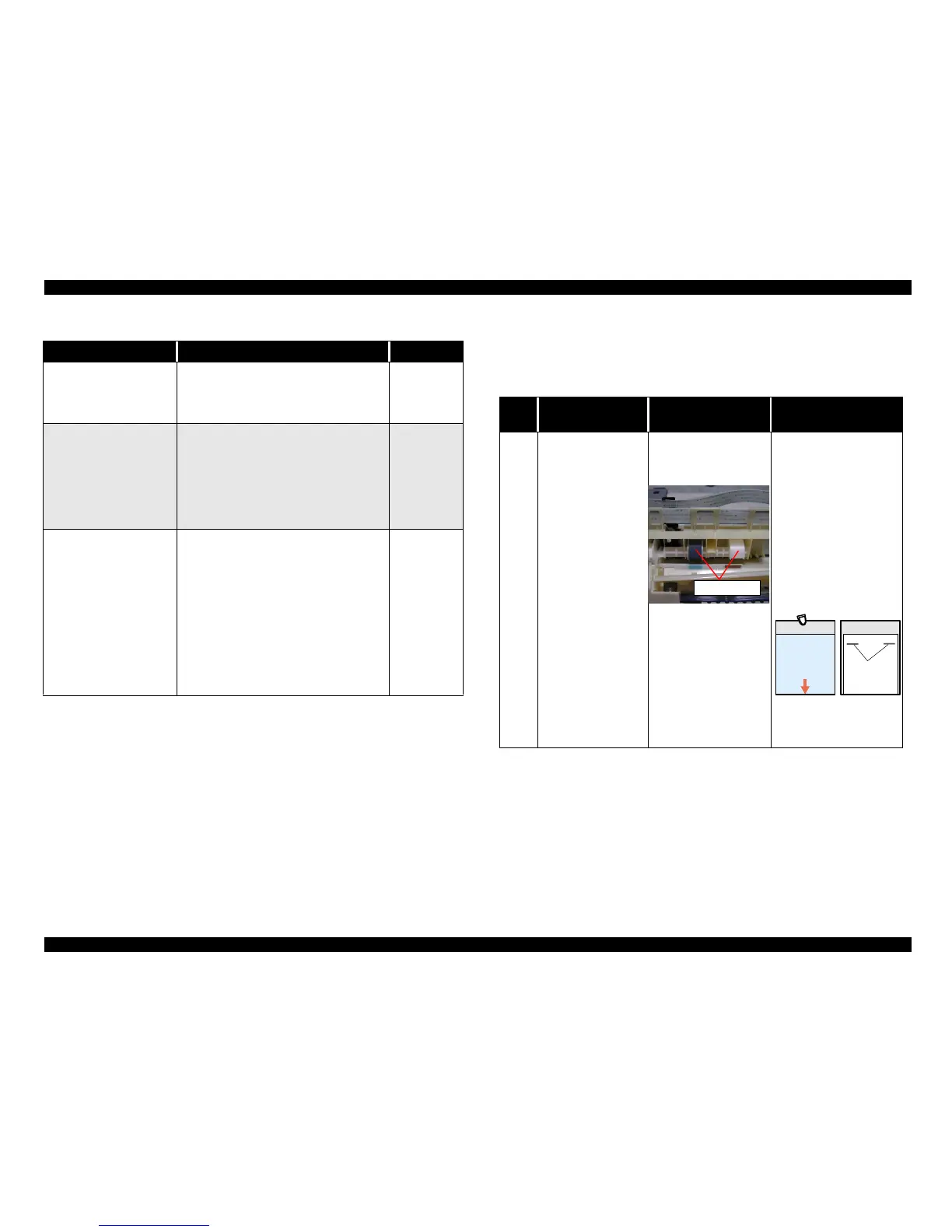
ASF LD roller attempt
to load the paper.
But, paper is not
loaded at all. The LD
roller seems slipping.
• Check the surface of
the LD roller if the
micro pearl or severe
smear is adhered.
If it is no problem,
proceed the next step.
• Set a cleaning sheet in
the ASF up side down.
Then holding the top
edge, try to load the
paper from the Printer
driver. The micro pearl
on the LD roller surface
is removed. To remove
severe smear, staple a
cloth moistened with
alcohol to a post card
and clean the roller in the
same manner.
• If the problem is not
solved, replace the LD
roller with new one.
LD roller
C L S h e e t
N o n - a d h e s i v e A r e a
A d h e s i v e A r e a
T h i s s i d e d o w n
( U s e a p o s t c a r d
f o r t h e b a s e s h e e t . )
S t a p l e r s
C l o t h m o i s t e n e d
w i t h a l c o h o l



 To Next Page