roubleshooting with LED Error Indications 53
Table 3-6. Paper out error indication
Step
No.
Detail phenomenon Check point Remedy
2
ASF LD roller dose not
attempttoloadthe
paper. But, the PF
motor andtheSpurgear
35.2 is rotating.
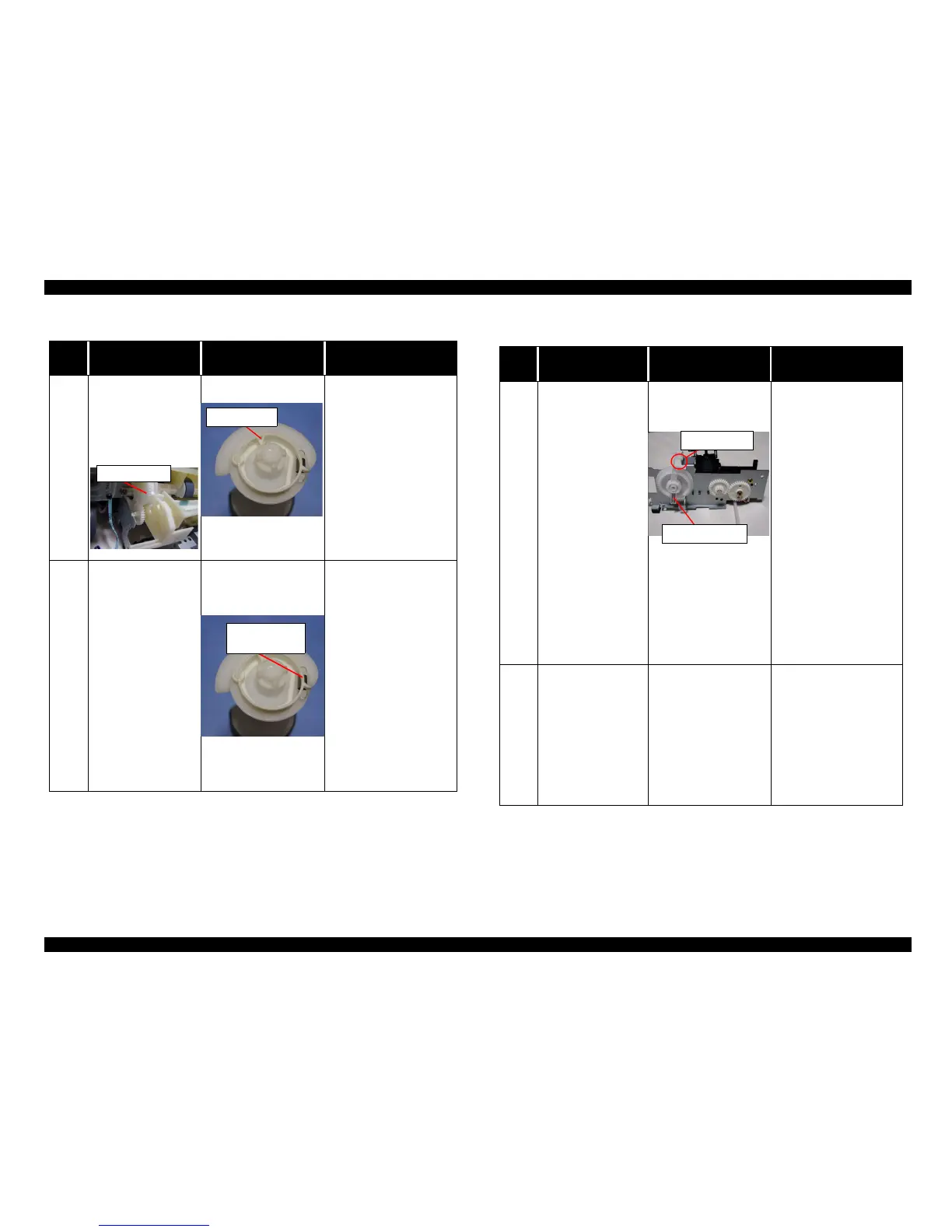
• Check if the clutch
tooth is broken.
If it is no problem,
proceed the next step.
• Replace the clutch
mechanism with new
one.
3
ASF LD roller dose not
attempttoloadthe
paper. But, the PF
motor andtheSpurgear
35.2 is rotating.
1. Check if the tension
spring 0.143 comes
off in the Clutch
mechanism.
1. Se the tension spring
0.143 in the clutch
mechanism.
2. Set the Compression
spring 1.47 in the
Change lever.
Spur gear 35.2
Clutch tooth
Tension spring
0.143
Table 3-7. Paper out error indication
Step
No.
Detail phenomenon Check point Remedy
4
When the print data is
sentto theprinter, ASF
LD roller continue to
load the paper even if
the first paper is loaded
to the PF roller and the
paper is ejected while
the ASF hopper is
flapping.
1. Check if the tip of the
Change lever has any
damage.
2. Check if the
Compression spring
1.47 comes off from
theChangelever.
If it is no problem,
proceed the next step.
1. Replace the Change
lever with new one.
2. Set the Compression
spring 1.47 in the
Change lever.
5
When the printer is
turned on, ASF hopper
dose not operate at all
in the power on
sequence.
1. Check if the PF motor
connector is connected
to the CN7.
2. Check if the PF motor
coil resistance is about
7.8 ohm by using
tester
Refer to Table 3-1.
1. Connect the PF motor
connector to the CN7 on
the Main board.
2. Replace the PF motor
with new one.
3. If the problem is not
solved, replace the Main
board with new one.
Change lever
comp. spring 1.47



 To Next Page