roubleshooting with LED Error Indications 57
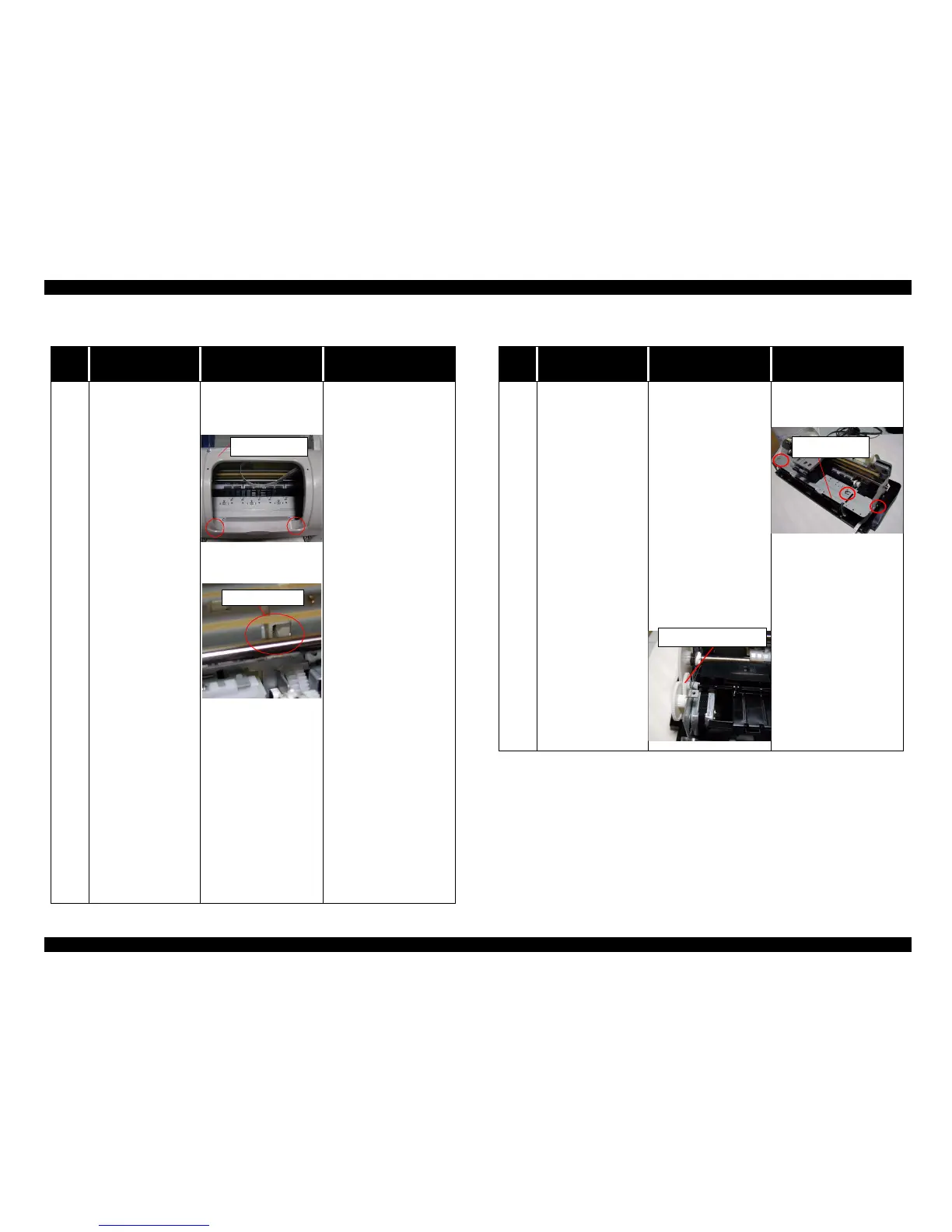
Table3-16. FatalErrorindication
Step
No.
Detail phenomenon Check point Remedy
4
When the printer is
turned on, it sounds
strange noise and the
CR unit is stopped
around the CR lock
lever.
1. Check if the Top
housing is secured
with the fixing screw
at the front side.
2. Check if the Change
leverisplacedtothe
printer front side.
3. Check if the PF motor
is operated. Check the
CN7 connectorand the
coil resistance for PF
motor.
4. If the CR lock lever is
not released even if the
PF motor rotate in the
power on sequence,
check if one of the
gears has any damage
in the PF motor torque
transportation path.
Refer to Figure 2-13.
1. Secure the Housing
fixing screw at the
printer front side.
2. Turn back the Change
lever to the printer back
side with the tweezer or
small screw driver.
3. Connect the PF motor
cable to CN7 on the
Main board.
Replace the PF motor
with new one.
4. Change the damaged
gear with new one.
5. If the problem is not
solved, replace the Main
board with new one.
Top housing
Change lever
Table 3-17. Paper is not ejected completely without any error indication
Step
No.
Detail phenomenon Check point Remedy
1
Printing is normal. But,
the paper is not ejected
completely and the
bottom area stay
around the Paper eject
frame.
1. Check if the Paper
eject roller rotate when
the paper is ejected.
2. Check if the Paper
eject frame is secured
with the three fixing
screws to the Main
frame.
1. Assemble the Spur gear
25.6 to the Combination
gear 11.6, 36.8.
2. Secure the Paper eject
frame witt the two fixing
screws to the Main
frame.
Paper eject frame
Spur gear 25.6



 To Next Page