roubleshooting with LED Error Indications 56
Table3-14. FatalErrorindication
Step
No.
Detail phenomenon Check point Remedy
1
When the printer is
turned on, the printer
continue the paper
eject sequence even if
the paper is not in the
paper path.
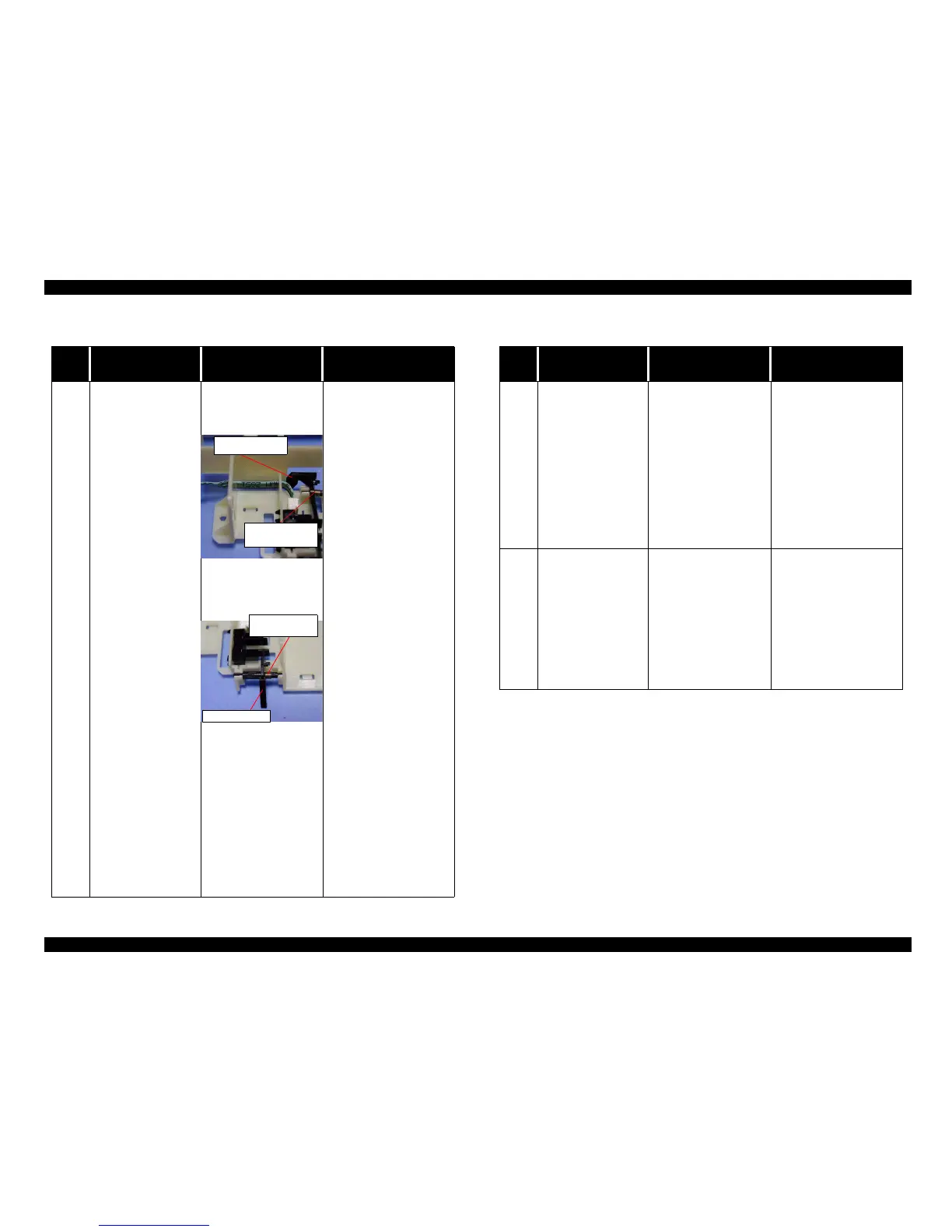
1. Check if the Torsion
spring 0.22 comes off
on the both HP sensor
lever.
2. Check if the Torsion
spring 0.22 comes off
on the both PE sensor
lever.
3. Check if the CN4
connector cable is
connected on the CN4
on the Main board or
sensor.
4. Check if the HP/PE
sensor work correctly
by using the tester.
Refer to Table 3-2.
1. Set the Torsion spring
0.22 on the HP sensor
lever.
2. Set the Torsion spring
0.22 on the PE sensor
lever.
3. Connect the CN4
connector cable to the
CN4ontheMainboard.
4. Replace the HP/PE
sensor with new one.
5. If the problem is not
solved, replace the Main
board with new one.
Torsion spring
0.22
Tensionspring
0.22
PE sensor lever
Table 3-15. Fastal Error indication
Step
No.
Detail phenomenon Check point Remedy
2
When the printer is
turned on, the CR unit
dose not move at all in
the power on sequence.
1. Check if the CR
motor connector is
connected CN12 on
the Main board.
2. Check if the coil
resistance of the CR
motor is about 7.8ohm
by using the tester.
Refer to Table 3-1.
1. Connect the CR motor
connector to the CN12
on the Main board.
2. Replace the CR motor
with new one.
3. If the problem is not
solved, replace the Main
board with new one.
3
When the printer is
turned on, PF roller
dose not rotate at all in
the power on sequence.
1. Check if the PF motor
connectorisconnected
to the CN7.
2. Check if the PF motor
coilresistance is about
7.8 ohm by using
tester.
1. Connect the PF motor
connector to the CN7 on
the Main board.
2. Replace the PF motor
with new one.
3. If the problem is not
solved, replace the Main
board with new one.
HP sensor lever



 To Next Page