Chapter 3
Control Panel
Using the Control Panel
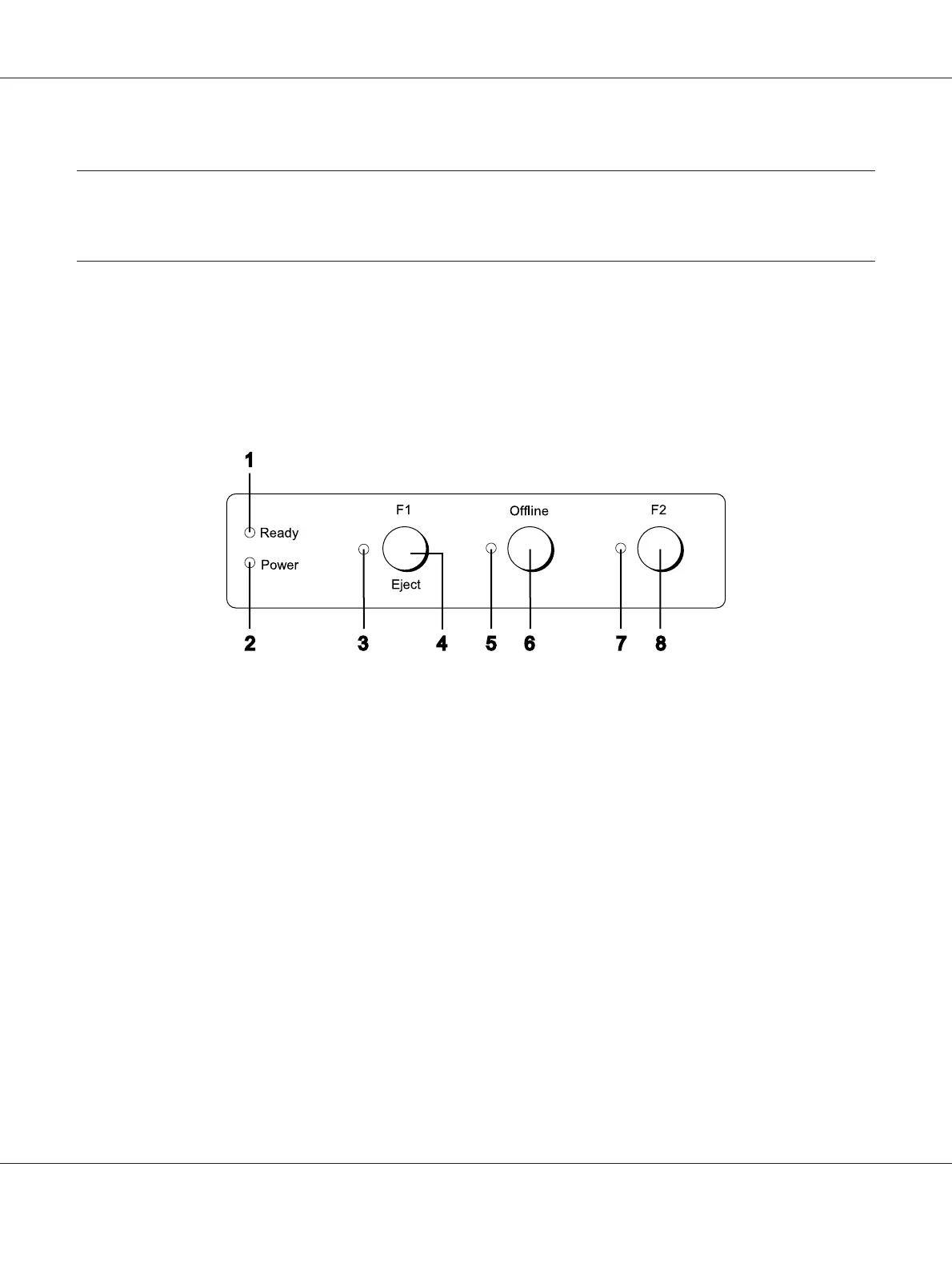
You can control simple printer operations—such as line feeding, form feeding, and loading and
ejecting paper. The control panel lights show the printer’s status.
Control Panel Buttons and Lights
1. Ready light (Yellow)
❏ On when output data is in buffer, or is being printed.
❏ Flashes when an error has occurred during a printing operation.
2. Power light (Green)
On when the power is turned on.
3. F1/Eject light (Yellow)
Works as programmed when the printer is in the PR2, WNI4915, or IBM4722 mode. You can
program it when it is on, off or flashes in the PR2, WNI4915 or IBM4722 mode.
4. F1/Eject button
PLQ-30/PLQ-30M User’s Guide
Control Panel 50



 To Next Page