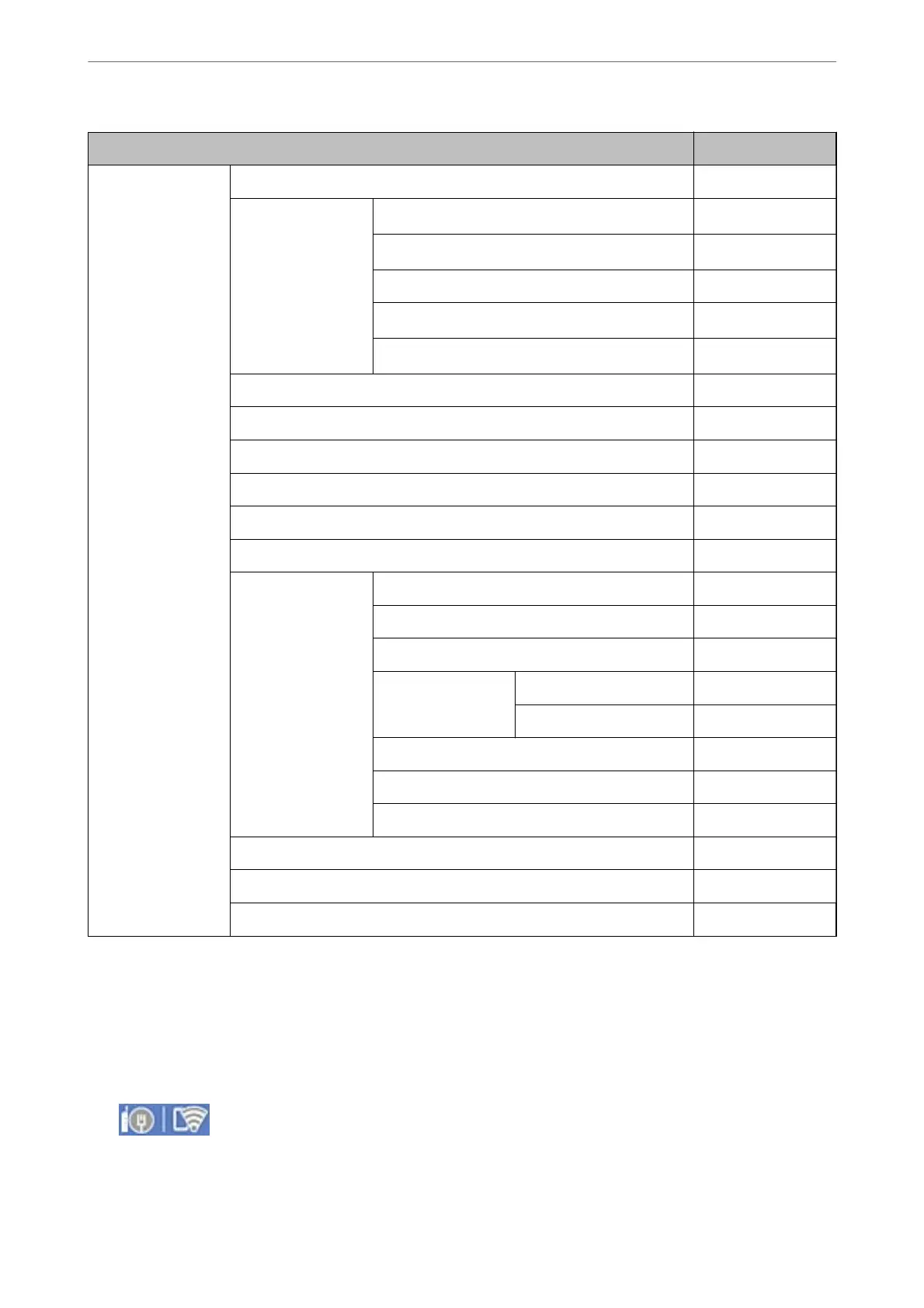
General Settings menu Panel Lock
Contacts Manager ✓
Register/Delete
✓
*1*4
Frequent
✓
*4
Print Contacts ✓
View Options
✓
*4
Search Options
✓
*4
Copy Color Sensitivity ✓
Scanner Cleaning Suggestion ✓
Reset Page count ✓
Clear Internal Memory Data ✓
HDD Erase Settings ✓
Security Settings ✓
Restrictions ✓
Access Control ✓
Admin Settings ✓
Admin Password ✓
Lock Setting ✓
Password Encryption ✓
Audit Log ✓
Program Verication on Start Up ✓
Customer Research ✓
Restore Default Settings ✓
Firmware Update ✓
✓ = To be locked.
- = Not to be locked.
*1 : You can enable or disable the lock from General Settings > System Administration > Security Settings > Restrictions.
*2 : Even though items on the upper level can be locked by administrator lock, you can still access them from the same name
menu of Settings > Printer Status/Print.
*3 : Even though items on the upper level can be locked by administrator lock, you can still access them from Home >
> Description > When you cannot connect to the network.
*4 : Even though items on the upper level can be locked by administrator lock, you can still access them from the same name
menu of Settings > Contacts Manager.
Administrator Information
>
Managing the Printer
>
Administrator Settings
514




 To Next Page