3332
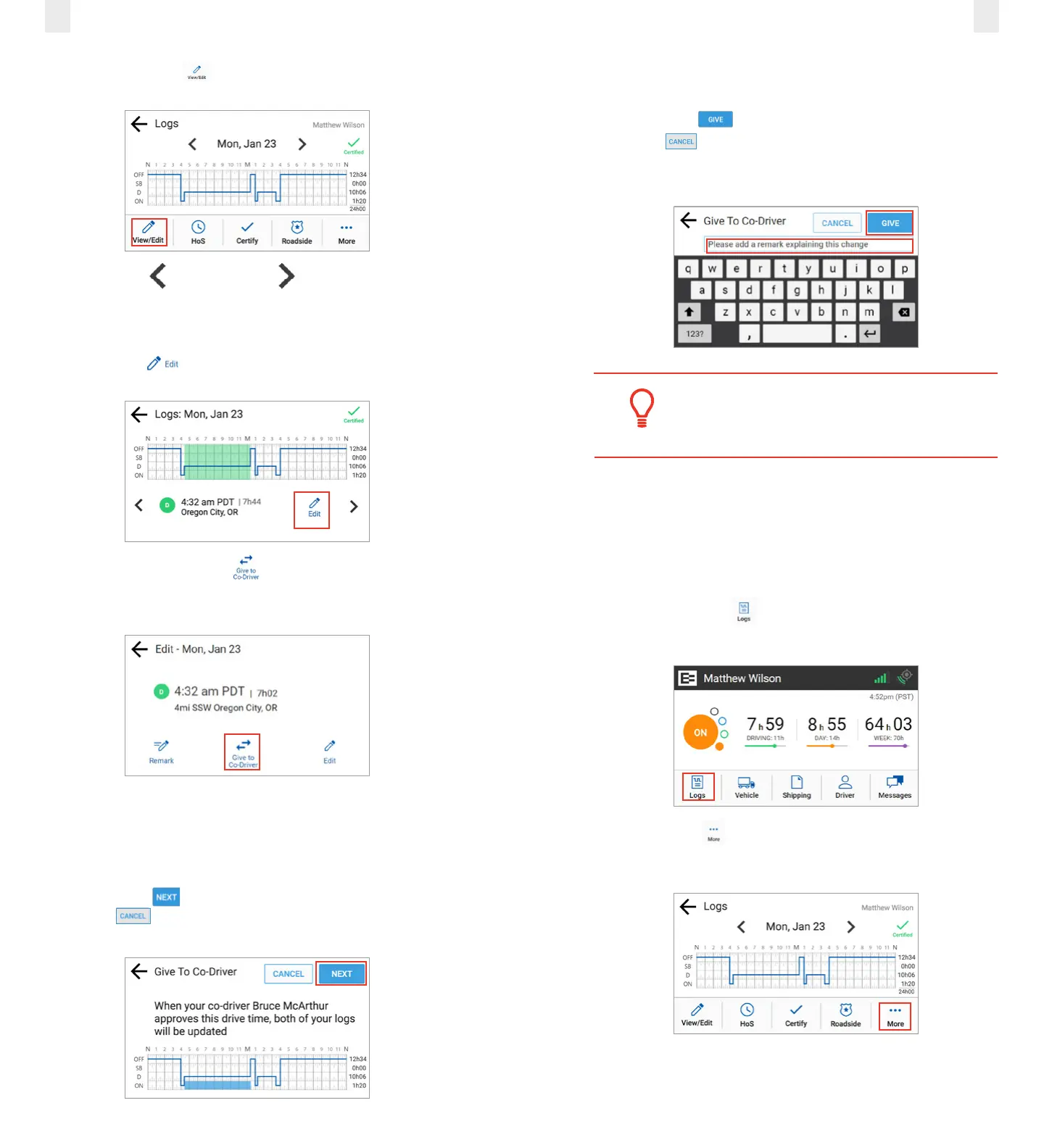
2. Tap the View/Edit icon on the Logs screen.
3. Tap the Left arrow or Right arrow on the bottom
of the screen until you locate the point in your logs where
you want to swap the driving time.
4. Tap the Edit icon. The Edit screen appears.
5. Tap the Give to Co-Driver icon. The Give to Co-Driver
screen appears.
The screen changes to display a graph of the aected area
with the future state highlighted in blue on the graph.
Note: The previous duty status is applied and replaces the
driving time when the co-driver accepts the swap.
6. Tap the Next button to initiate the swap or tap the
Cancel button.
7. Enter a description in the Give to Co-Driver field to explain
the change.
8. Tap the Give button to complete the swap or tap the
Cancel button. The swap is recorded as a pending
request until the co-driver accepts it.
Tip:
A swap becomes eective when the co-driver
accepts the change.
4.3 CLAIMING UNIDENTIFIED DRIVING TIME
The EROAD ELD automatically records driving time, including
time frames when the driver did not login. You can claim
unidentified driving time, if you forgot to login before your trip.
Perform the following steps to claim unidentified driving time.
1. Tap the Logs icon on the Home screen. The Logs
screen appears.
2. Tap the More icon on the Logs screen. The Logs menu
expands to reveal a second row of menu options.



 To Next Page