1312
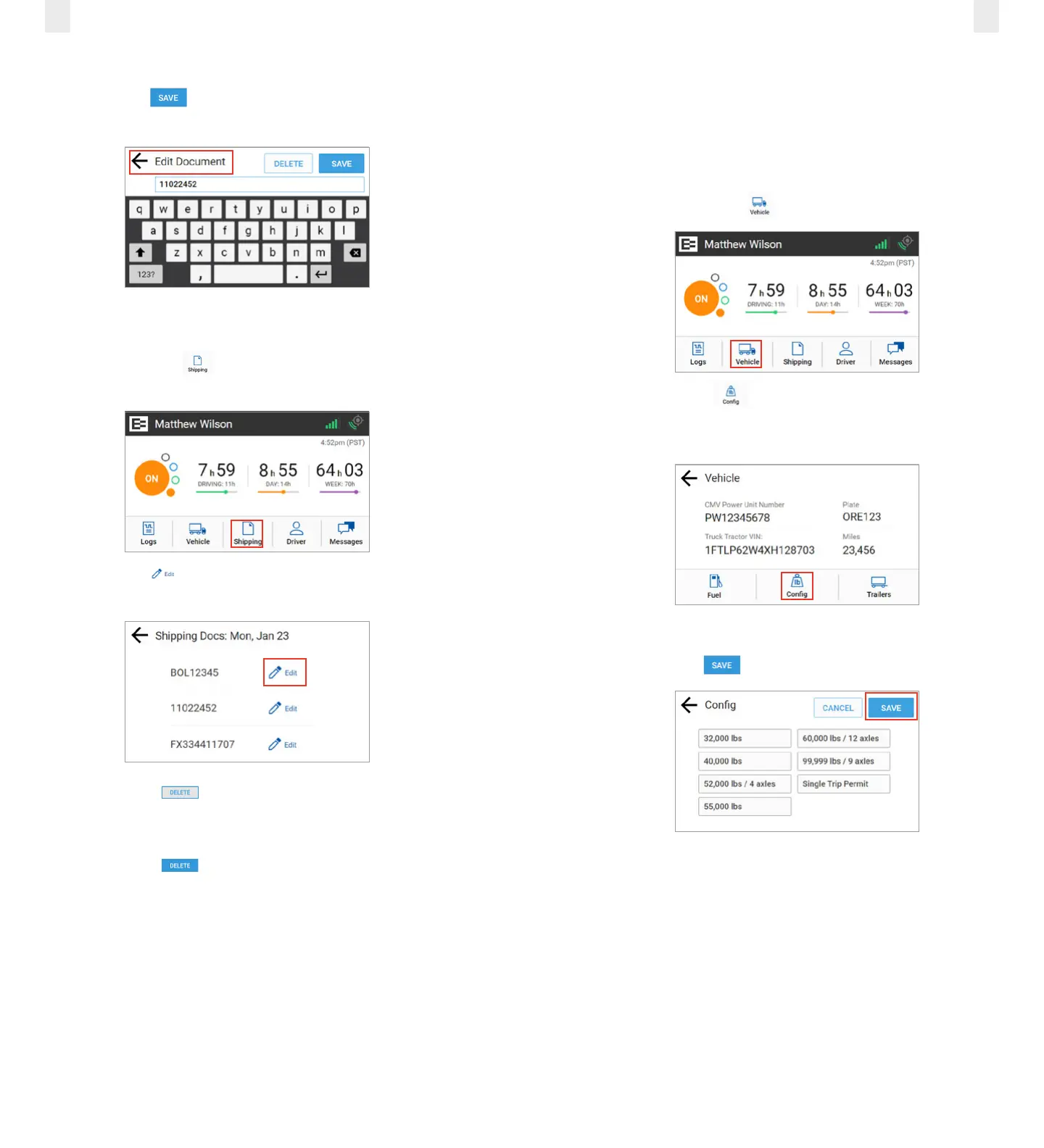
3. Enter the document ID in the Edit Document field.
4. Tap the Save button. A confirmation message
appears.
2.6.2 Deleting a Shipping Document
Perform the following steps to delete a shipping document.
1. Tap the Shipping icon on the Home menu. The
Shipping Docs screen appears.
2. Tap the Edit icon beside the document number that
you want to delete.
3. Tap the Delete button on the Edit Document screen,
as shown in section 2.6.1, Adding a Shipping Document. A
confirmation prompt appears.
4. Tap the Delete button in the confirmation prompt.
2.7 SETTING WMT CONFIGURATION (OREGON ONLY)
The EROAD ELD lets you easily change your vehicle weight
configuration for use with EROAD’s Weight-Mile Tax
(WMT) reporting. Perform the following steps to set your
configuration. This applies to drivers operating in the State
of Oregon.
1. Tap the Vehicle icon on the Home menu.
2. Tap the Config icon on the Vehicle menu. The Config
screen appears and lists various configuration weight or
single trip permit options.
3. Tap the configuration button that applies to your trip.
4. Tap the Save button.



 To Next Page