32
2 Driving Setup
Complete the following setup activities before you begin
to drive.
2.1 LOGGING IN TO THE EROAD ELD
Perform the following tasks to login to the EROAD Electronic
Logging Device (ELD).
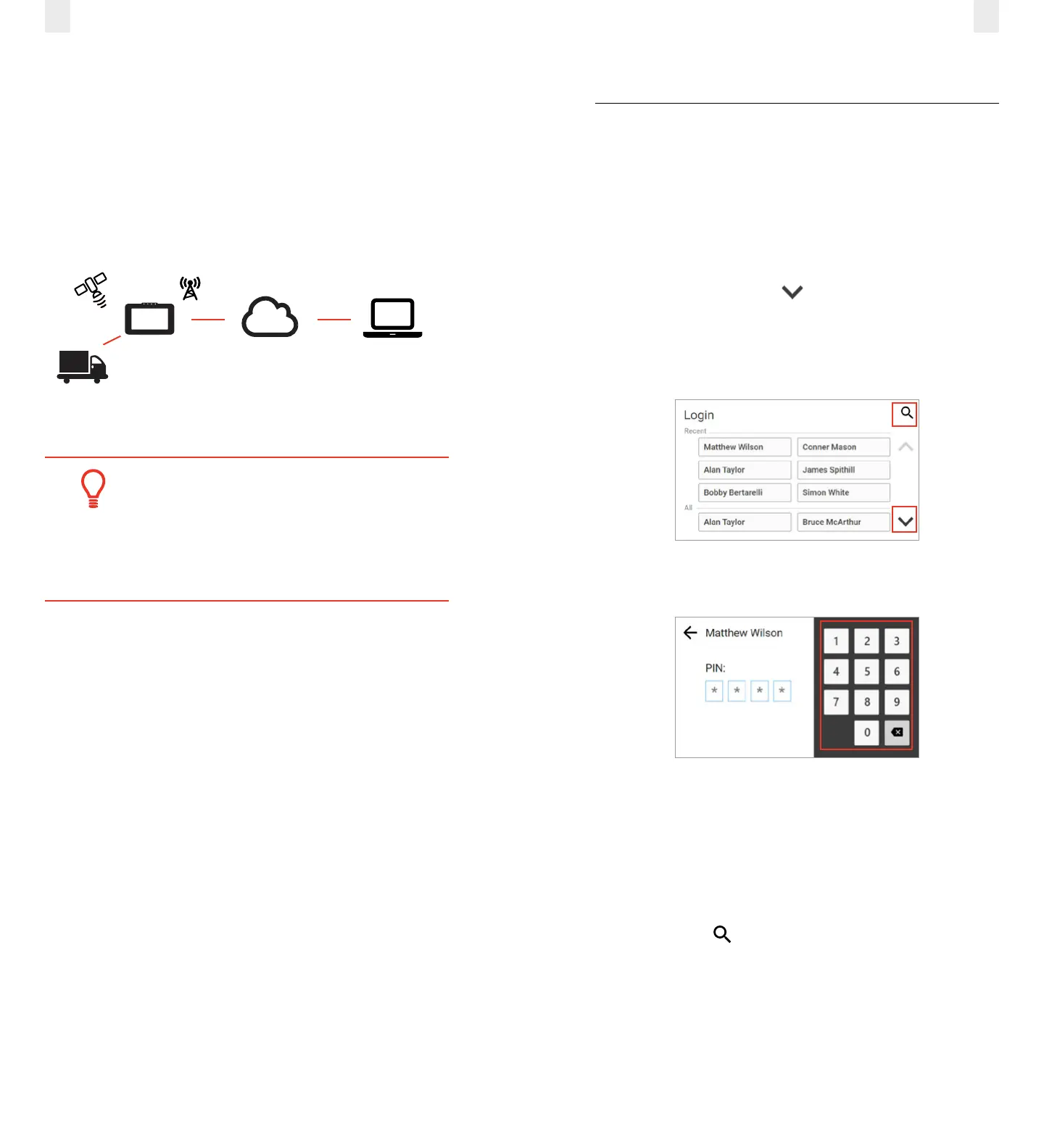
1. Locate and tap your name on the Login screen.
2. (optional) Tap the Down arrow to see more names, if
your name is not on the first screen. This scrolling feature is
not available for organizations with more than 1000 drivers.
Note: See section 2.1.1, Login Name Search to perform a
search, if you cannot locate your name.
3. Enter your four-digit personal identification number (PIN)
using the 10-key pad on the right.
Note: The Welcome screen lists your special driving
categories. It might prompt you to review unidentified trips,
accept edits, or certify your logs.
2.1.1 Login Name Search
Perform the following tasks to search for your login name, if it
does not display on the login screen.
1. Tap the Search icon on the Login screen (shown above)
to locate your name quickly, if the driver list is long.
2. Enter your name in the Name field.
The records are stored via a cellular data network, which
interfaces to EROAD’s Depot application. Users can access
Depot through a Web browser.
Engine
ECM Link
GPS Cellular
EROAD
ELD
Cloud hosted
EROAD Depot
Web browser
Tip:
The first-time appearance of an acronym or
abbreviation is spelled out in this manual; afterward,
it is abbreviated. See section 7.2, Glossary for a
complete list of acronyms and abbreviations used in
this manual.



 To Next Page