33
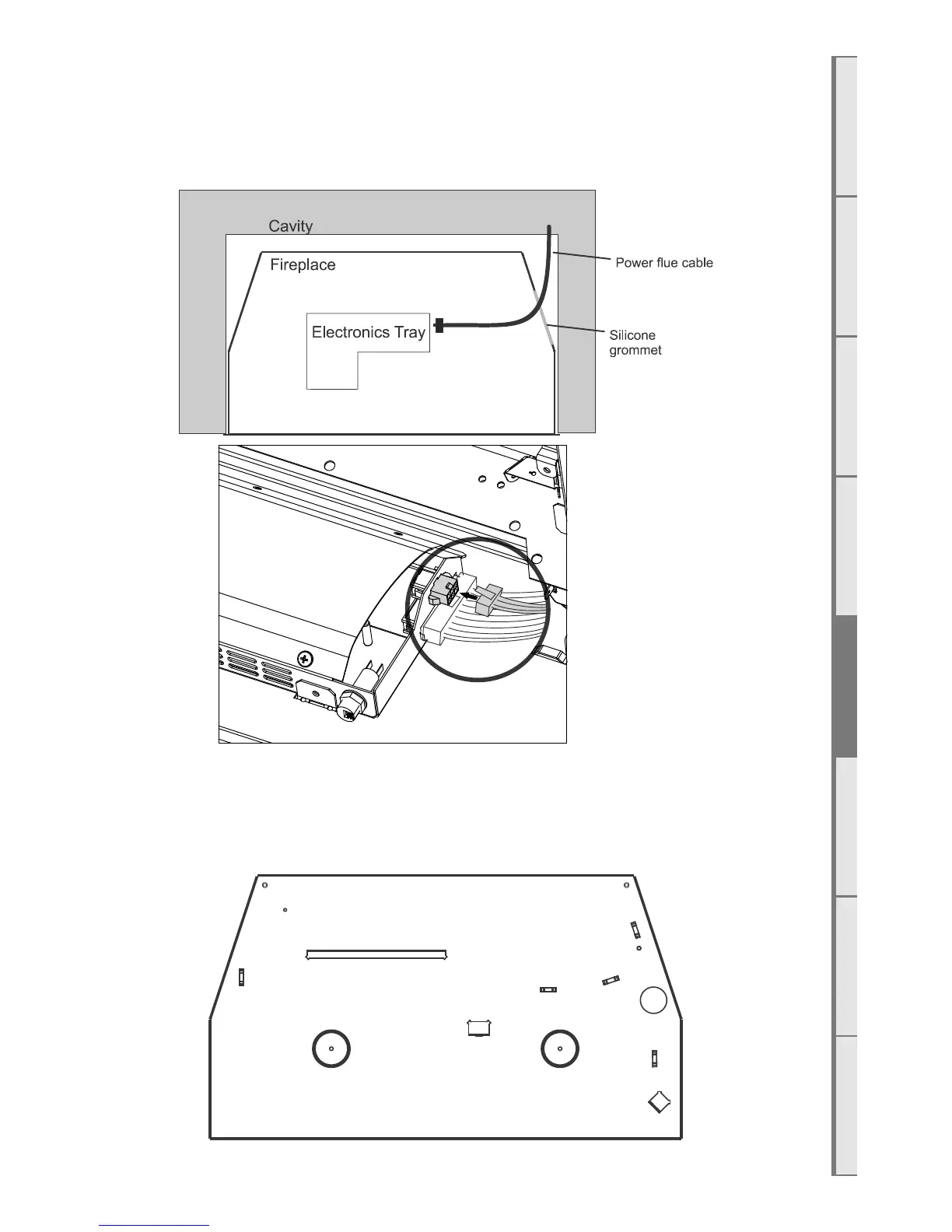
E4 Connecting the Powerflue Cable
Note: Make sure to turn o the power supply before connecting the powerflue cable.
Feed the power flue cable through the silicone grommet on the lower RH side of the chassis and
connect it to the terminal on the electronics tray shown in the diagram below. Note: the burner tray
must be removed to access the electronics tray as shown in section E3.
E5 Fixing the Appliance to the Base
An appropriate fastening can be screwed down to the cavity base through the 2 circled holes in the
diagram below. For Freestander installations, 2 machine screws will need to removed from two rivnuts
in the support base of the freestander and re-applied.



 To Next Page