54
S10 Replacing a Remote
If the remote becomes lost or damaged, a new one can be ordered from any
Escea retail agent. When you have the new remote, the following procedure
needs to be followed to “teach” the remote to only communicate with that
fire.
1. Ensure the fire and remote are set to “O” (only the time is displayed on
the remote).
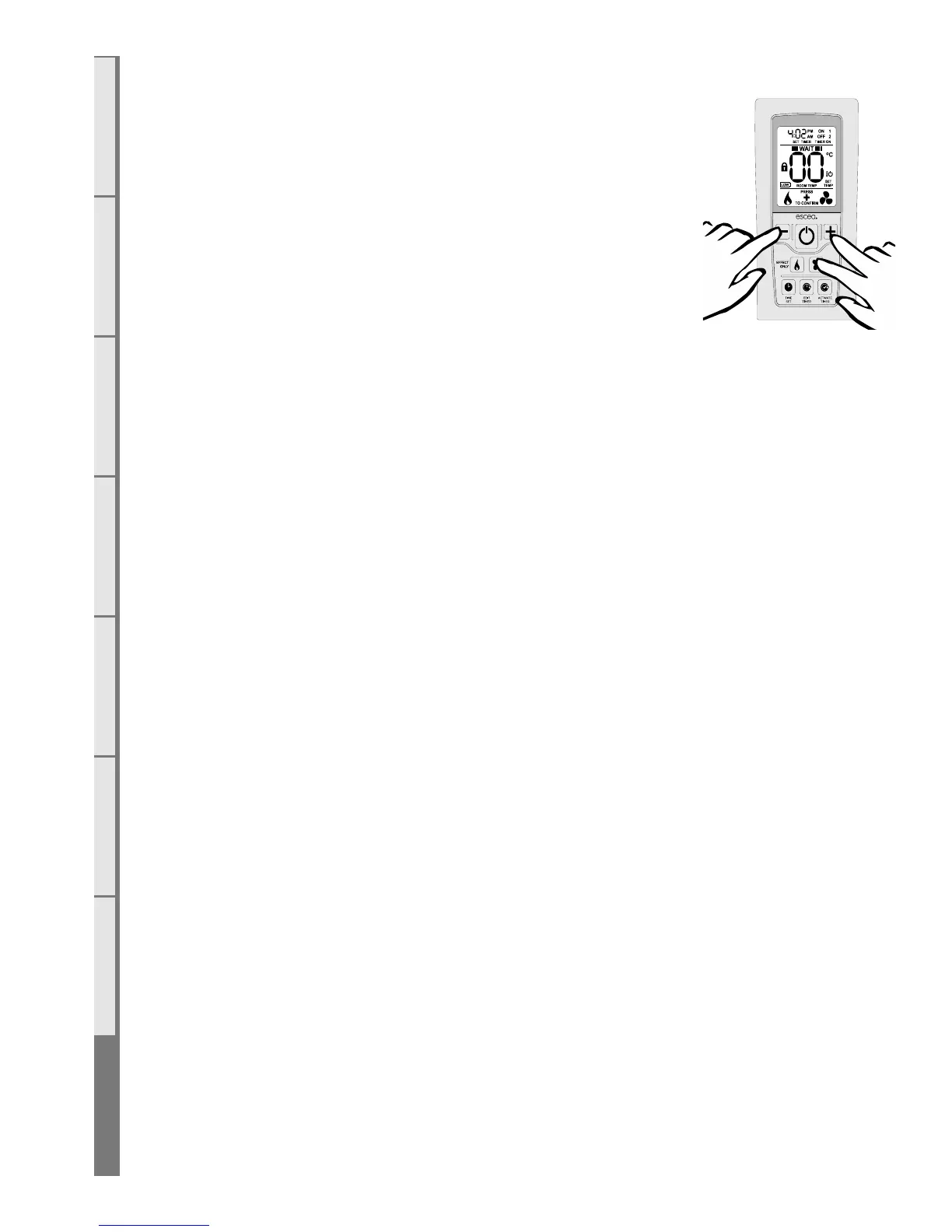
2. While the remote is in its “OFF” mode with only the time showing on the
display, press the MINUS, PLUS and FAN BOOST buttons simultaneously
(as shown right) until the characters “03” light up on the display. Release the
buttons and the remote will count down and display “GO”. The screen will
then display all characters and should be reading 00. This will put the remote into test mode. Note: if
the digits start counting then the remote is already paired.
3. Press and hold the – (minus) button until the two large temperature digits reading 00 start to flash
slowly. Release the – (minus) button. The remote control is now ready to be addressed to the fire.
4. Press and hold the black auxiliary on/o button (found on the front face of the fireplace, circled
below) for a minimum of ten seconds, or until the two large temperature digits start counting upwards
from 00 to 99 repeatedly on the remote control.
Note: Pressing the black auxiliary button on/o button will start the fire. Once the remote control is
counting the fire can be turned o by pressing the black auxiliary button again.
5. Press the large power button in the middle of the remote control to exit the test mode and return
to normal operation. The remote should only be displaying the time. Check the fire will start using the
remote control by pressing the large power button. Turn it o again using the remote control.
6. The fire is now re-addressed to the remote control.



 To Next Page