29
Installation Manual
3.7.2 Three-phase installation
In the case of three-phase installation, follow the steps below:
• Remove the protective cap of the power supply cables entry point and
insert the Ø 25 mm corrugated sheath.
• Tightenthebox-cablesheathjunction.
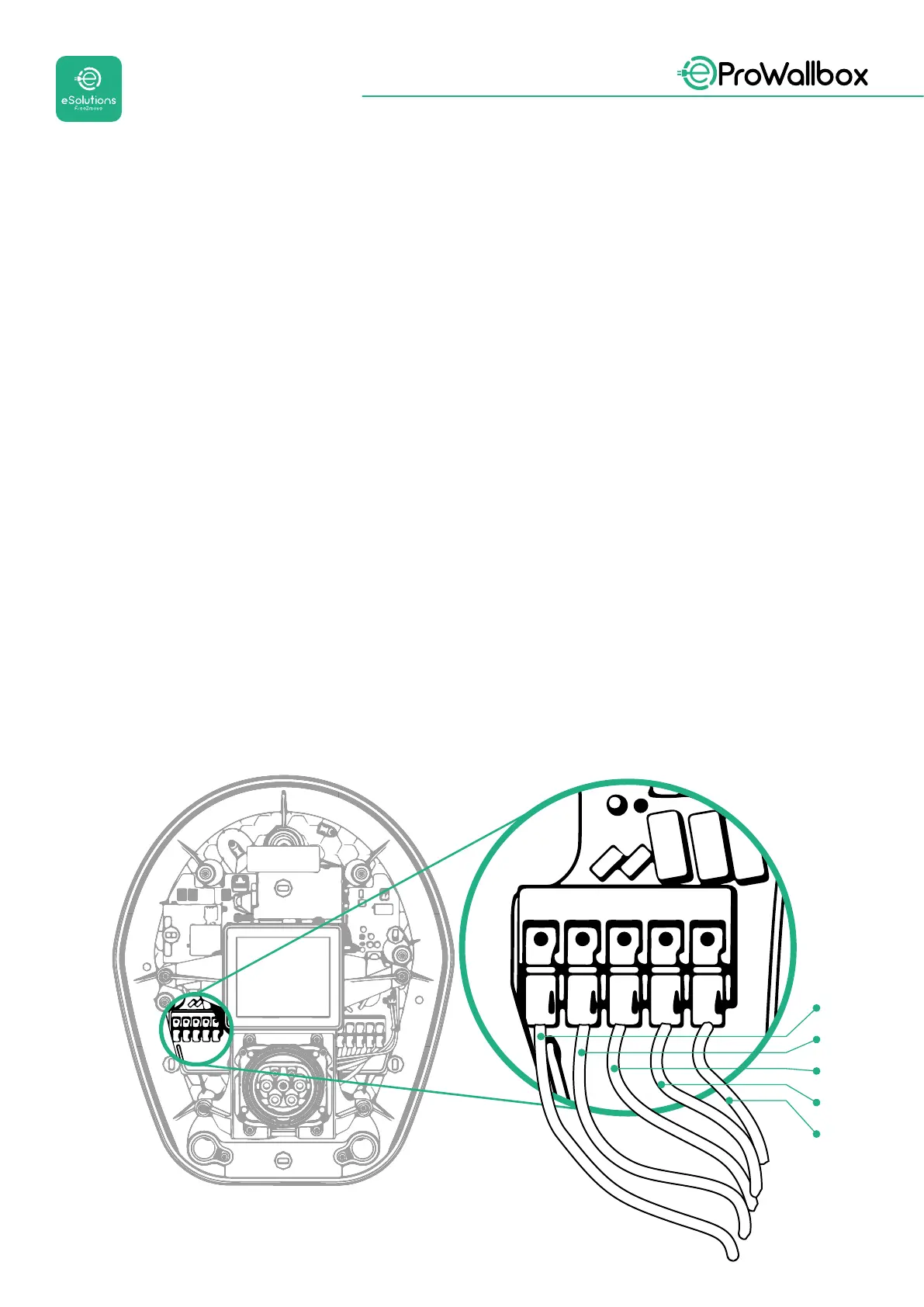
• Insert the power supply cable and connect to CN1 power supply terminal
block:
• Earth cable to PE
• Neutral cable to N
• Phase cables to T, S, R
Make sure that the entire stripped section of each cable is fully inserted into each
terminal.
NOTE
Itispossibletoreplacethe2box-cablesheathjunctionswithØ25mmcableglands
(not provided by the Manufacturer).
T
SR
N
PE
L3
L2
L1
N


 To Next Page
 Loading...
