38
Manual de instalación
3.13 Conguración de parámetros tras la instalación
Trasnalizarlainstalacióneléctrica,hayquecongurareleProWallbox mediante
unaconexiónBluetooth,utilizandolaaplicacióndelinstaladorespecícaPowerUp,
delocontrarioelWallboxnofuncionarácorrectamente.
AVISO
PowerUp es una aplicación para smartphone que solo pueden
utilizar instaladores cualicados y que se encuentra en Google
Play™ y Apple Store®.
Compruebe si dispone de la última versión de PowerUp para poder
acceder a todas las funciones.
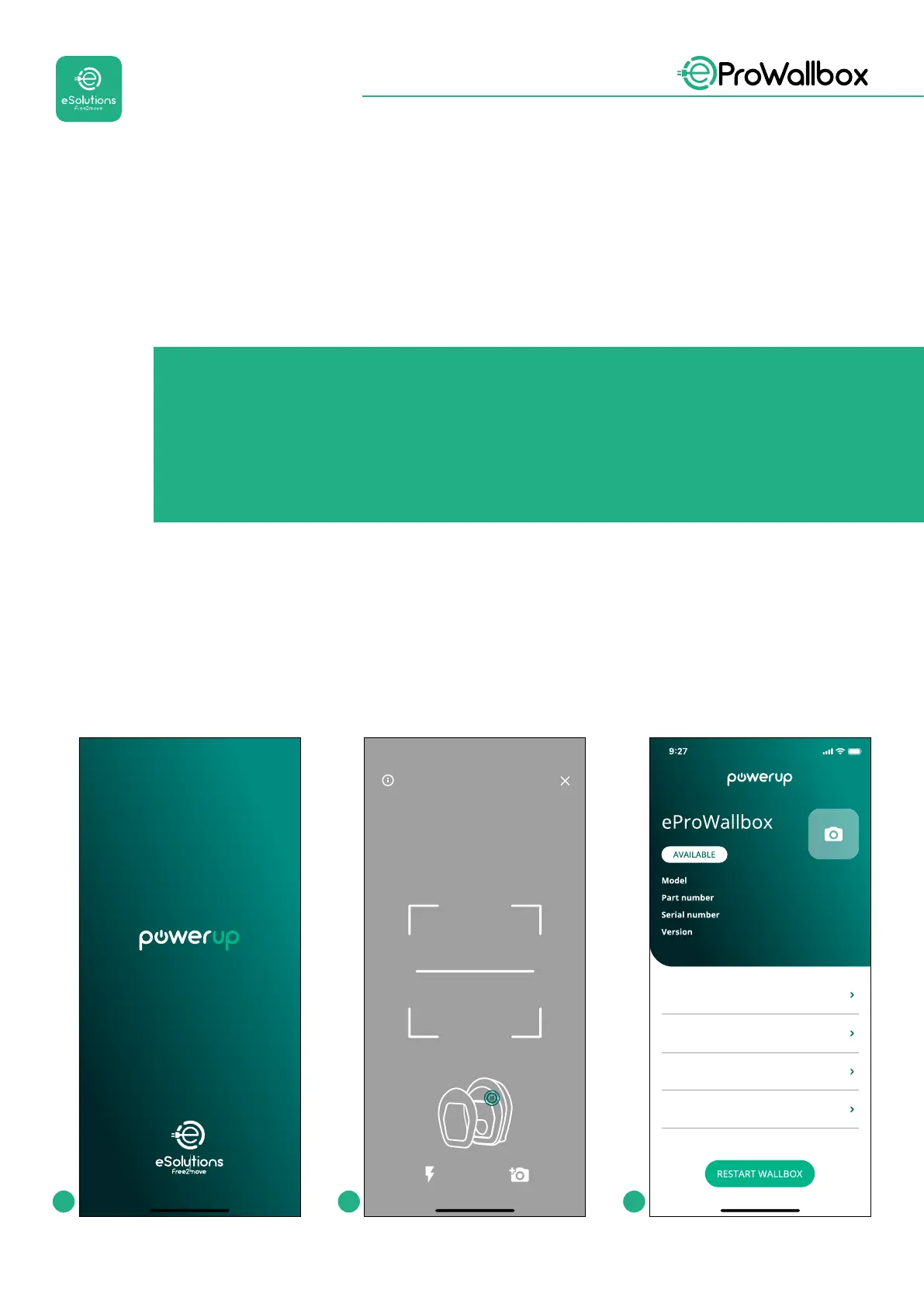
Descargue(1) laaplicaciónenelsmartphoneysigalospasosquese indicana
continuación:
• EscaneeelcódigoQRdelWallbox(2)paraemparejareleProWallbox con
la
aplicación.ElcódigoQRseencuentraenlaetiquetadelatapafrontal.
• Unavezdentrodelaaplicación,pulseenlapáginadeinicioyseleccioneel
parámetroquequieracongurar(3).
by
Scanning will start automaticall
Scan the QR code From the
identification label
placed on the black cover
eProWallbox
F2ME.EPROXXXXXXXX
Wallbox parameters
DPM PowerMeter
Maximum power
MID counter
0000AB0123456789
2.9.1
1 2 3


 To Next Page
 Loading...
