38
Manuel d’installation
3.13 Conguration des paramètres après l'installation
Lorsque l’installation électrique est terminée, l’eProWallboxdoitêtreconguréau
moyen d’une connexion Bluetooth, en utilisant pour cela l’application dédiée de
l’installateur PowerUp, sinon le boîtier mural ne peut pas fonctionner correctement.
AVIS
PowerUp est une application pour téléphone portable à utiliser par
les installateurs qualiés seulement, disponible via Google Play™ et
Apple Store®.
Assurez-vous d’avoir la dernière version de PowerUp pour pouvoir
proter de toutes les fonctionnalités.
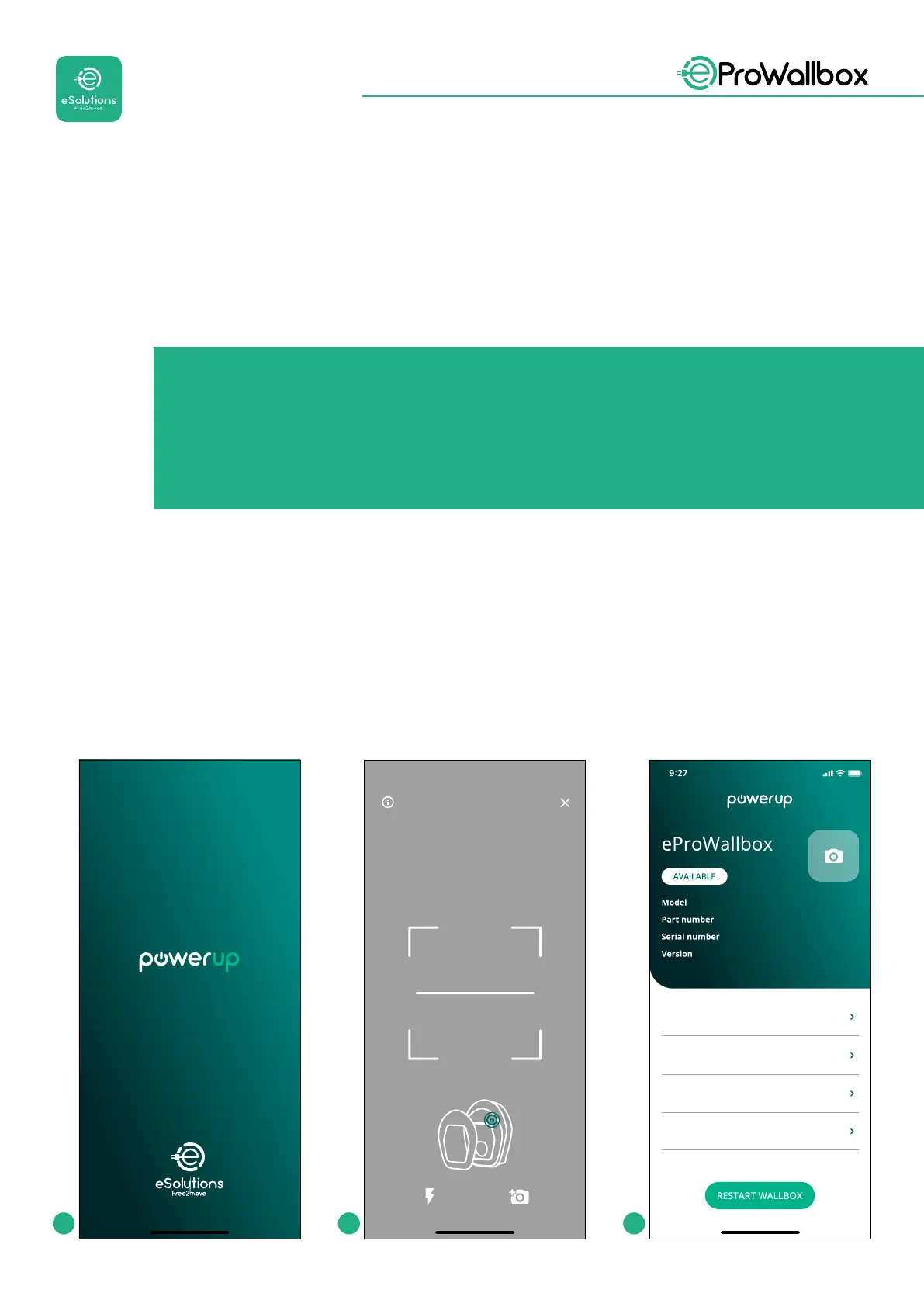
Téléchargez(1)l’applicationsurvotretéléphoneportableetsuivezlesétapesci-
dessous:
• ScannezlecodeQR(2)duboîtiermuralpourapparierl’eProWallbox avec
l’application.LecodeQRsetrouvesurl’étiquetteapposésurlaprotection
antérieure.
• Unefoisdansl’application,cliquezdanslapaged’accueiletsélectionnezle
paramètreàcongurer(3).
by
Scanning will start automaticall
Scan the QR code From the
identification label
placed on the black cover
eProWallbox
F2ME.EPROXXXXXXXX
Wallbox parameters
DPM PowerMeter
Maximum power
MID counter
0000AB0123456789
2.9.1
1 2 3


 To Next Page
 Loading...
