2.5.6 Power Connection
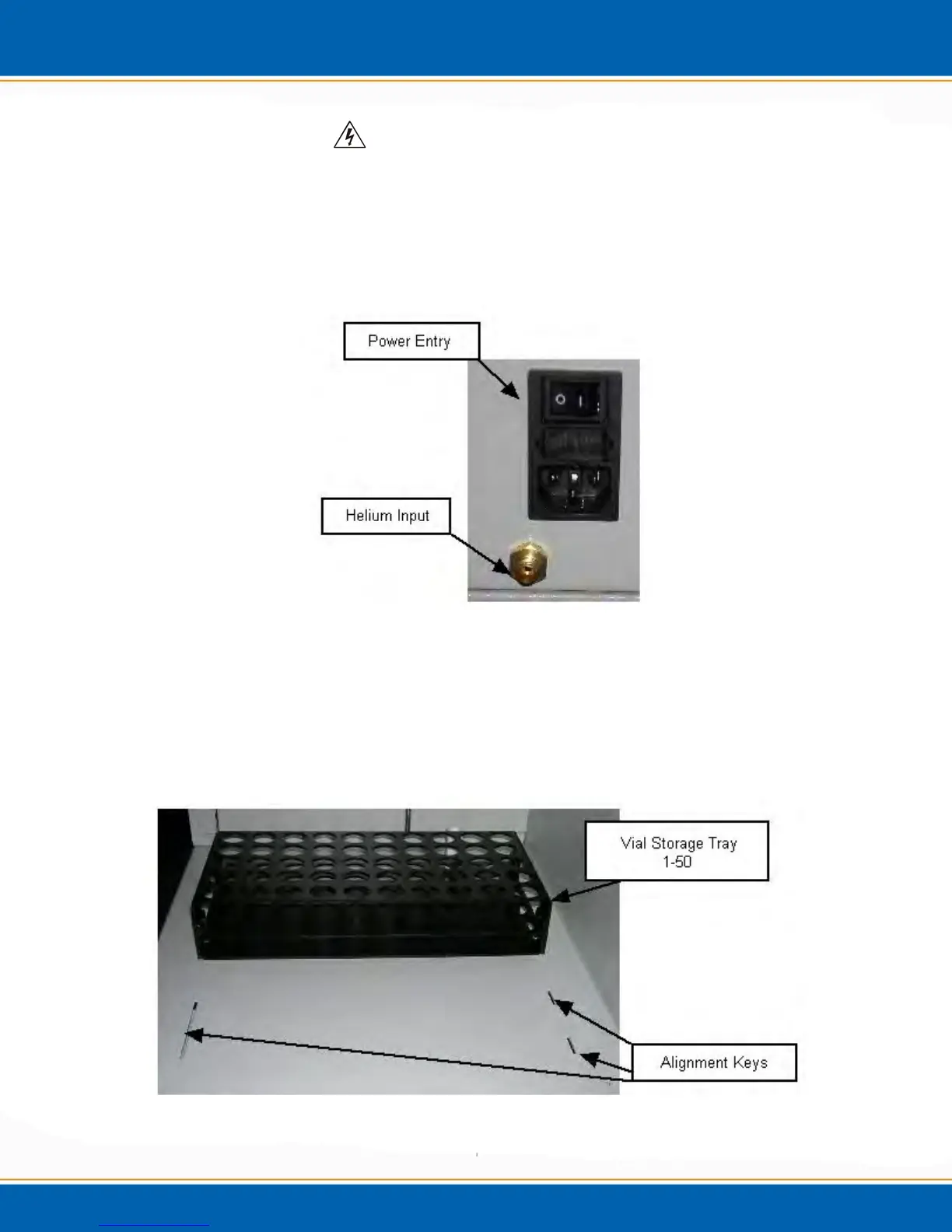
Plug the power cord into the Power Entry module on the back of the
Centurion. See Figure 2o.
WARNING: Ensure proper grounding of the Centurion system
before powering the system up.
AVERTISSEMENT: S'assurer de la bonne mise à la terre du système
Centurion avant de mettre le système en place.
Figure 2o: Power Entry Module and Helium Input Connector
2.5.7 Vial Storage Trays
Place the vial storage trays onto the base of the Centurion. The trays have
a key on the bottom side which will fit the slots on the base of the
Centurion. See Figure 2p.
Figure 2p: Vial Storage Tray



 To Next Page