2.5.8 Internal Standard Reservoir Installation
Rinse and fill IS reservoir(s) with methanol.
Place the knurled nut(s) and teflon ferrules on the reservoir(s) and tighten
the IS reservoir(s) in the respective position(s). NOTE: Tighten until
finger tight and use the provided IS mount wrench to tighten the IS
vessel about ¼ of a turn more. See Figure 2q. NOTE: The system
must be de-pressurized in order to remove the IS reservoir.
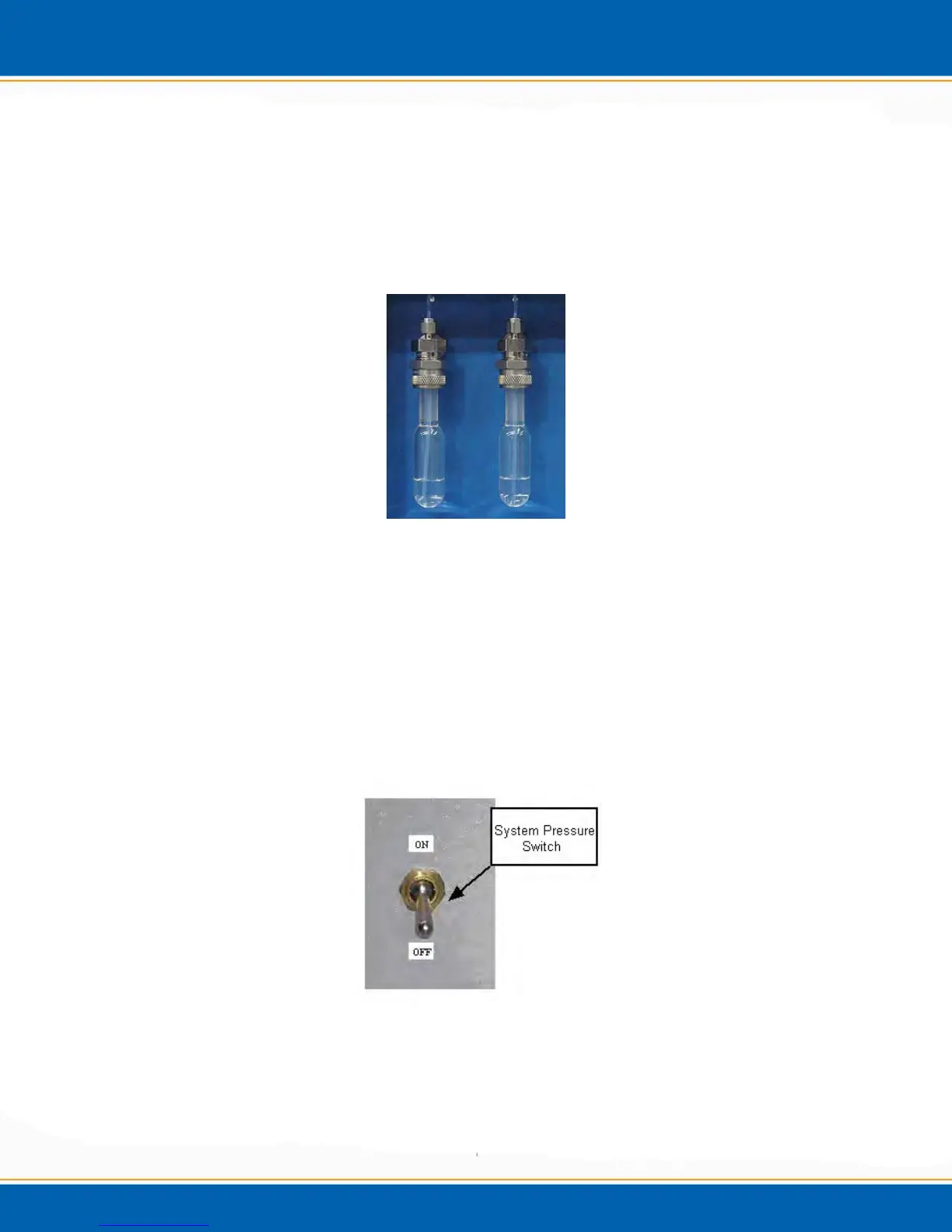
Figure 2q: Internal Standard Vessels
2.5.9 Pressurize System
Turn on the pressurization valve on the back panel of the Centurion WS.
See Figure 2r.
Adjust the system pressure on the front panel to 14-15psi (97-103kPa). If
the pressure is set too high it may be necessary to back of the regulator
and release the pressure by turning off the pressurization valve. In order
for the gauge to drop in pressure, an IS mount may need to be loosened.
Allow the pressure to bleed off of the system, the re-pressurize the system
and adjust the front panel system pressure to the required set-point.
Figure 2r: System Pressure Switch
2.5.10 Instrument Start-up
Turn on the instrument.
Login-Password for the Administrator is ESTAnalytical (Case Sensitive).
Wait for the IO system configuration to load; then open the Application.



 To Next Page