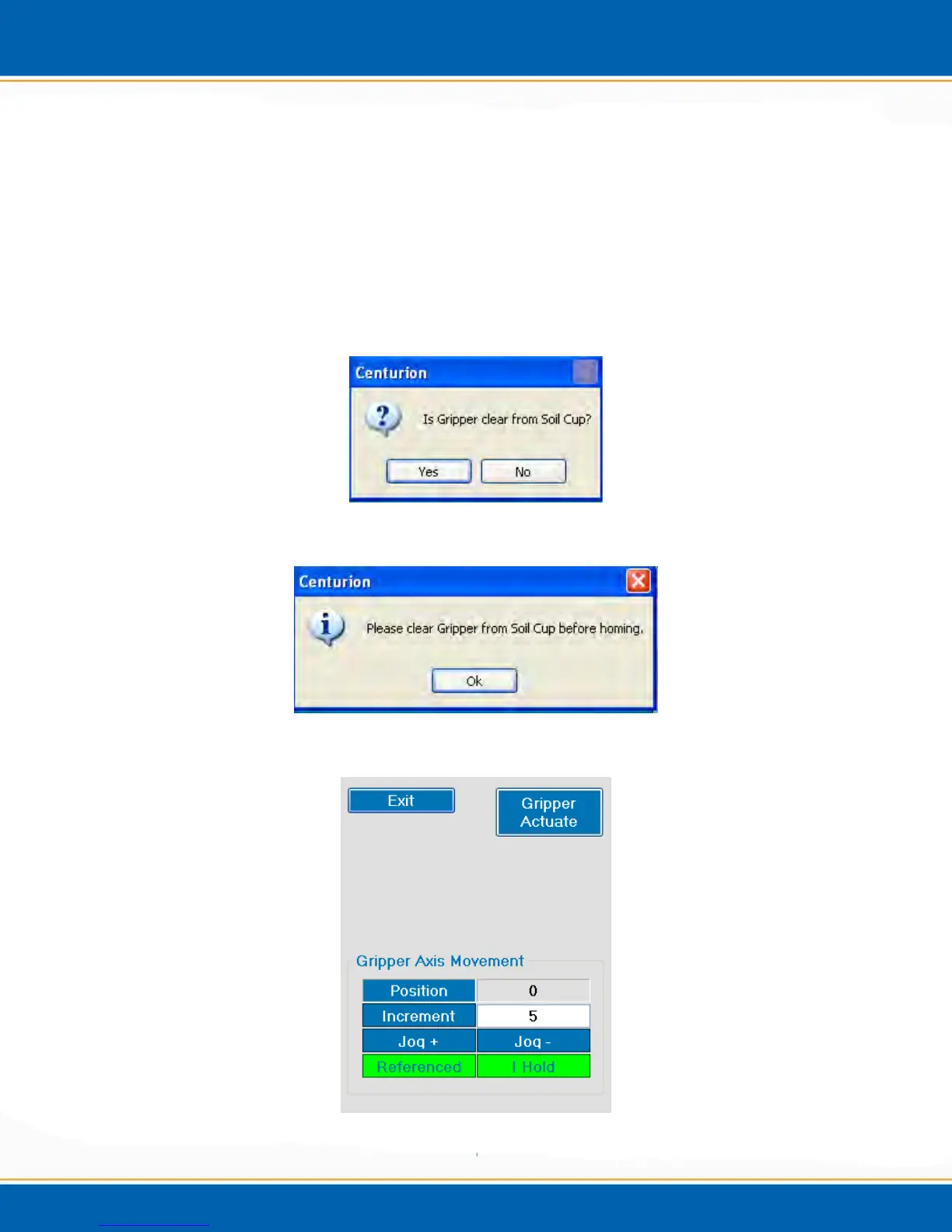
6. If the Centurion is a WS, the user will then be prompted: Is Gripper Clear from
Soil Cup? As shown if Figure 3c. <click> Yes if the gripper is clear from the soil
cup and the main screen will then be displayed. If the gripper is not clear <click> No
and the user will be prompted to Please clear Gripper from Soil Cup as shown in
Figure 3d. Next the user will see the Gripper Axis Movement screen and the F/R
Axis Movement screen as shown in Figure 3e and 3f respectively. Here you will use
the software to move the gripper clear of the soil cup. Use Gripper Axis Movement
to clear the gripper vertically and F/R Axis Movement to clear the gripper in the
Front/Rear directions. Finally, with the gripper clear of the soil cup, the user will be
able to home all axes.
Figure 3c: Is Gripper clear from Soil Cup Popup
Figure 3d: Please clear Gripper from Soil Cup Popup
Figure 3e: Gripper Axis Movement Screen



 To Next Page