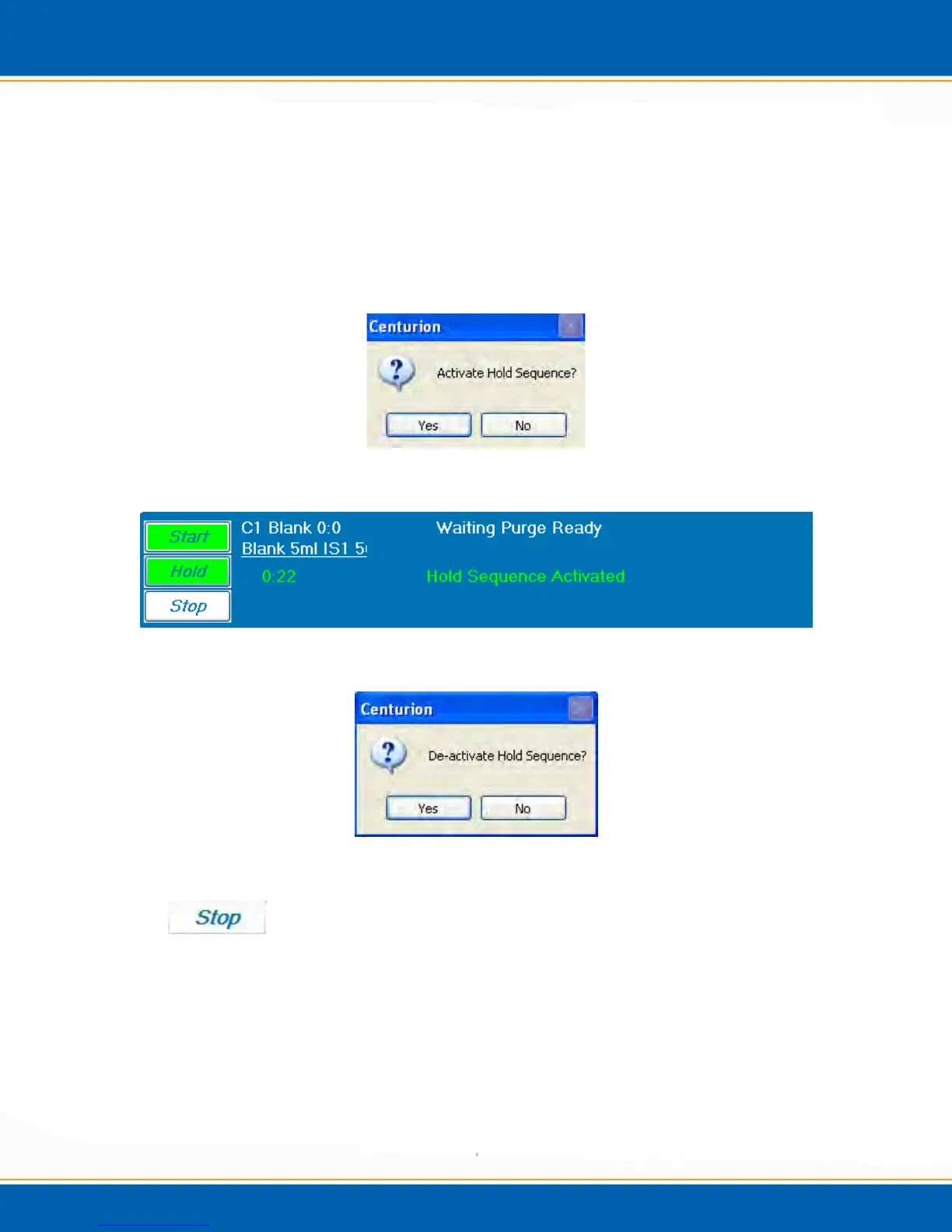
Hold: <click> the Hold button and the Centurion will remain in its current function. A
popup will appear as shown in Figure 3ff and prompt the user to activate Hold <click>
Yes or No. If Yes is selected the time in hold will be displayed as shown in Figure 3gg.
To resume the sequence <click> the Hold button and a popup will appear as shown in
Figure 3hh, to de-activate Hold select Yes to maintain the instrument in Hold select No.
NOTE: Selecting Hold on the Centurion will not activate hold on the
concentrator(s).
Figure 3ff: Hold Sequence Popup
Figure 3gg: Hold Sequence Display
Figure 3hh: De-activate Hold Sequence Popup
Stop: <click> the Stop button and a popup will appear as shown in Figure 3ii to prompt
the user to abort the sequence. Select Yes or No.
NOTE: Stop the sequence and the Centurion will continue through the current task
before coming to a complete stop. Also, do not abort while placing vial in the soil
cup, wait until the arm is back in the clearance position.



 To Next Page