Front Park: <click> the Front Park tab to front park the gripper.
Rear Park: <click> the Rear Park tab to rear park the gripper.
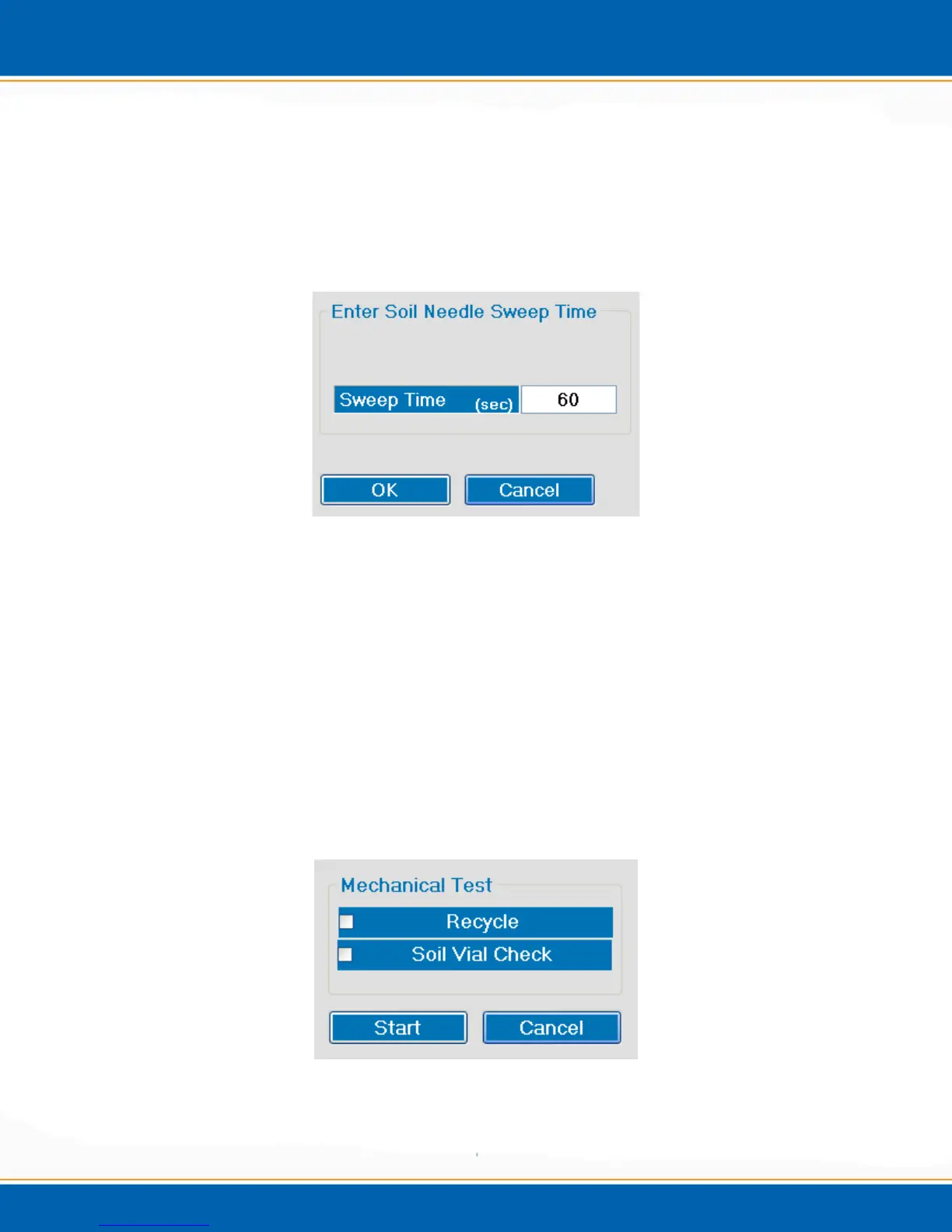
4.5.4 Sweep Soil Needle: <click> the Sweep Soil Needle tab and the popup will appear as
shown in Figure 4r. Enter the desired sweep time and <click> OK to sweep the needle
with helium.
Figure 4r: Sweep Soil Needle Tab
4.5.5 Mechanical Test: <click> the Mechanical Test button and the screen will appear as
shown in Figure 4s. Mechanical test will check the gripper, soil cup and tray positions 1,
10, 25, 41, 50, 51, 60, 75, 81 and 90. It will place the vial in the soil cup and move the
vial to the soil needle. Before beginning the test make sure that all of these tray positions
are empty except for position 1. <click> Start and the mechanical test will begin. In
order to do the Soil Vial check, select Soil Vial Check and <click> Start and the test
Soil Vial Test will begin. A Soil Vial Check requires that a vial be present in tray
position 1 in order to execute the test. Select Recycle and the Mechanical Test or Soil
Vial Check will continue until aborted by the user. To abort <click> Mechanical Test
again and the system will ask the user if they are sure that they want to abort <click> Yes
to abort mechanical test and No to continue the mechanical test. NOTE: Make sure the
instrument is in soil mode before initializing a Mechanical Test.
Figure 4s: Mechanical Test Tab



 To Next Page