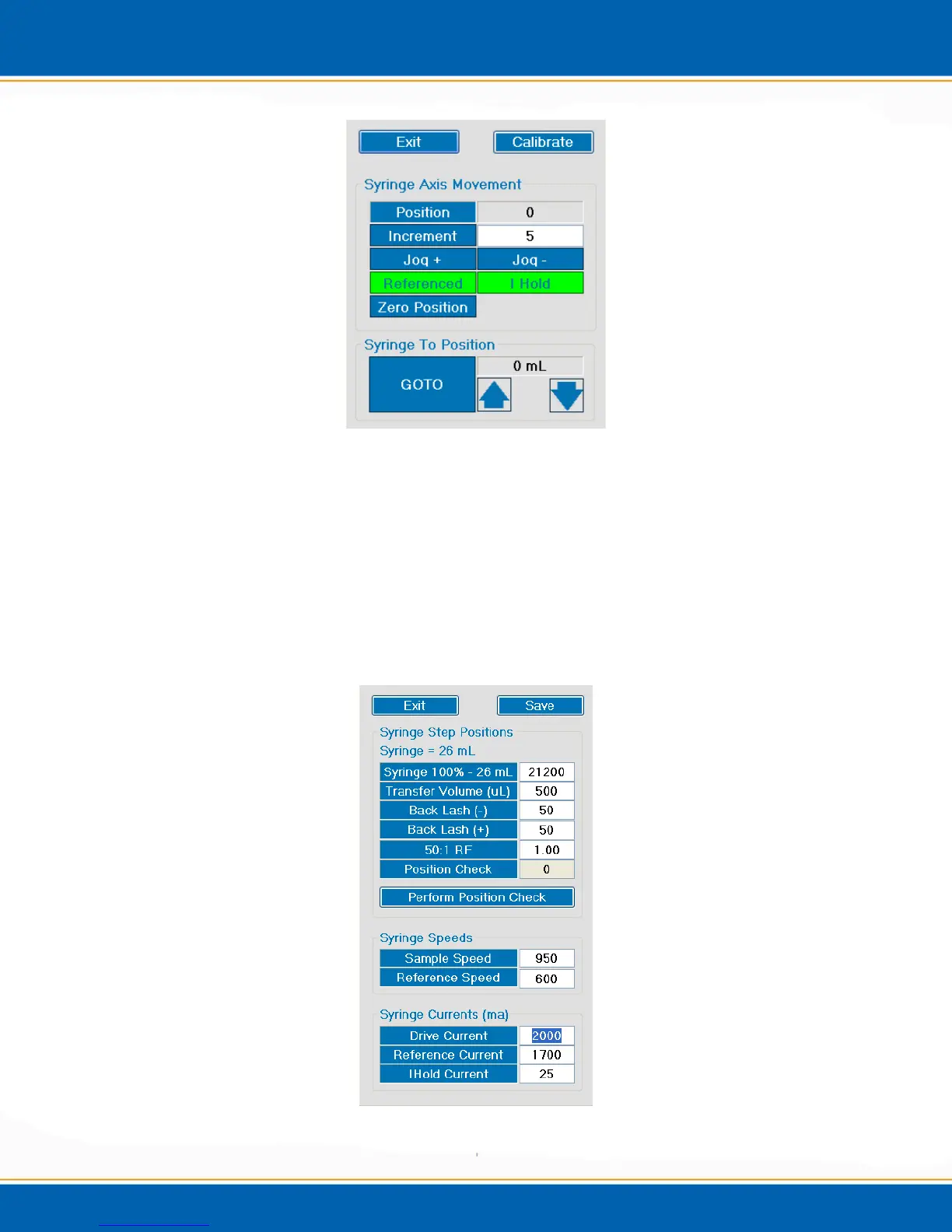
Figure 4aj: Syringe Axis Movement Screen
4. In order to calibrate the syringe position, <click> Calibrate and the manual position
screen will popup. See Figure 4ak. The position numbers in Figure 4ak represent the
default position numbers set at EST Analytical. These numbers are the recommended
settings. In this manual check, <click> Perform Position Check and the instrument
will move the syringe plunger down to the 26mL mark and back up to the 0mL mark
on the syringe and set the Position Check setting. NOTE: The Position Check
setting should be about 1700. After the position check has been done, <click> Save
and the position will be saved.
Figure 4ak: Manual Syringe Calibration Screen



 To Next Page