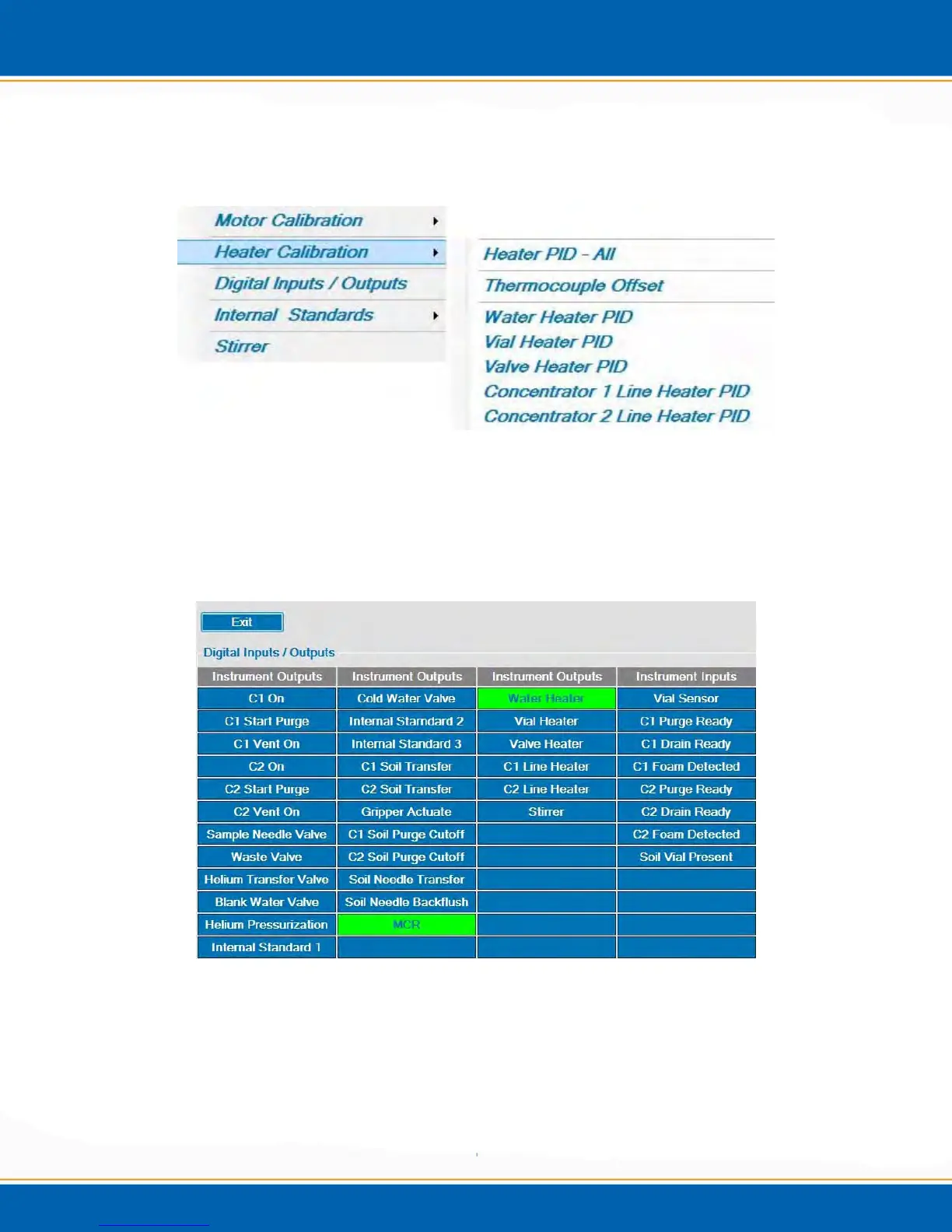
4.6.4 Heater Calibration: <click> Heater Calibration and a popup will be displayed as
shown in Figure 4al. NOTE: This is Service ONLY Access. The PID settings should
NEVER be changed unless advised by EST Analytical Technical Support.
Figure 4al: Heater Calibration Menu
4.6.5 Digital Input / Output - <click> the Digital Input/Output selection and a screen will be
displayed as shown in Figure 4am. <click> on any of the input/output functions and the
selected function will be activated or de-activated. When activated, the function is
highlighted green. When de-activated, the function is highlighted blue.
Figure 4am: Digital Input/Output Menu
4.6.6 Internal Standard Calibration: <click> the Internal Standard selection and a screen
will be displayed as shown in Figure 4an.
1. Prepare a 40mL vial containing 1µL (or µl amount of your choice) of internal
standard for every 5mL of de-ionized water.



 To Next Page