12
Main Menu: > Settings
> System
> Language & input
> Check the input method according to user’s requirements, for example “English”
> To add other language, click on +
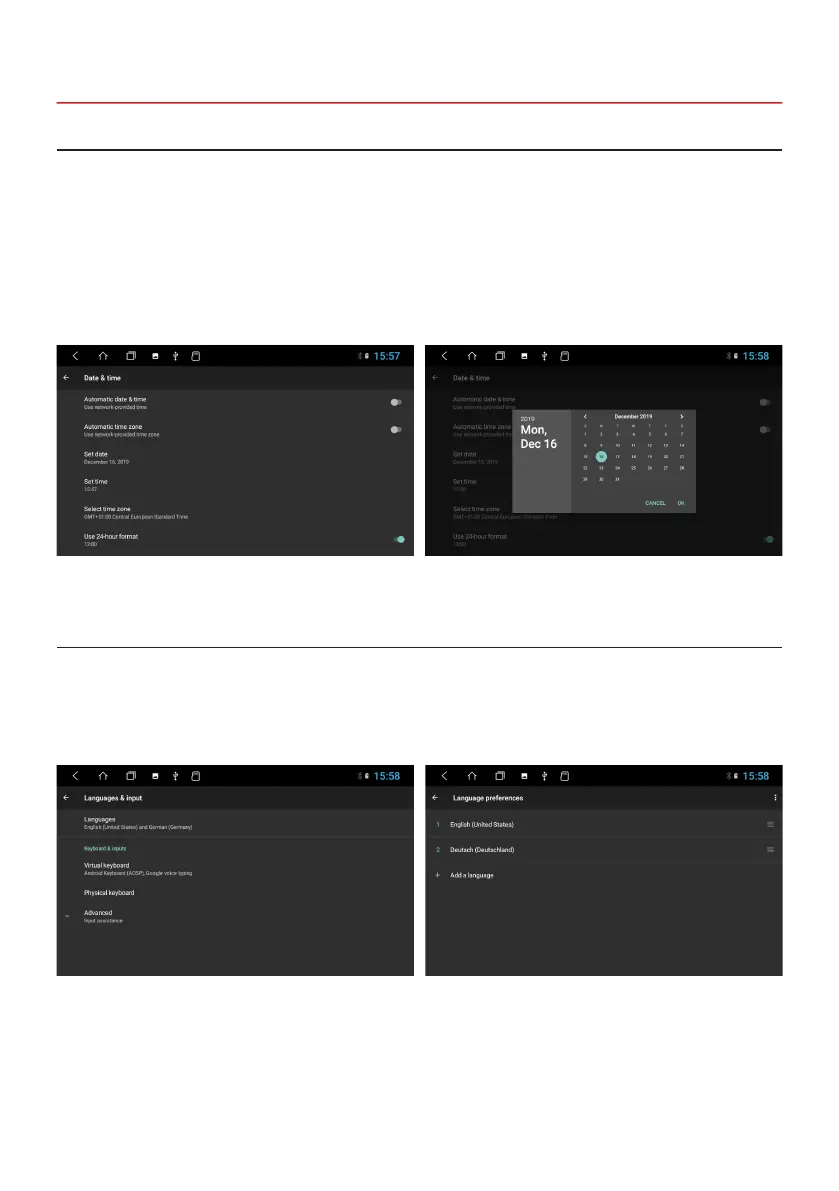
This device has the function of automatically calibrating the current time via active GPS reception. You can also set the
date, time zone, and format manually.
Main Menu > Settings
> System
> Date & time
> Set date
> Set time
> Select time zone
1.6 TIME AND DATE SETTINGS
1.7 LANGUAGE SETTINGS
Note: Now move your choice to the rst position with a swipe, that the operating system displays your preferred
language. If your selected language is not available in certain menus and functions, the next language will be
used.



 To Next Page