29
To connect the device to the Internet via an optionally connected 4G/LTE dongle, please proceed as follows:
> Turn off the device and have your PIN code ready to unlock your SIM card
> Then connect the 4G/LTE dongle with antennas to the device
> Put your SIM card in the SIM card slot of the dongle
> Turn the device on again
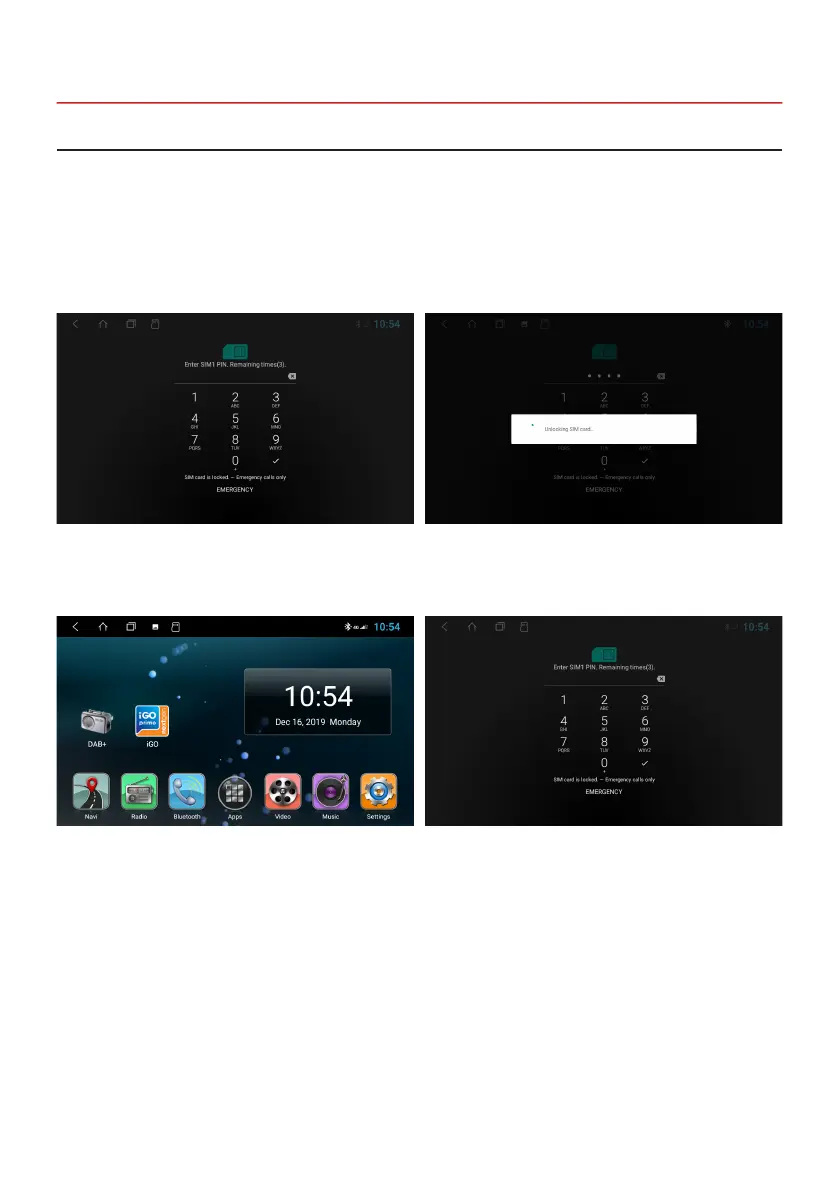
After the device has started, enter your 4-digit PIN code of
the SIM card here. Conrm the entry with the tick.
If the device is successfully connected to the mobile
Internet, the “4G” symbol appears in the status bar at the
top right.
After successful entry, the SIM card is unlocked.
If the device is switched off, you have to enter the PIN
code of the SIM card again after each restart, just like with
a smartphone.
2.18 INTERNET CONNECTION VIA 4G/LTE


 To Next Page