23
2.10 EQUALIZER
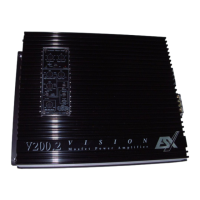
Note: the Subwoofer level is only effective when an external subwoofer amplier incl. subwoofer is connected.
In the Zone settings the user can freely adjust the bass and loudness. The user can also move the sound center stage
position (Balance & Fader) as shown below:
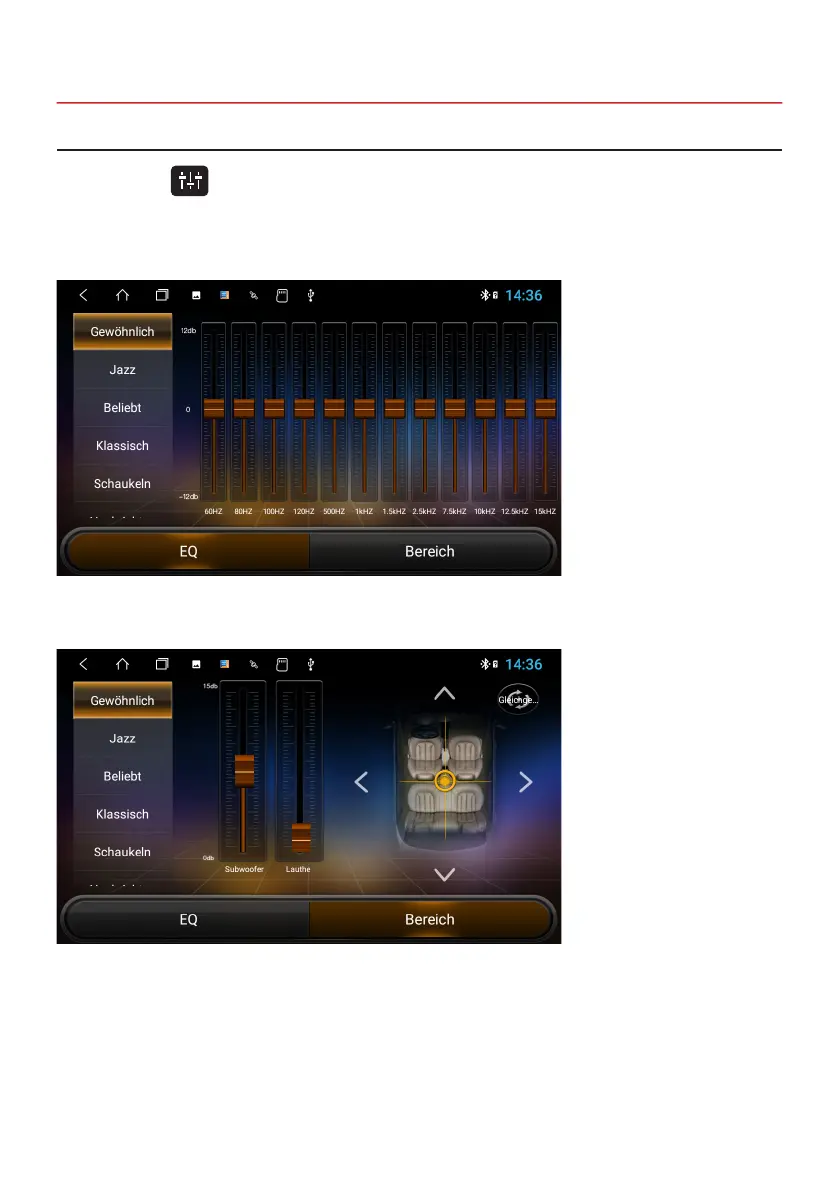
Click on EQ or on , in the main menu or in the audio or video playing menus. The equalizer menu is divided into
two functions:
> 12-Band Equalizer settings including 8 different presets
> Zone settings



 To Next Page