16
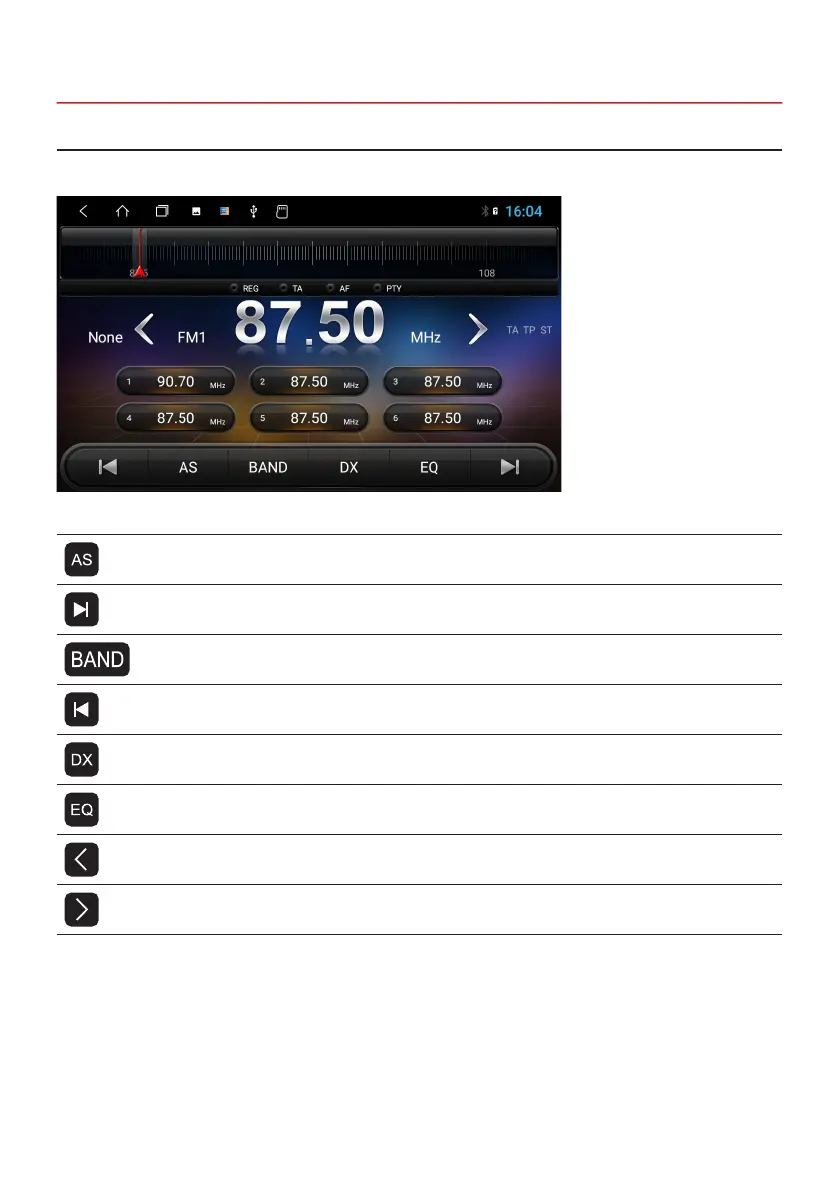
Press the “Radio” button on the device or click on “Radio” in the main menu to open the Radio Menu.
Symbol Function
Click here, to search and save radio stations automatically
Click here, to search a strong and clear channel, frequency band upward
Click here, to switch between mode FM1/FM2/AM
Click here, to search a strong and clear channel, frequency band downward
DX (far-away radio stations)
Click here, to open the Audio Settings
Radio frequency ne adjustment, frequency band downwards
Radio frequency ne adjustment, frequency band upwards
2.6 RADIO



 To Next Page