31
Check under www.esxnavi.de or ask your retail dealer, if update les for your device are available. Then follow the
installation instructions that come with the update.
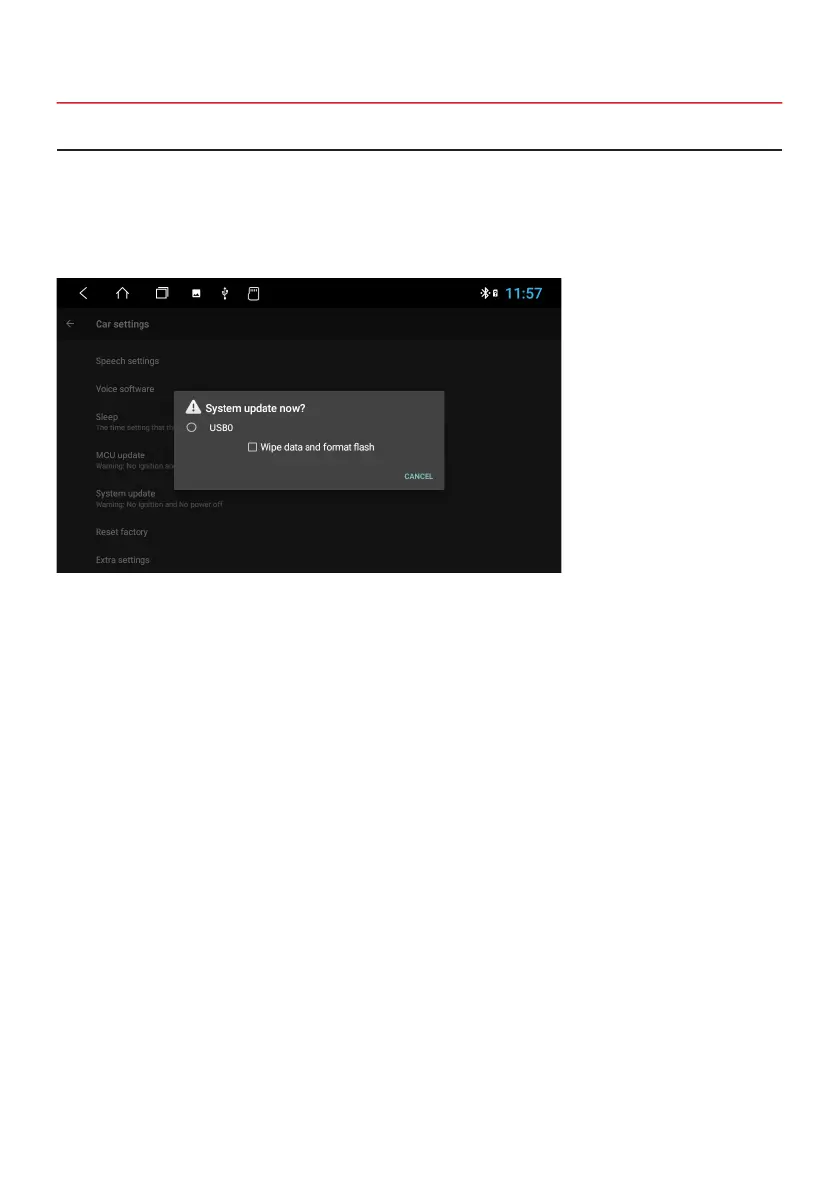
After you have decompressed the downloaded System update, copy the les to your SD card or USB stick. Insert the
SD card or USB stick into the device.
Apps > Settings
> Car Settings
> System update
Mark the circle symbol and then conrm the entry.
Wait until the update is completed. The system of the device will automatically restart, after the update is
completed. Please don not turn off the device during the update process.
3.2 SYSTEM UPDATE


 To Next Page